O
eratin
Ke
s Dis
la
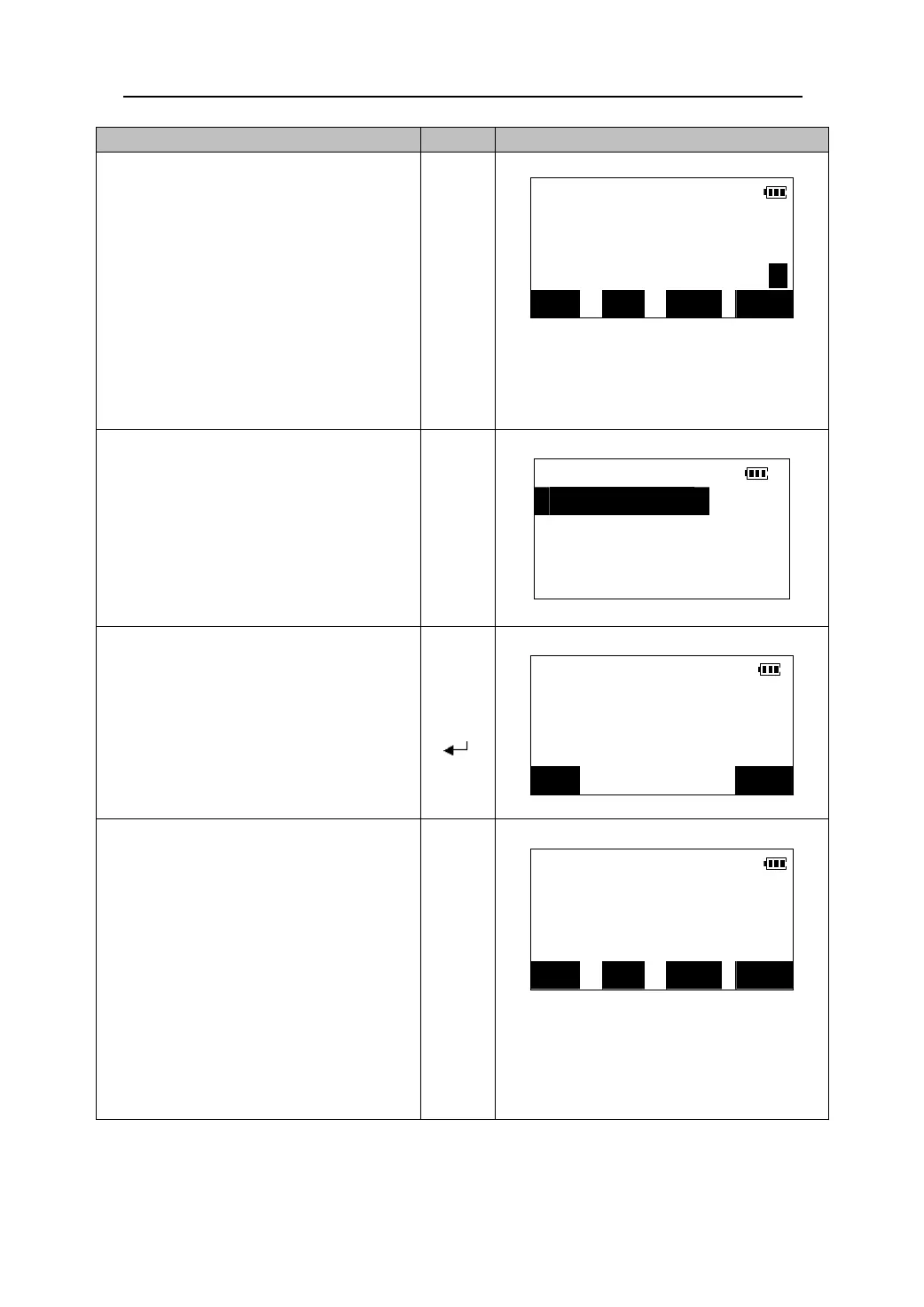
1. Set the offset point as close to the object to
be measured as closely as possible, making
sure the distance from the instrument
station to the target point & the height of
the offset points and the target point are
the as close as possible. Then observe the
offset point as the new target point.
MEAS
S 265.437m
ZA 89°33′18″
HAR 50°26′42″ P1
Press 【DIST】in the first page of the Meas
Mode to begin measurement.(Please see
“11.3 Distance and angle measurement”)
【DIST】
DIST SHV HSET EDM
【OFS】
2. Press 【OFS】to enter the offset
measurement menu screen.
Offset
1.Offset/Dist.
2.Offset/Angle
3.Stn.data
3. Select “2.Offset/Angle” to enter the
angle offset screen. The measurement
results of the offset point are displayed.
S 265.437m
ZA
z Press【OBS】to re-observe the offset
point.
【】
【】
【
】
89°33′18″
HAR 50°26′42″
2nd
obs. OK?
OBS OK
4. Press 【OK】. The distance and angle
of the target point are displayed.
Offset/Target
z Press 【REC】to record the results. (Please see
“21.1 Recording distance measurement data”)
z Press 【SFT】to switch the screen display from
distance values to coordinates values.
z Press 【NO】to return to the previous distance
and angle.
S 265.437m
ZA 89°53′10″
HAR 59°35′28″
【OK】
z Press 【YES】to return to <Offset> menu.
REC SFT NO YES
48











 To Next Page