Display
Operating Keys
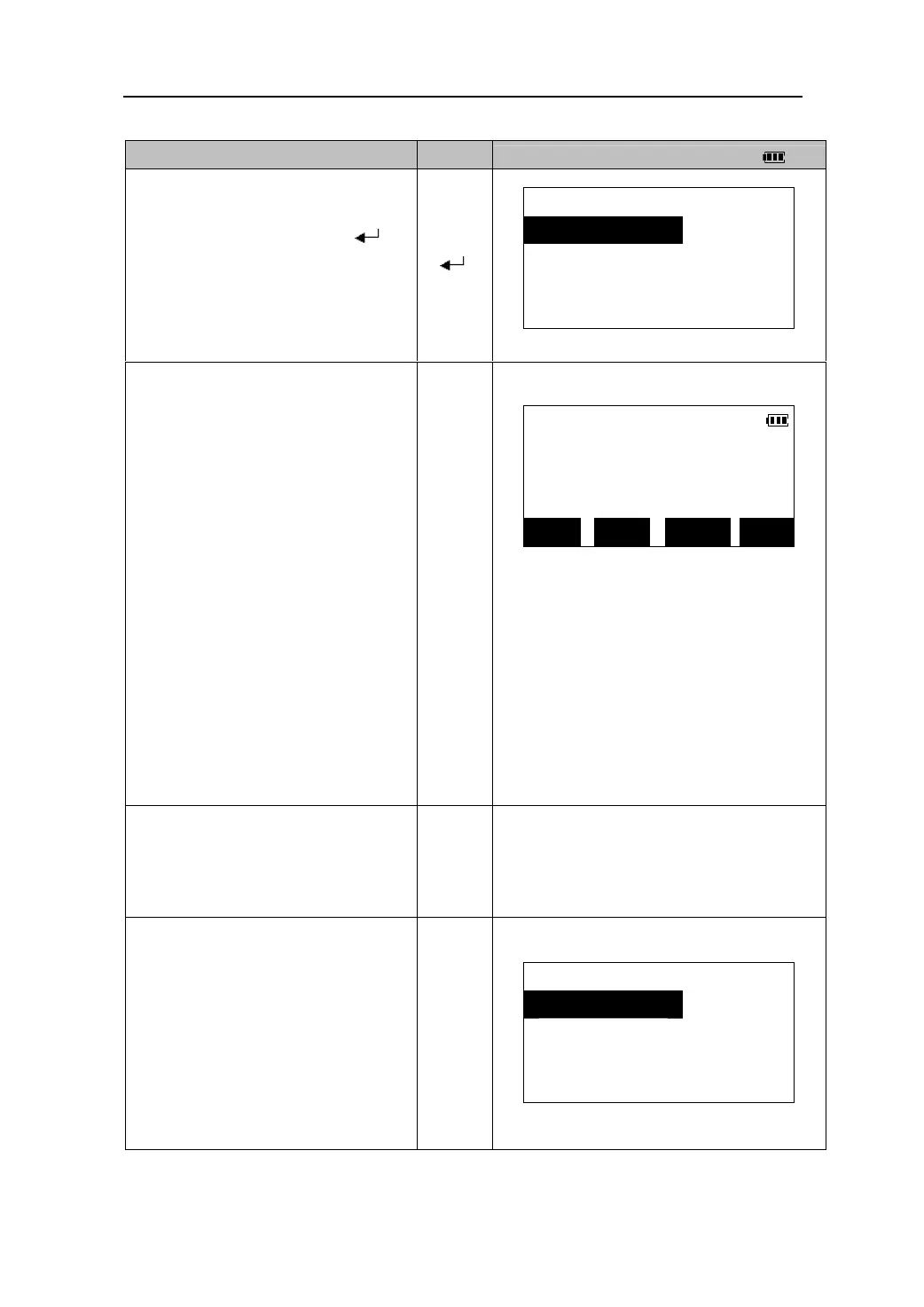
1. Sight the prism at the target point, In
<COORD> menu, select
COORD
1.Observation
“1. Observation” and press 【
】to
2.Stn. data
start measurement.
【 】
3.Stn. orient
4.Ins.h&Tgt.h
1.
he coordinate value of the target is
displayed.
COORD.
Press 【STOP】to quit measurement.
N: 156.760m
z When the height of the next target
is different, reenter the target
height before beginning the
observation.(Please see “12.3
Inputting the height of instrument
and prism”)。
E: 148.540m
Z: 12.345m
z Pressing 【REC】can record
measurement results. (Please see
“21.3 Recording coordinate
measurement data”)
z Press 【EDM】to change the
settings of EDM. (Please see “11.1
EDM Settings”).
REC EDM HT OBS
2.Sight the next target and press 【OBS】
to start next measurement.
【OBS】
Continue until all targets have been
measured.
3.Press 【ESC】to finish the coordinate
measurement, return to <COORD>
Menu.
COORD
1.Observation
2.Stn. data
【ESC】
3.Stn. orient
4.Ins.h & Tgt.h
35











 To Next Page