91
【MENU】: To menu mode(coordinates measurement , setting-out measurement , resection
measurement, missing line measurement , REM measurement , area calculation,
offset measurement , repetition measurement, setting-out line)
【HT】 Set the instrument station height and target height
【HOLD】 Hold horizontal angle /release horizontal angle
【R/L】 Select horizontal angle right / left
【REP】 Repetition measurement
【A/%】 Switch vertical angle/slope in %
【VIEW】 Display data within the current job
【OFS】 Offset measurement
【FT/M】 Switch unit of distance between meter/feet
【SEND】 Output measurement results to an external equipment
【REM】 REM measurement
【AREA】 Surface area calculation
【COMM】 To communication mode
【LINE】 Setting-out line measurement
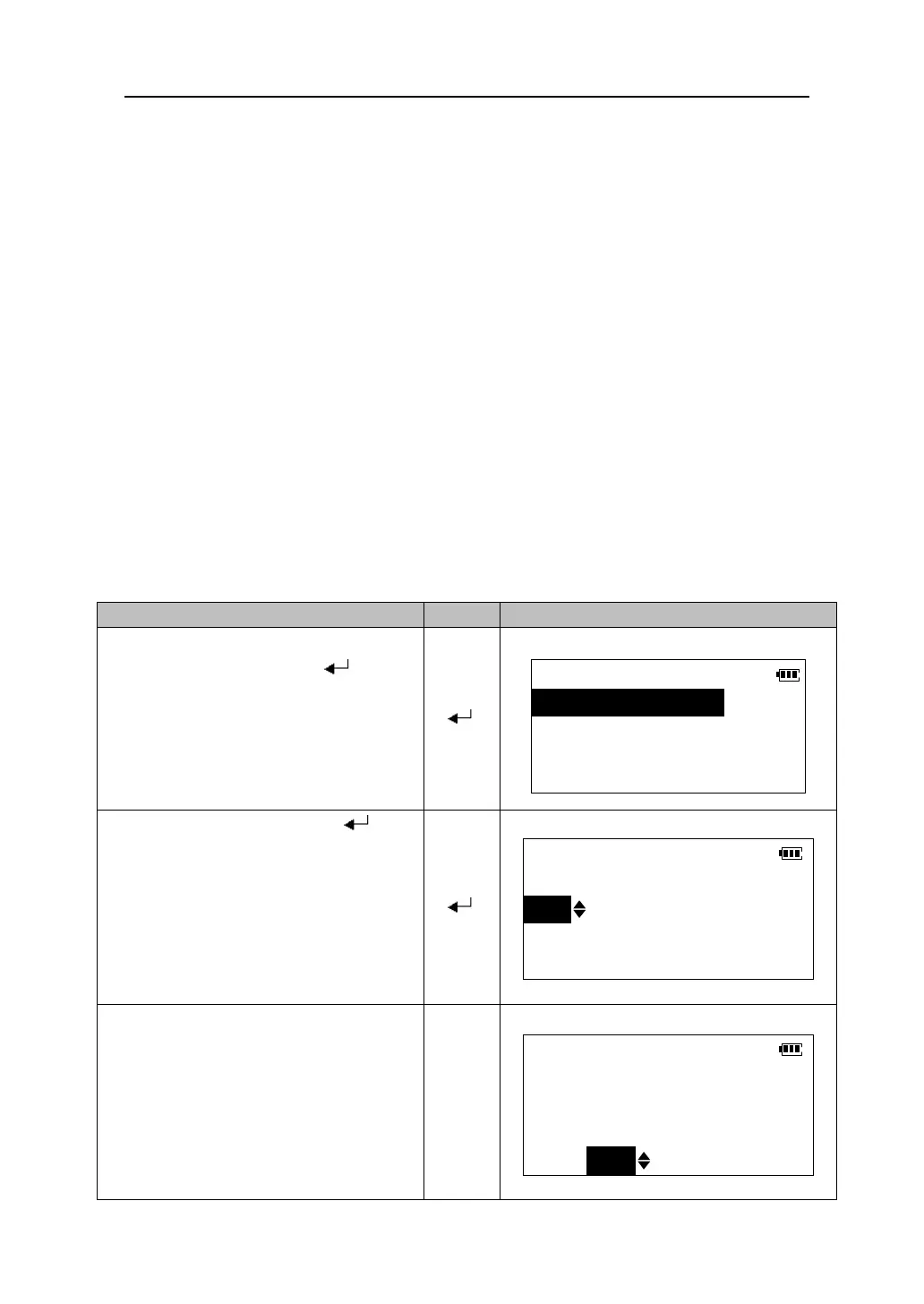
1.In config mode menu, select “3. Key
function”, and then press 【 】 to
go to the <Key function> menu.
【 】
Key function
1.Define
2.Registration
3.Recall
2.Select “1.Define” and press 【 】.
Currently allocated softkeys in Meas mode
are displayed. The cursor of the selected
Softkey flashes.
【 】
Key function
DIST
SHV
HSET
EDM
0SET
CRD
S-O
REC
MLM
RESE
MENU
HT
3.Press 【3】/【4】to move the cursor
to the softkey whose function you want
to change.
【3】
【4】
Key function
DIST
SHV
HSET
EDM
0SET
CRD
S-O
REC
MLM
RESE
MENU
HT




 To Next Page