90
Section 8
DriveRack
™
A built-In Real Time Audio Analyzer is included as just one of the many added features of the
480R DriveRack™. The following information is provided to inform you as to how to utilize
the RTA in the 480R DriveRack.
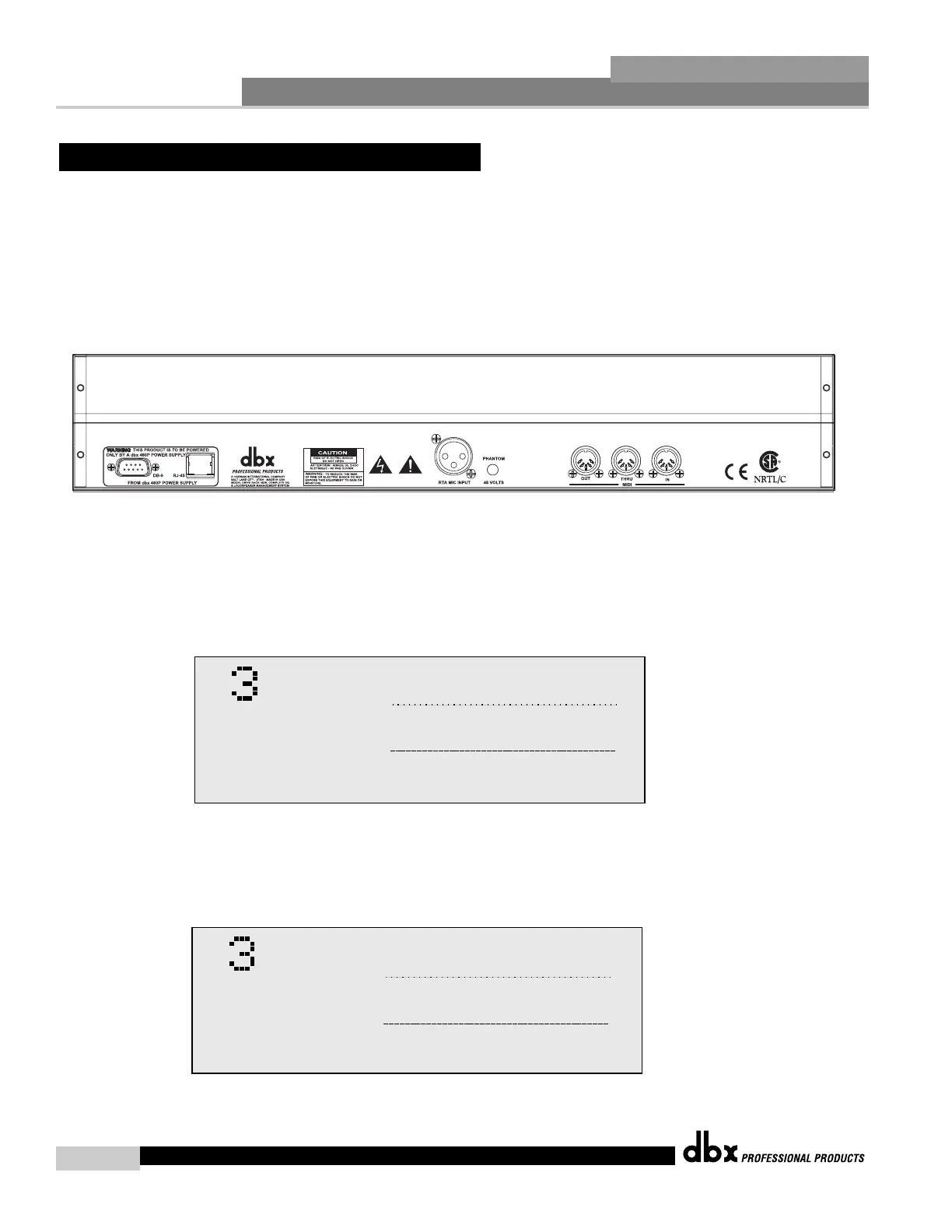
• To connect an RTA microphone to the 480R, simply make the connection to the XLR jack
on the rear panel as shown below.
• Engage the phantom power switch if microphone requires 48V Phantom power.
• LOCAL/NETWORK SELECTION - Always make certain that you are working on either
the Network or the 480R’s RTA by selecting LOCAL(1) or NETWORK(2) when you initially
enter Utility mode. Local indicates that you are working within the 480R, while Network indi-
cates that you are through a selected unit on the network system.
• Once the connection of the microphone has been made, simply press the RTA button on the
front panel of the 480R and the display will appear like this:
• Once the desired settings have been made on page 1, press the
NEXT PG button to move to page 2 and the display will appear
something like this:
Parameter 1
Parameter 2
Parameter 3
Single RTA p2:2
Rate Fast
Scale 62dB
Display Run
25
40
63
100 160 250 400 630 1.0k 1.5k 2.5k 4.0k 6.3k 10k 16k
20
31 50 80 125 200 315 500 800 1.3k 2.0k 3.2k 5.0k 8.0k 13k 20k
+24
+18
+12
+8
0
-8
-12
-18
-24
-60
-30
-40
-50
-70
-80
-90
25
40
63
100 160 250 400 630 1.0k 1.5k 2.5k 4.0k 6.3k 10k 16k
20
31 50 80 125 200 315 500 800 1.3k 2.0k 3.2k 5.0k 8.0k 13k 20k
+24
+18
+12
+8
0
-8
-12
-18
-24
-60
-30
-40
-50
-70
-80
-90
Parameter 1
Parameter 2
Parameter 3
Single RTA p1:2
Input
RTA Gain 0
Mic Sens. OFF
25
40
63
100 160 250 400 630 1.0k 1.5k 2.5k 4.0k 6.3k 10k 16k
20
31 50 80 125 200 315 500 800 1.3k 2.0k 3.2k 5.0k 8.0k 13k 20k
+24
+18
+12
+8
0
-8
-12
-18
-24
-60
-30
-40
-50
-70
-80
-90
25
40
63
100 160 250 400 630 1.0k 1.5k 2.5k 4.0k 6.3k 10k 16k
20
31 50 80 125 200 315 500 800 1.3k 2.0k 3.2k 5.0k 8.0k 13k 20k
+24
+18
+12
+8
0
-8
-12
-18
-24
-60
-30
-40
-50
-70
-80
-90



 To Next Page