Detailed Parameters
Section 4
DriveRack
™
37
DriveRack™ User Manual
Level -12 to +12 dB
This parameter allows you to adjust the level of any one of the 31 bands of the GEQ in .5 dB
increments.
Boom -6dB to 6dB
The Boom parameter allows you add an additional low-end boost or cut to the Graphic EQ.
Zizz -6dB to 6dB
The Zizz parameter allows you add an additional high-end boost or cut to the Graphic EQ.
4.2.2 - SHOW/HOUSE 31 BAND GRAPHIC EQ (S or H)
EQ On/Off
Turns the show or house GEQ on and off.
Flat Set/Undo
This parameter either flattens the GEQ or restores the GEQ to its original shape.
Frequency 20Hz to 20kHz
This parameter allows you to select any one the 31 available frequencies.
Level -12 to +12 dB
This parameter allows you to adjust the level of any one of the 31 bands of the GEQ in .5 dB
increments.
4.2.3 - PARAMETRIC EQ (P)
EQ On/Off
Turns the PEQ on and off.
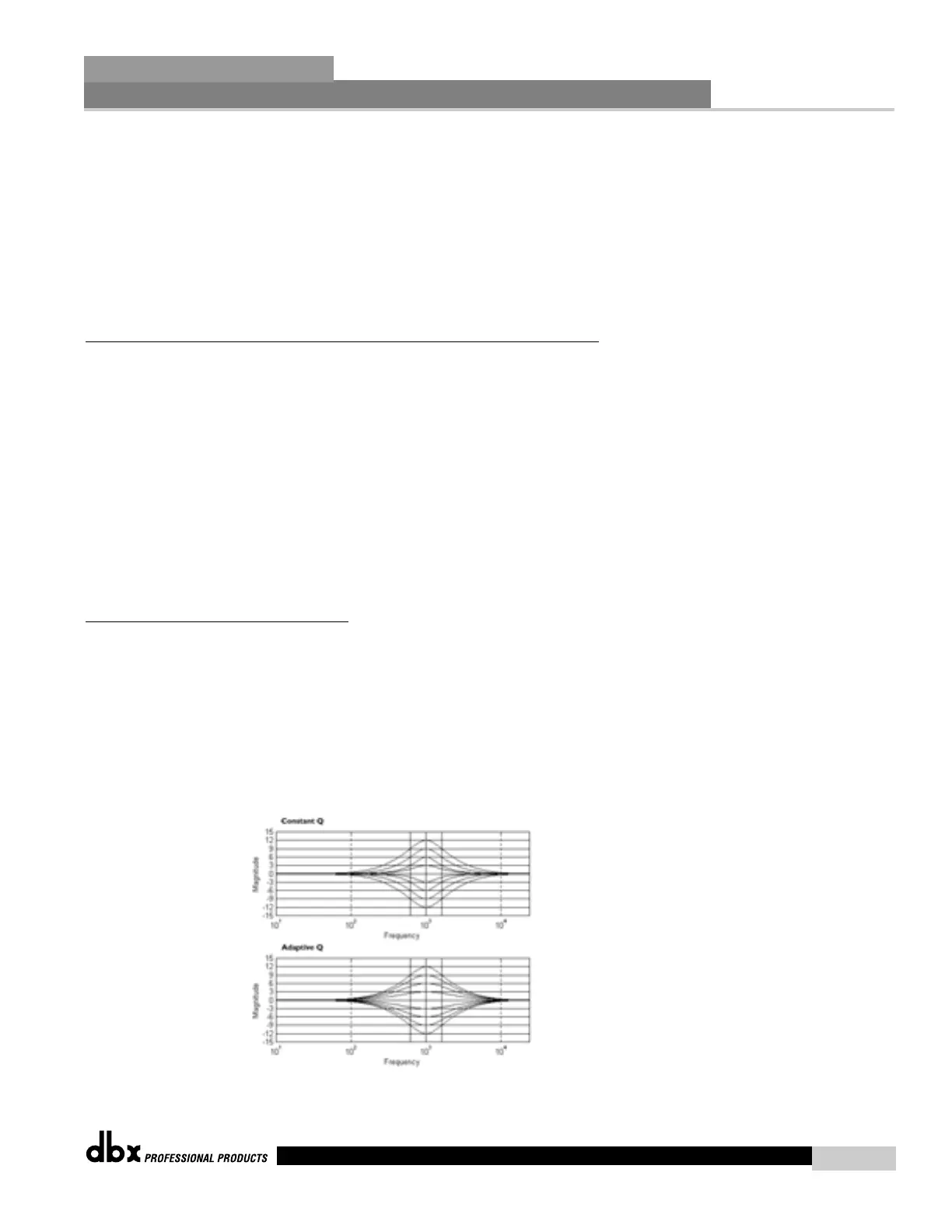
Type Const Q / Adapt Q
Const Q operates similar to an analog graphic EQ where the Q is constant regardless of cut or
boost. Whereas, Adaptive Q, operates similar to the EQ that is found on a mixing console where
the width of the band is constant regardless of the cut or boost.
The following figure shows the difference between constant and adaptive Q parametric filters.



 To Next Page