EasyManua.ls Logo

dbx DriveRack 480 - Front Panel Connections

dbx DriveRack 480
141 pages
Print Icon
To Next Page IconTo Next Page
To Previous Page IconTo Previous Page
Loading...
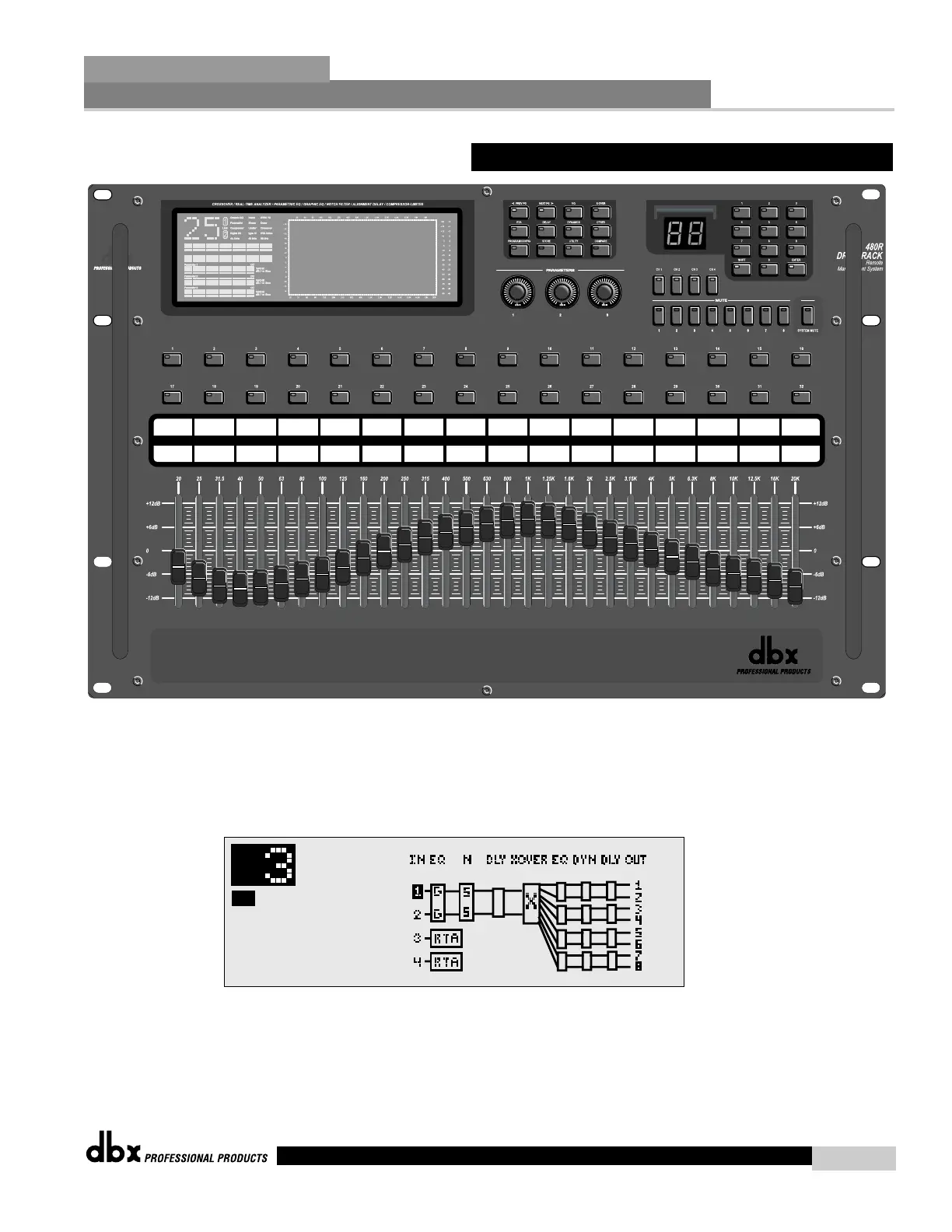
LCD Display
The large LCD display of the 480R DriveRack™ provides the user with all of the vital process-
ing information of the DriveRack™ including: signal routing, network device ID, configuration
modes, effect block editing and RTA displays.
Function Buttons
The function buttons of the 480R DriveRack™ allow access to all editing and navigating func-
tions of the 480 DriveRack™.

25
40
63
100 160 250 400 630 1.0k 1.5k 2.5k 4.0k 6.3k 10k 16k
20
31
50
80 125 200 315 500 800 1.3k 2.0k 3.2k 5.0k 8.0k 13k 20k
+24 +6
+18 +4
+12 +2
+8 0
0 -2
-8 -4
-12 -8
-18 -9
-24 -12
-60 -30
-30 -15
-40 -20
-50 -25
-70 -35
-80 -40
-90 -50
+14
+12
+10
+8
+6
+4
+2
0
-2
-10
-4
-6
-8
-12
-14
Parameter 1
Parameter 2
Parameter 3
Single RTA
Channel 1
F7 4-Way FOH w/RTA
8.2 Front Panel (480R)
®
480R Remote Controller
Section 8
DriveRack
87
DriveRack™ User Manual

Table of Contents

Other manuals for dbx DriveRack 480

Related product manuals