Recommended Cable Specifications:
Essentially, any product in the DriveRack™ system offers several different options of commu-
nicating in a network system. From the factory, all DriveRack™ products ship with a single 1-
foot DB-9 network cable. The following applications utilize the following cable recommenda-
tions:
PC GUI Interface - DB-9 female-to-female nul modem cable.
480R and 480P - DB-9 male-to-male cable. The 480P also supports RJ-45 cables.
RS485 Network (DB-9 type) - DB-9 male-to-male cable.
RS485 Network (RJ-45 type) - RJ-45 cable.
Network cables are CAT-5 UTP 24 gauge.
Cable Lengths
480R to 480P - 250 feet max. 500 feet with dbx proprietary cable.
480P to Network - Up to 4000 feet.
RS 232 PC to any slave unit - Max. 50 feet.
MAXIMUM BACKBONE CABLE LENGTH - 4000 feet.
Please See Section A.11 for Wire Diagram Information
Connectors:
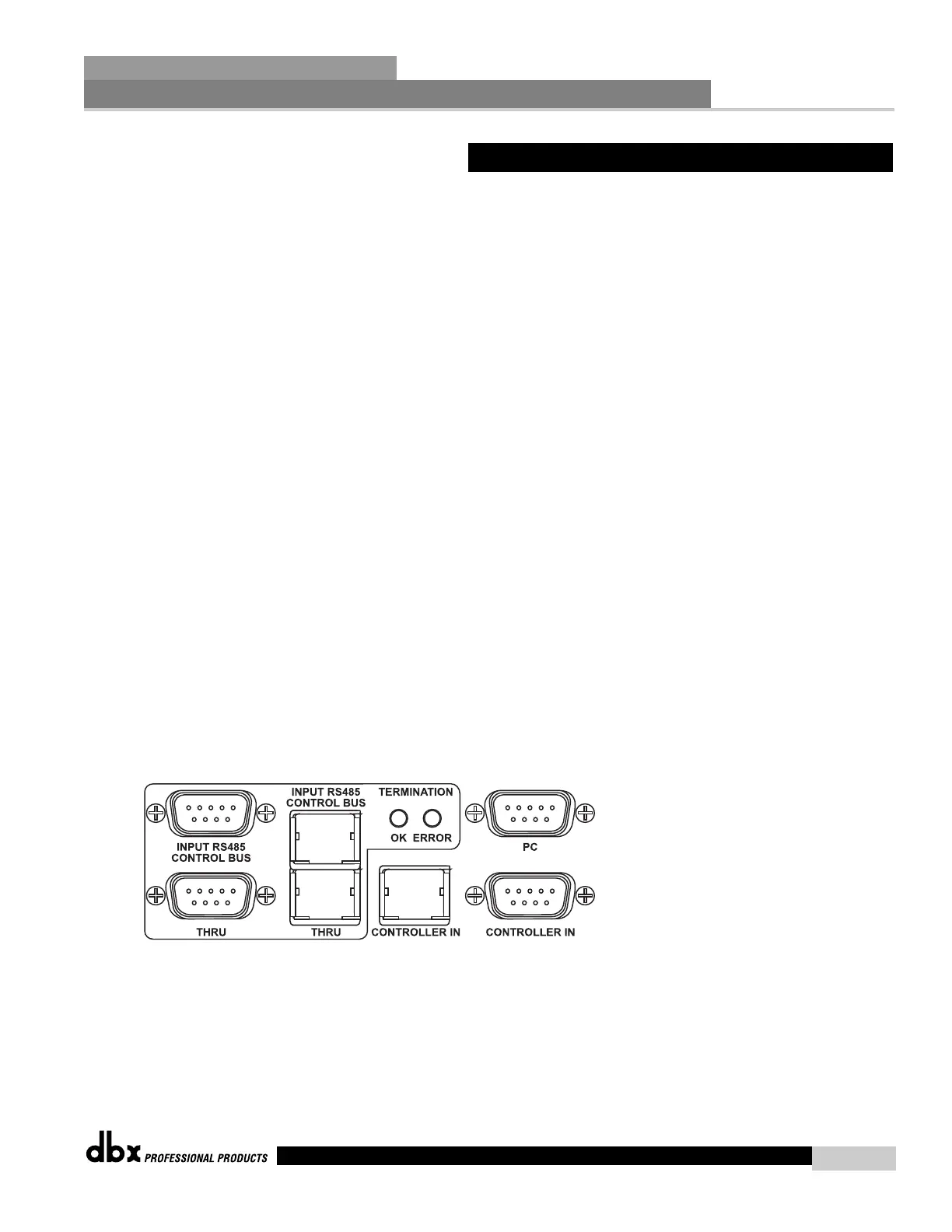
Every product in the DriveRack™ line feature both DB-9 and RJ-45 type connectors for estab-
lishing a network system. Both connector types are offered for added convenience to the user.
DB-9 connectors are however used exclusively for interfacing with a PC. The following illus-
tration shows the typical network rear-panel connectors for the 480, 481, 442 and 482
DriveRack™ units. You can utilize either connector type on a single unit. However, you can-
not use both input or thru connectors simultaneously.
In addition to the rear panel network connectors, the 481, 482 and 442 offer PC GUI interface
DB-9 type male connectors on the front panel.
7.1 Network Connections (Specs)
Network Functions
SECTION 7
DriveRack
™
63
DriveRack™ User Manual



 To Next Page