®
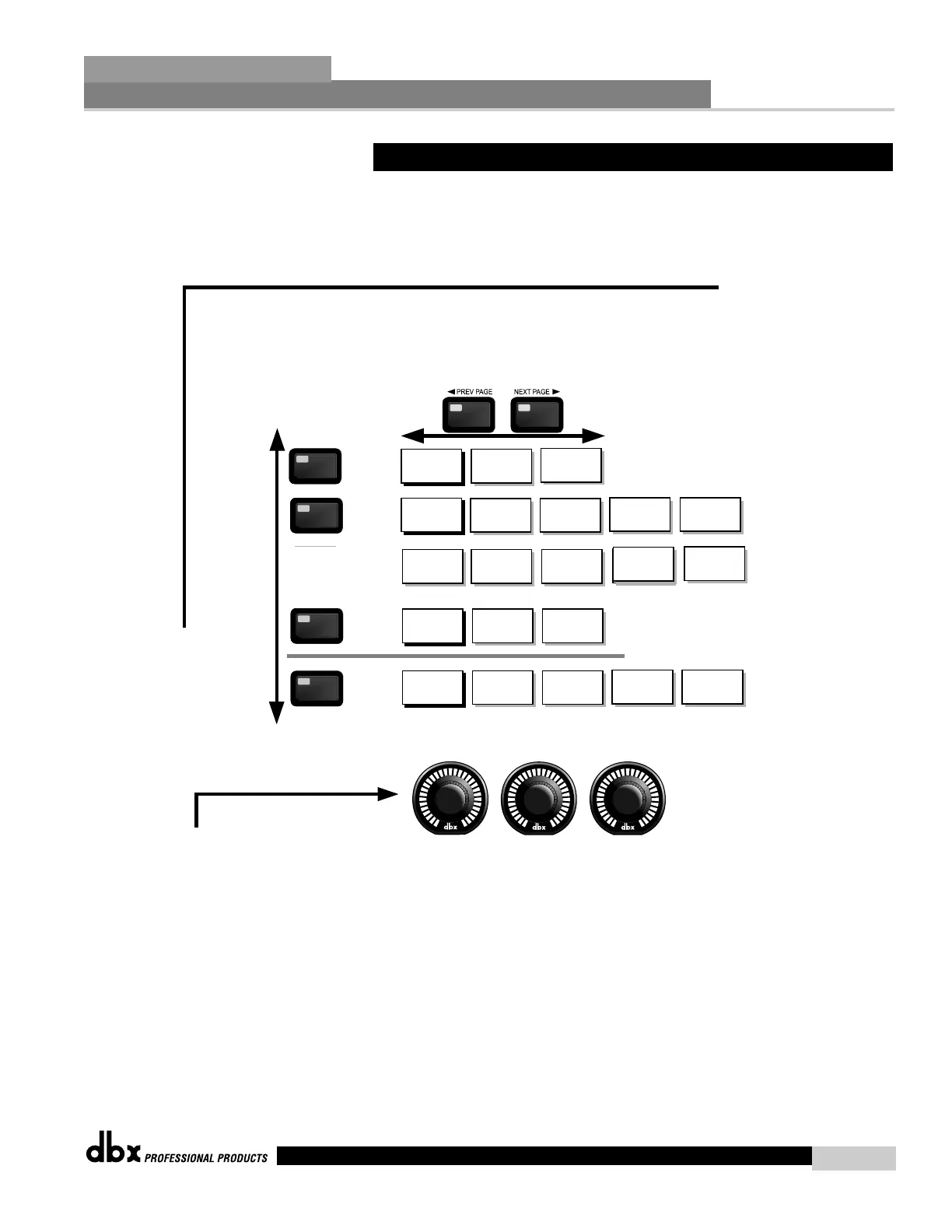
The EQ button
toggles through
the EQs or notch
filters used in
each channel of
the selected
program
menu.
The PARAMETER knobs are used
to edit parameter values
1
2 3
PEQ
PEQ
GEQ
NOTCH
Post XOVER
Navigating the "EQ and Notch Filter Sections"
To edit the parameters of the EQs and Notch Filters used in a selected program, simply use the following procedure. From program mode,
either press the EQ button or use the Parameter 2 or 3 knobs to move to EQ module to be edited. Once you have reached the desired EQ,
press the Parameter 2 or 3 knob. Successive presses of the EQ button will move through each channel (input or output) that utilizes an EQ module.
Navigate throughthe Pages of the selected EQ section by pressing "Next Page" or "Prev Page" successively until arriving at the desired Page.
EQ On/Off
Flat Set/Undo
EQ
EQ
EQ
EQ
Frequency
Level
Boom
Zizz
EQ On/Off
Type
Flat Set/Undo
Notch On/Off
Notch1 Freq
Q Adjust
Level
EQ On/Off
Type
Flat Set/Undo
Band 1 Freq
Q Adjust
Level
Notch 2 Freq
Q Adjust
Level
Band 2 Freq
Q Adjust
Level
Band 3 Freq
Q Adjust
Level
Band 4 Freq
Q Adjust
Level
Band 1 Freq
Slope
Level
Band 2 Freq
Q
Level
Band 3 Freq
Q
Level
Band 4 Freq
Q
Level
Band 5 Freq
Q
Level
Band 6 Freq
Q
Level
Band 7 Freq
Q
Level
Band 9 Freq
Slope
Level
Band 8 Freq
Q
Level
Band 9 Freq
Slope
Level
2.6 Navigating the EQ Sections
Editing Functions
Section 2
DriveRack
™
17
DriveRack™ User Manual



 To Next Page