EasyManua.ls Logo

dbx DriveRack 480 - A.11 Wire Diagrams

dbx DriveRack 480
141 pages
Print Icon
To Next Page IconTo Next Page
To Previous Page IconTo Previous Page
Loading...
®
DriveRack™ User Manual
128
Appendix A
DriveRack
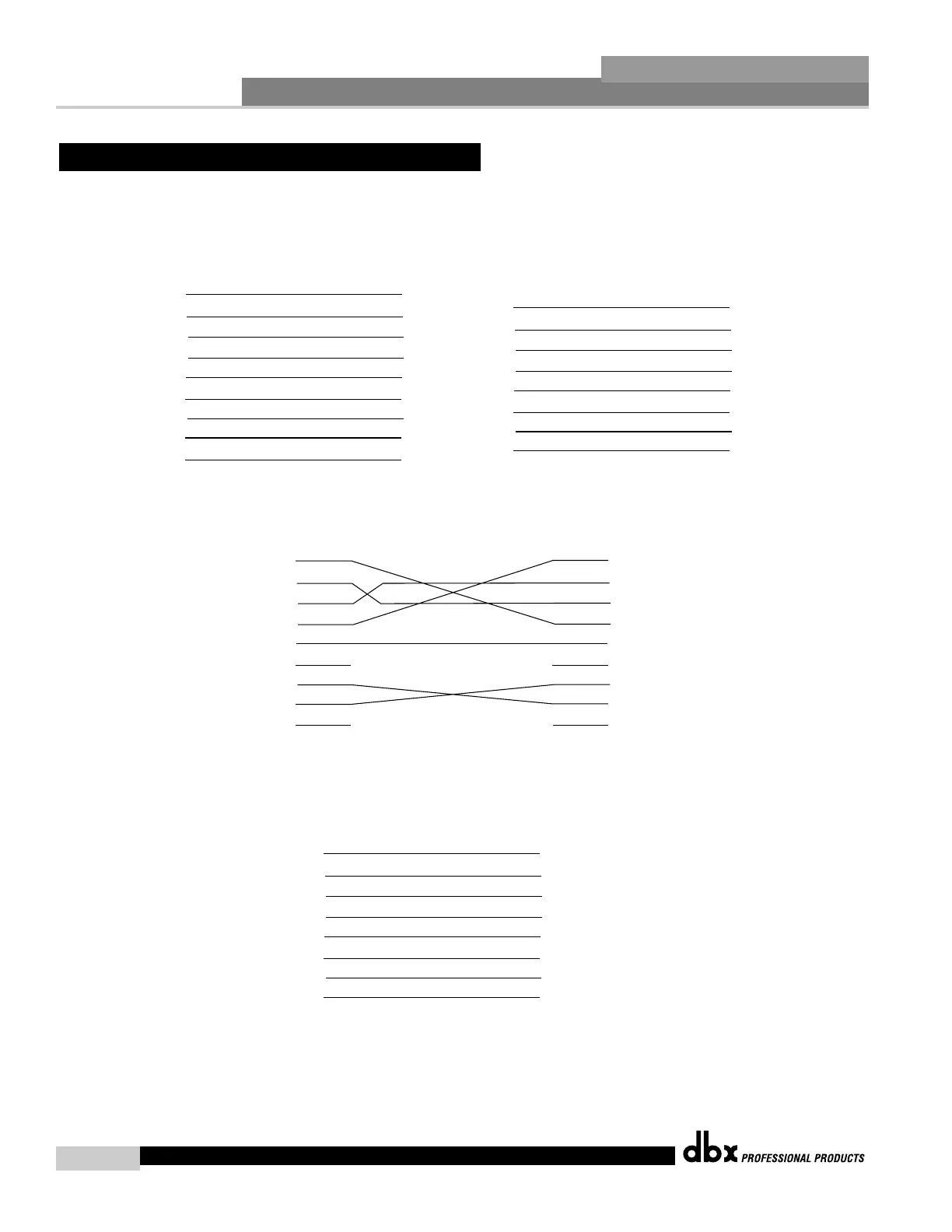
A.11 Wire Diagrams
DB-9 Male DB-9 Male
White/Orange
Orange
White/Green
White/Blue
Green
Blue
White/Brown
Brown
No Connection
Pin Configuration
Cable Specification: Cat 5 Cable - 4-Twisted Pairs of 24 AWG wire
Cable to PC - Standard NUL modem Cable
Note: For using remote control cables longer than
250 feet, use the following wire configuration
1
2
3
4
5
6
7
8
9
1
2
3
4
5
6
7
8
9
DB-9 Male DB-9 Male
No Connect
No Connect
1
2
3
4
5
6
7
8
9
1
2
3
4
5
6
7
8
9
RJ-45
(8-Position)
RJ-45
(8-Position)
White/Orange
Orange
White/Green
White/Blue
Green
Blue
White/Brown
Brown
1
2
3
4
5
6
7
8
1
2
3
4
5
6
7
8
20 AWG
20 AWG
24 AWG
24 AWG
24 AWG
24 AWG
20 AWG
20 AWG
1
2
3
4
5
6
7
8
1
2
3
4
5
6
7
8

Table of Contents

Other manuals for dbx DriveRack 480

Related product manuals