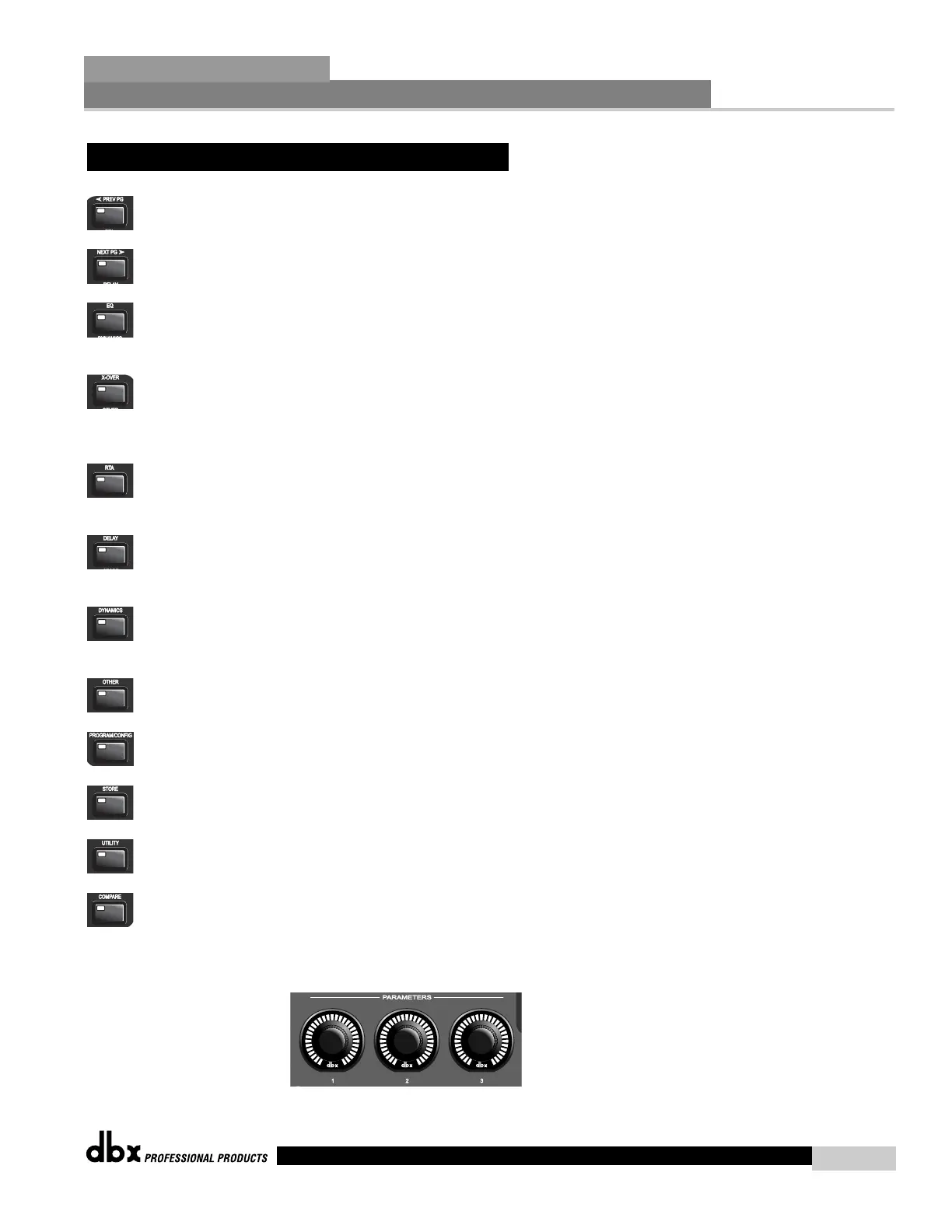
PREVIOUS PAGE - Moves to the previous page in the currently selected effect menu.
NEXT PAGE - Moves to the next page in the currently selected effect menu.
EQ - Selects the EQ effect menu. Successive presses will rotate through the various
EQ modules.
XOVER - Selects the Cross over menu. Successive presses will toggle between the
various crossovers. Note: when used as a controller for the 442, pressing
the X-over button will access the notch filter section of the 442.
RTA - Enters the RTA mode of the DriveRack. Successive presses will toggle between
the RTA modules.
DELAY - Selects the DELAY effect menu. Successive presses will toggle between the
various delay modules.
DYNAMICS - Selects the Compressor/Limiter effect menu. Successive presses will
move through the dynamics modules.
OTHER - Selects the Input and Output editing sections of the DriveRack™.
PROGRAM/CONFIG - This button will load a selected program, loads the Program
mode or enters the Configuration edit mode when pressed and held.
STORE - The STORE button is used to store program edits.
UTILITY - Selects the Utility edit menu of the DriveRack.
COMPARE - The Compare button is used to compare program edits to the original
(unedited) program.
PARAMETER KNOBS - The parameter knobs perform various functions including: program
changes (parameter 1), parameter value edits and cursor navigation utilizing the parameter
knobs 2 and 3.
2.2 FX Button Array Overview (cont.)
Editing Functions
Section 2
DriveRack
™
15
DriveRack™ User Manual



 To Next Page