104
Section 9
DriveRack
™
Hardware
Note Make sure that all outputs are muted on the DriveRack™ prior to adding power to any
devices in the signal path (pre and post DriveRack™).
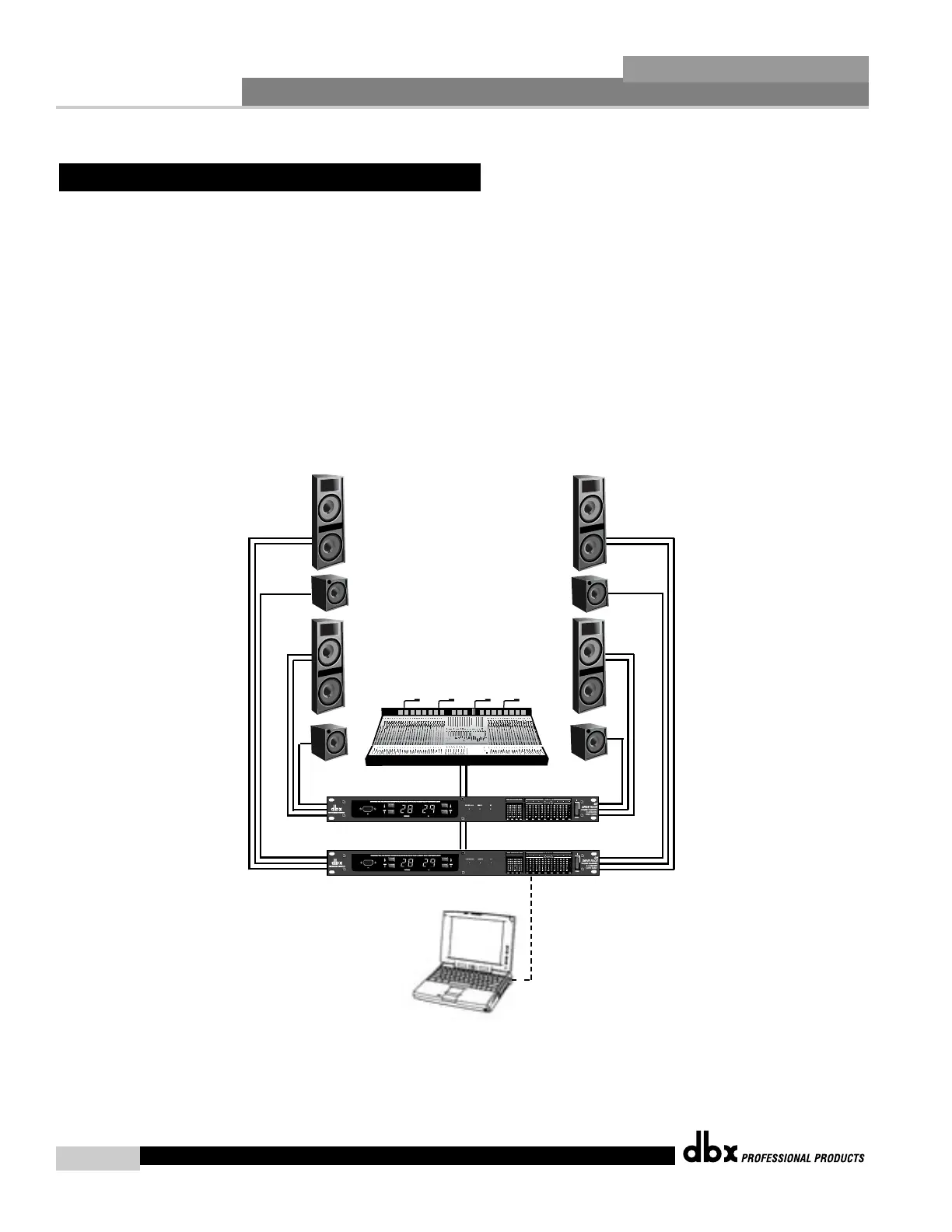
1. Connect the outputs from the mixer to the inputs of the DriveRack™.
2. Connect the outputs of the DriveRack™ units and run to the selected speaker amplifier.
3. Make network connections between the DriveRack™.
4. Connect the optional PC GUI to the DriveRack™ 1 via the front panel connector.
5. Making sure that all outputs are muted, apply power to the mixer and amplifiers.
Software
1. Use the GUI interface to access the input and output level controls of the unit. For infor-
mation about networking and the PC interface, please see section 7.
9.5 Dedicated FOH Crossover
DriveRack™ User Manual



 To Next Page