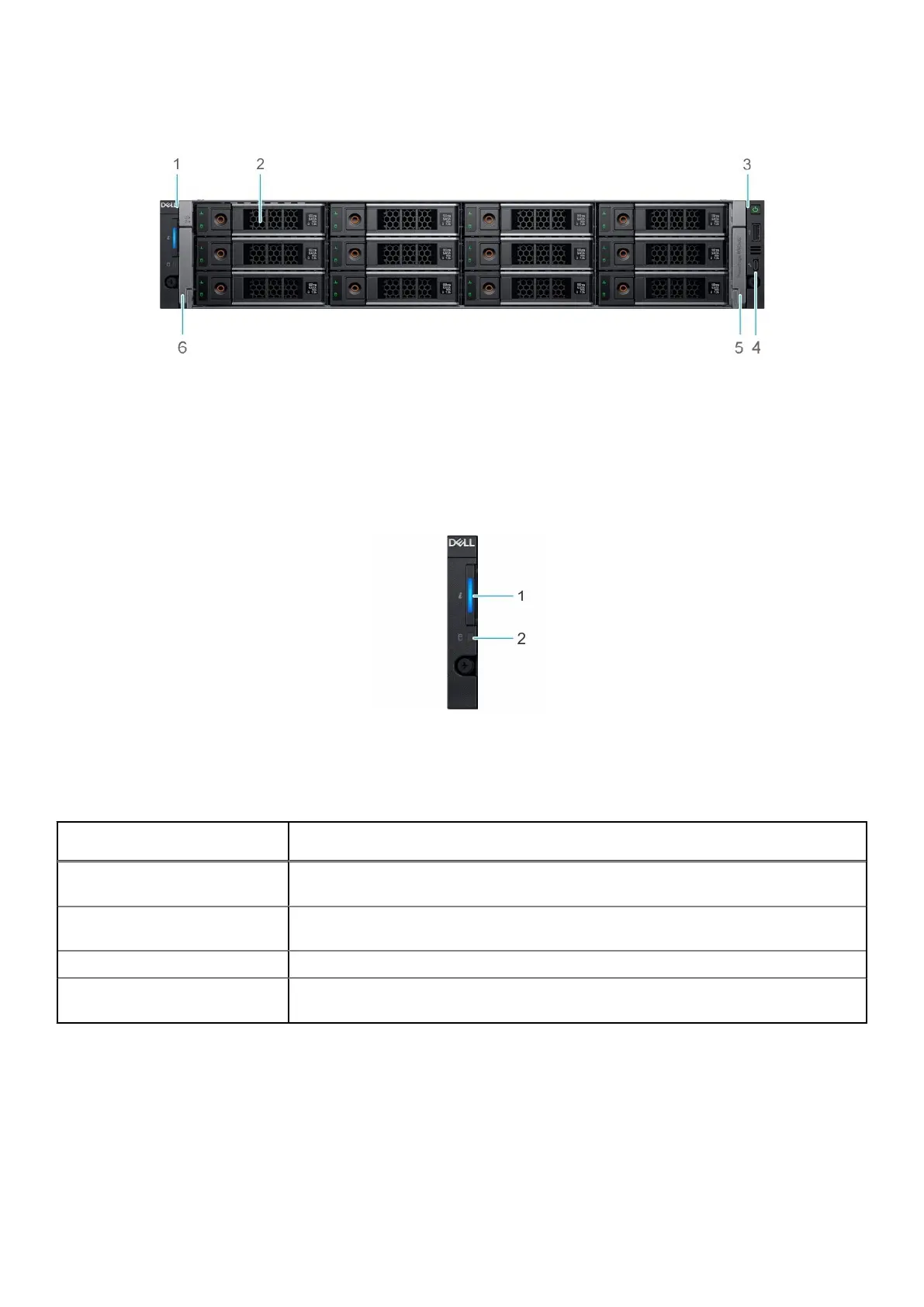
DM5500 front view
Figure 1. DM5500 front view
1. Left control panel 2. Drives (12)
3. Right control panel 4. Micro USB port
5. Right release latch 6. Left release latch
Control panels
Figure 2. Left control panel
1. System health and system ID indicator
2. Drive indicator
Table 4.
System health and system ID indicator codes
System health and system ID
indicator code
Condition
Solid blue Indicates that the system is turned on, the system is healthy, and the system ID mode is
not active. Press the system health and system ID button to switch to system ID mode.
Blinking blue Indicates that the system ID mode is active. Press the system health and system ID
button to switch to system health mode.
Solid amber Indicates that the system is in fail-safe mode.
Blinking amber Indicates that the system is experiencing a fault. Check the system event log for specific
error messages.
14 Understand the PowerProtect Data Manager Appliance









 To Next Page