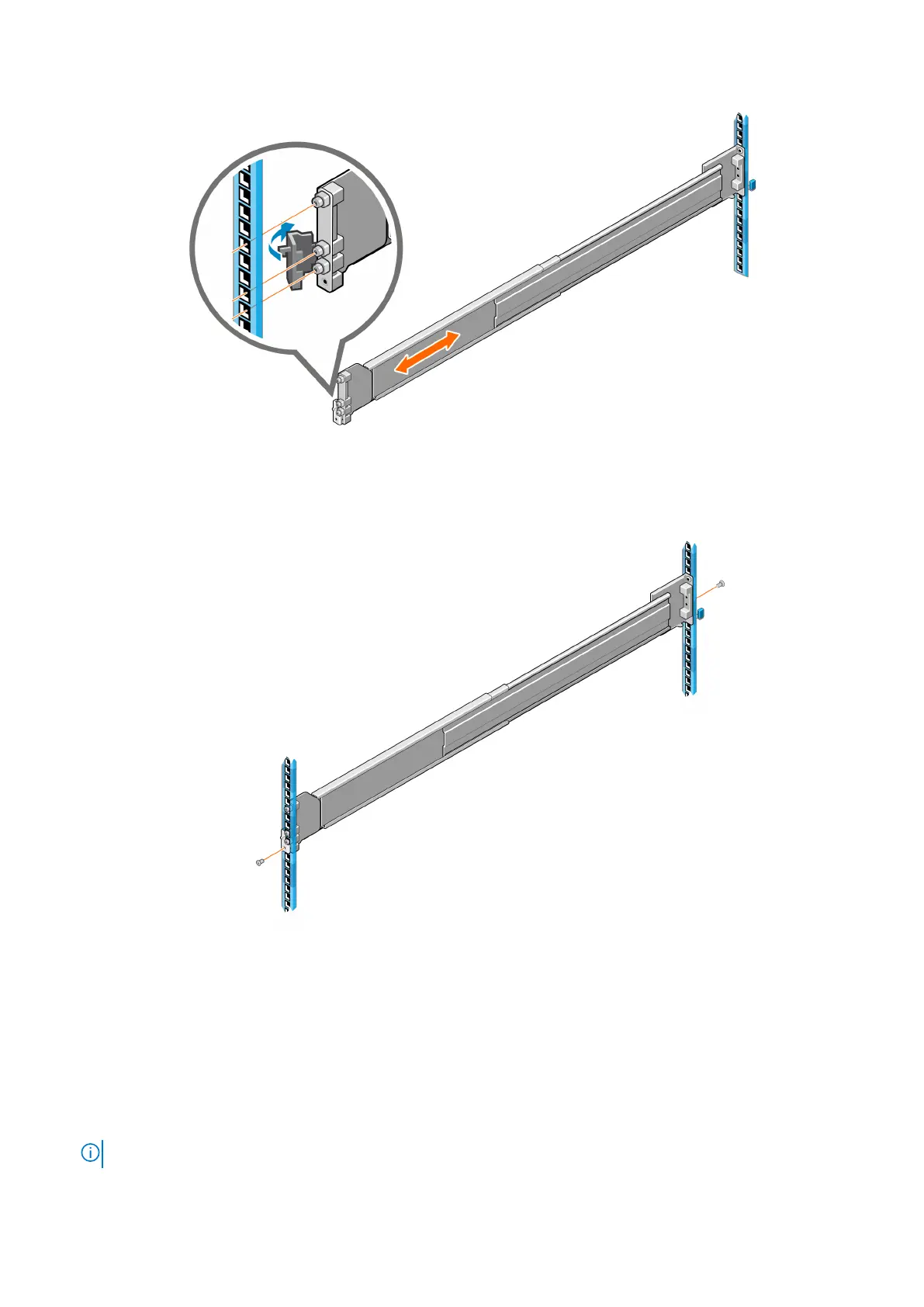
Figure 36. Attaching the rail to the front post
5. Secure the front rail bracket with one screw.
6. Secure the rear rail bracket with two screws.
Figure 37. Securing the rails to the rack
7. Repeat these steps for the second rail.
Install the enclosure into the rack
Steps
1. Use two people to lift the enclosure and align it with the installed rails.
NOTE: Ensure that the enclosure remains level while inserting it in the rack.
46 Install the expansion enclosure in the rack









 To Next Page