system to prevent the chassis from distorting or bending. Keep the system parallel to the ground when lifting
and moving it.
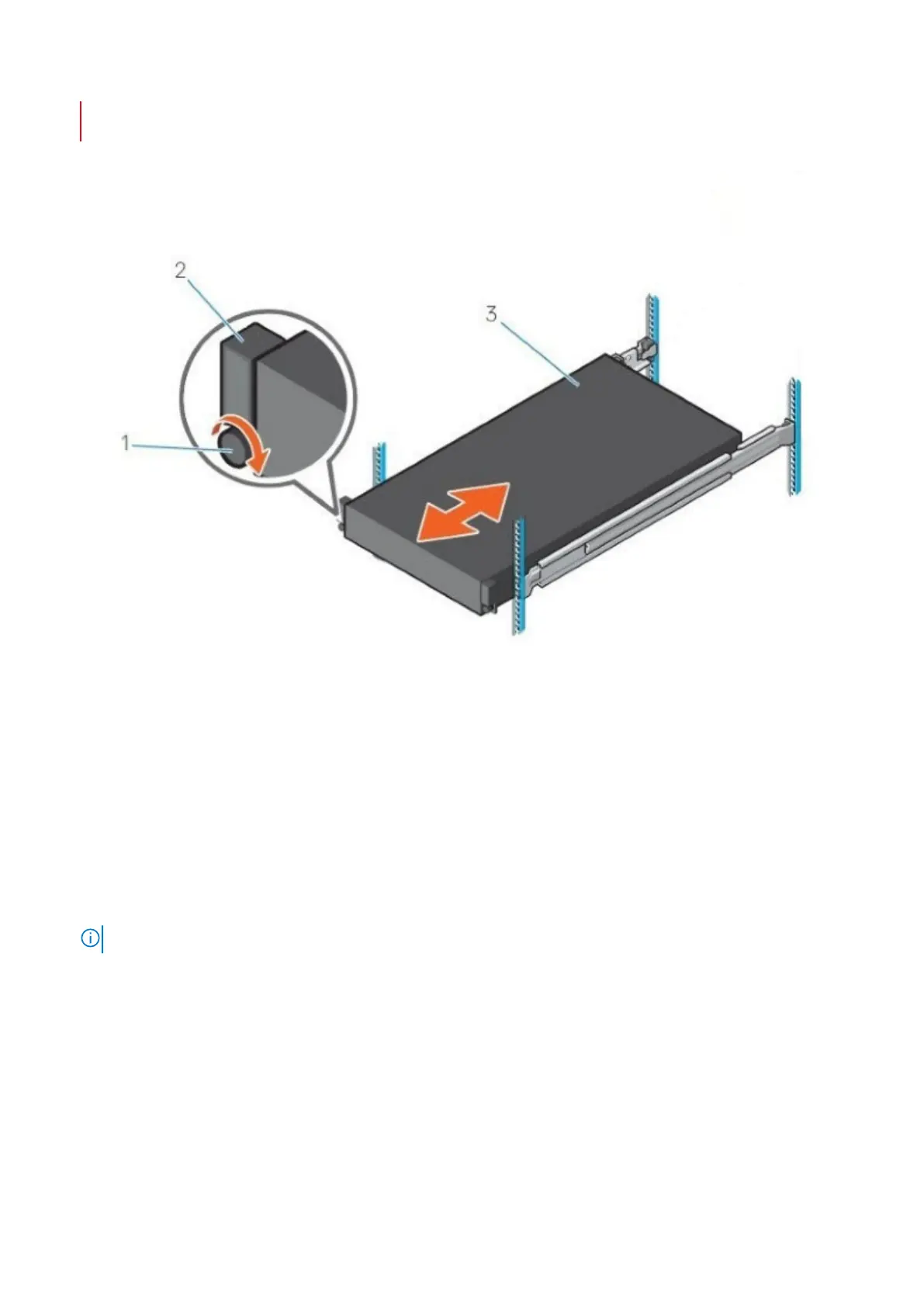
Figure 28. Diagram and description of installing the DM5500 into the rack
1. Captive screw (2)
2. Rack ear (2)
3. System
About this task
The following steps are procedures to install the appliance into the rack:
Steps
1. Position the DM5500 on the rail.
2. Hold the DM5500 rack ears and slide the appliance into the rack until the appliance is seated in place.
3. Tighten the captive screw in each control panel with a Phillips #2 screwdriver.
NOTE: The chassis that is shown in the image is not representative of a specific system.
4. Tighten the chassis retention brackets on the rear rail posts with a Philips #2 screwdriver, if required.
Next steps
1. Replace the drives.
36
Install the DM5500 in the rack









 To Next Page