Table 20. DM5500 with two enclosures cabling instructions (continued)
SAS card port on DM5500 head unit (Enclosure 1) Expansion enclosure port
Port 4 Second expansion enclosure (Enclosure 3): EMM 1, port 1
3
2
10
1
2
3
4
EMM 1 EMM 2
EMM 1
EMM-B
EMM 2
EMM 1
EMM 2
2
2
3 3
4 4
DM5500 head unit (Enclosure 1)
First expansion enclosure (Enclosure 2)
Second expansion enclosure (Enclosure 3)
Third expansion enclosure (Enclosure 4)
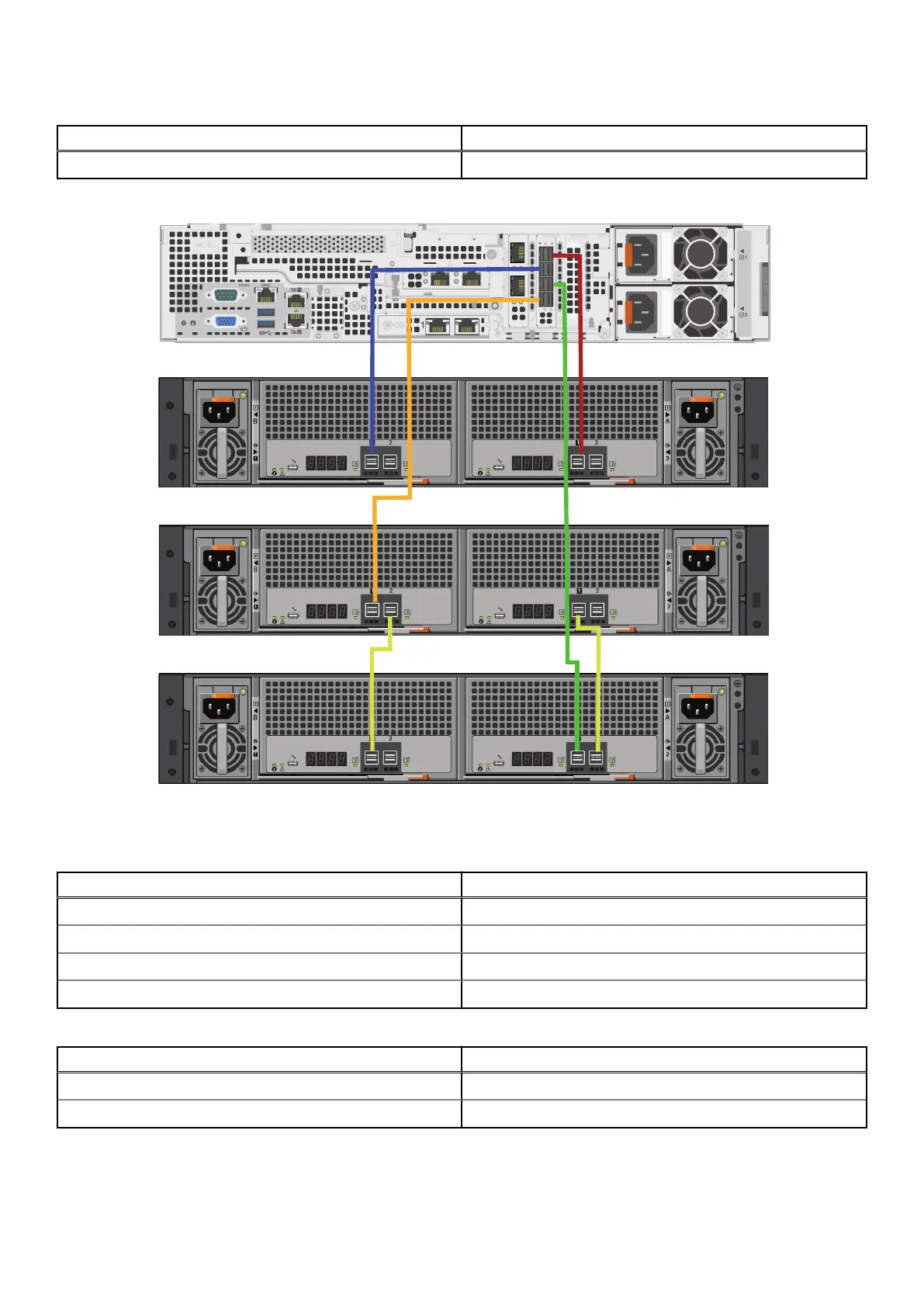
Figure 45. DM5500 with three enclosures cabling
Table 21.
DM5500 with three enclosures: DM5500 to enclosure cabling instructions
SAS card port on DM5500 head unit (Enclosure 1) Expansion enclosure port
Port 1 First expansion enclosure (Enclosure 2): EMM 2, port 1
Port 2 First expansion enclosure (Enclosure 2): EMM 1, port 1
Port 3 Third expansion enclosure (Enclosure 4): EMM 2, port 1
Port 4 Second expansion enclosure (Enclosure 3): EMM 1, port 1
Table 22. DM5500 with three enclosures: enclosure to enclosure cabling instructions
Second expansion enclosure (Enclosure 3) port Third expansion enclosure (Enclosure 4) port
EMM 1, port 2 EMM 1, port 1
EMM 2, port 1 EMM 2, port 2
Expansion enclosure cabling requirements 53









 To Next Page