Expansion enclosure cabling requirements
Connect the power cables to the expansion enclosure.
Information about how to connect SAS cables to the DM5500 server is included in this chapter. However, at this point you
should not connect the SAS cables to the DM5500 server. You must wait to connect the SAS cables to the DM5500 server
until after you have initially logged into the PowerProtect Data Manager Appliance UI and configured the Getting Started items
and storage assets as described in the PowerProtect Data Manager Appliance Administrator Guide.
Topics:
• Connect power cables
• Connect SAS cables
Connect power cables
Connect power cables to the expansion enclosure after you connect the SAS cables to the DM5500.
Steps
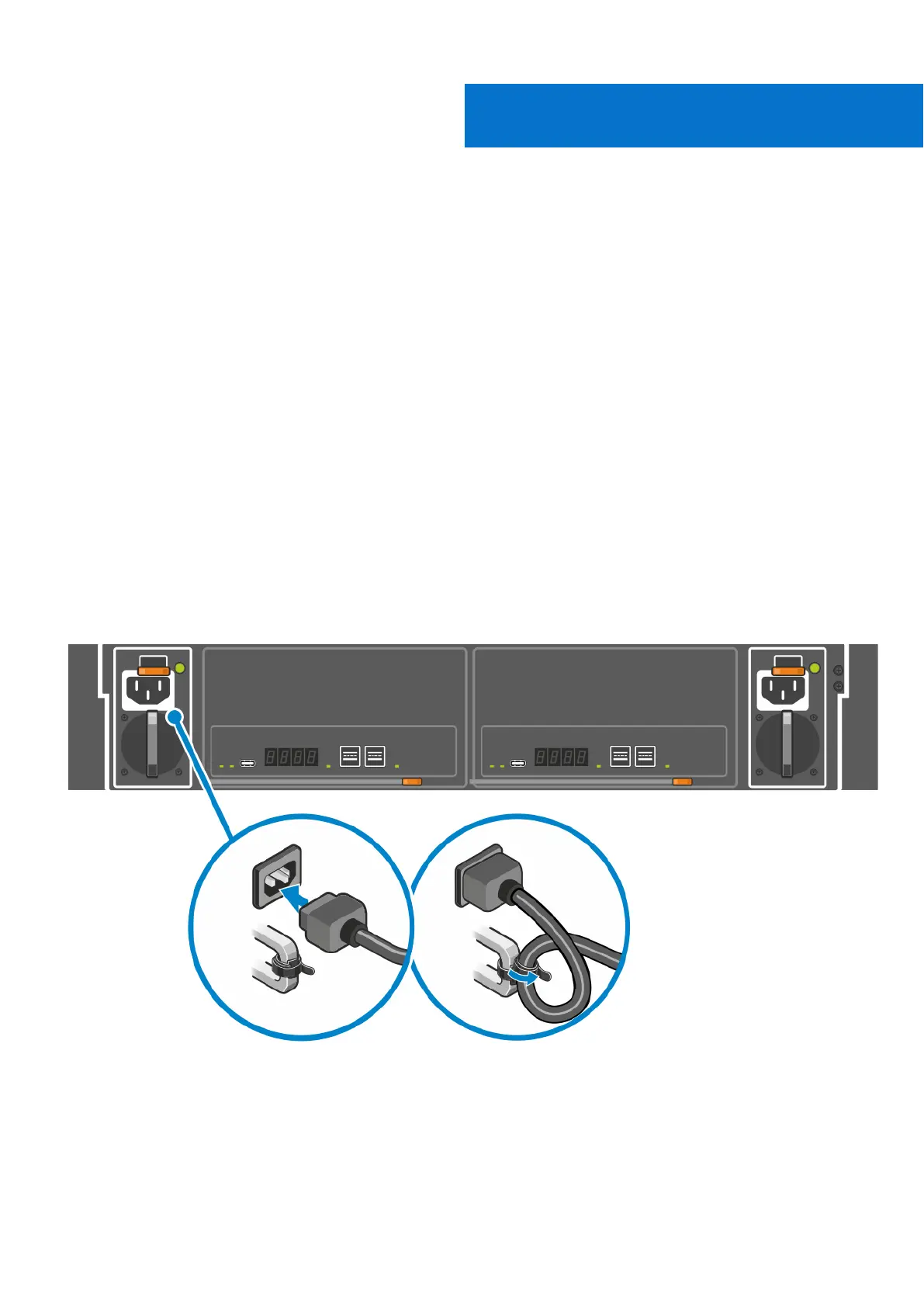
1. Plug each power cable into a power supply unit (PSU).
If the power cable is connected to the facility power, the power supply starts up immediately when the power cable is
connected to the chassis.
2. Secure each power cable to the handle using the cable strap provided.
Figure 41. PSU cabling (one of two connections identified)
5
50 Expansion enclosure cabling requirements









 To Next Page