2. If required, lock the drive bay lock located above left release latch, by pushing it down.
Next steps
Remove the power supply units.
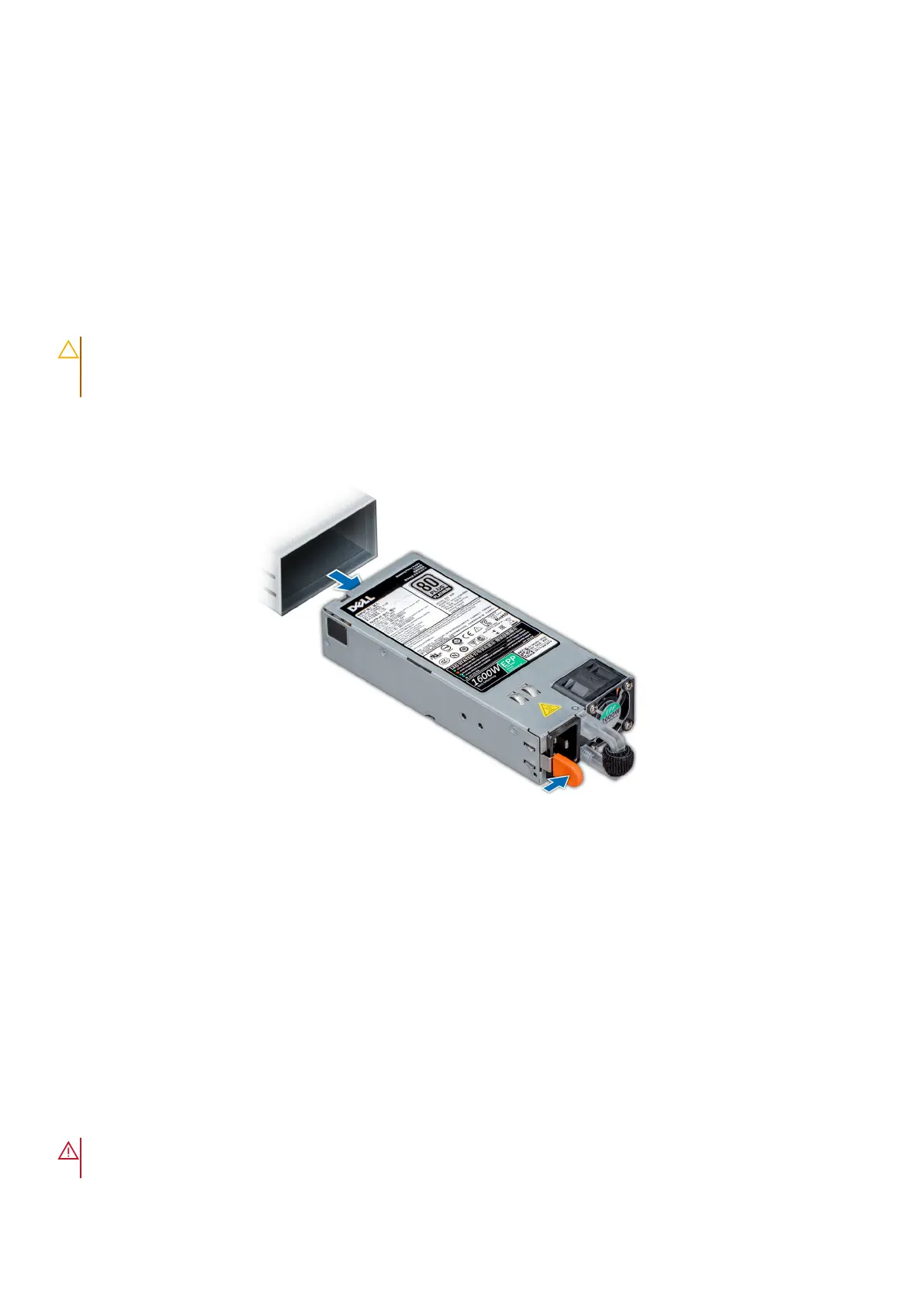
Removing power supply units
Prerequisites
Before you install the DM5500 into the rack, you must remove all drives and power supply units from the DM5500 due to the
weight of the system.
CAUTION: The DM5500 supports either 1100W PSUs or 1600W power supply units, depending on the country or
region where it is installed. When you are replacing a power supply unit, make sure that both power supply units
are the same wattage.
Steps
Press the release latch and slide the power supply unit out of the system by using the power supply unit handle.
Figure 27. Removing a power supply unit
Next steps
Install the DM5500 into the rack.
Installing the DM5500 into the rack
Prerequisites
The chassis retention bracket on the two rear rack flanges must be installed.
The shipping screws on the sides of the chassis must be removed.
All drives must be removed from the DM5500.
Both power supply units must be removed from the DM5500.
WARNING:
Do not attempt to lift the system by yourself to avoid potential injury. The DM5500 requires two
people to lift it into the rack, even with all drives depopulated. Do not apply uneven force to either end of the
Install the DM5500 in the rack 35









 To Next Page