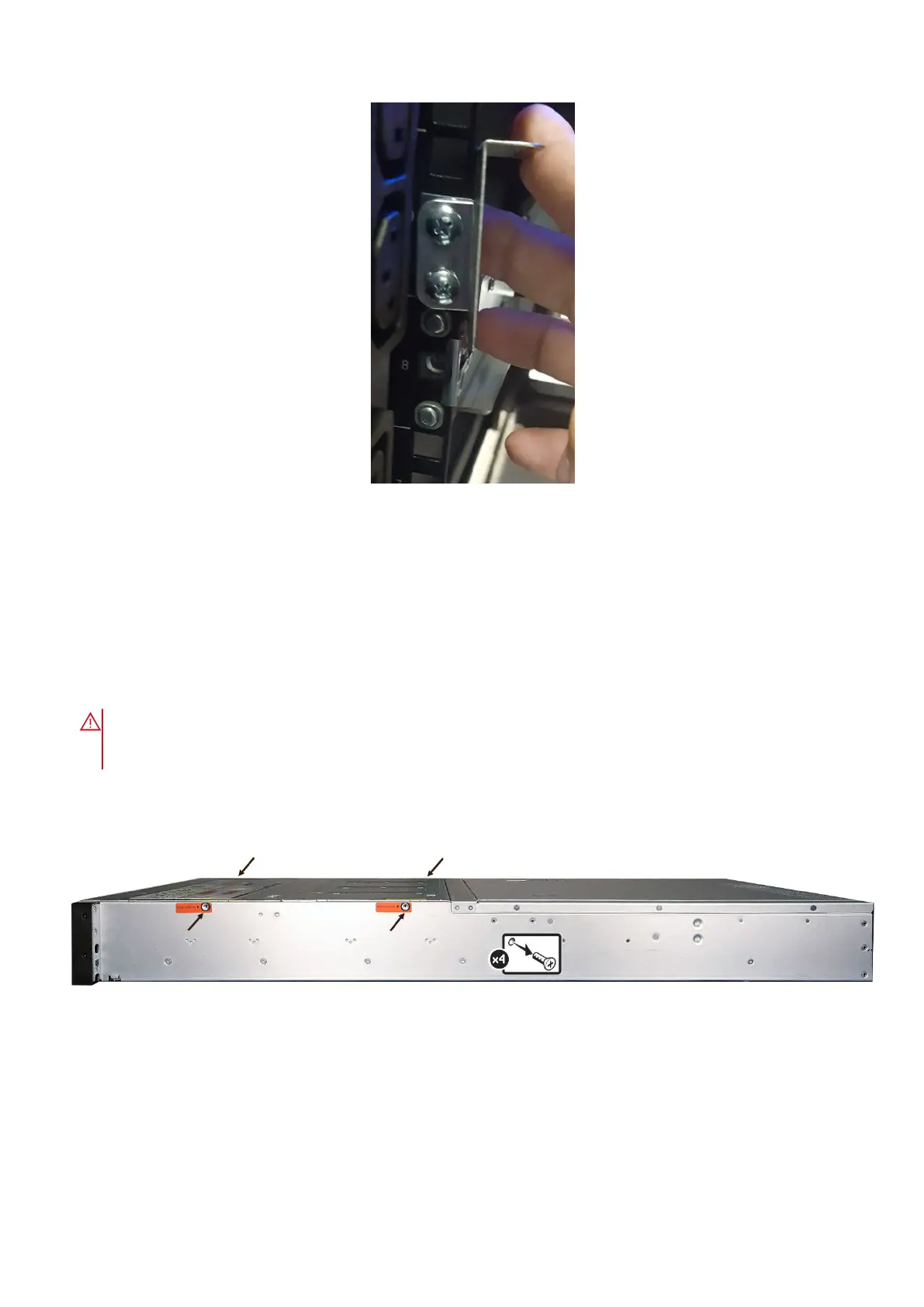
Figure 20. Correctly installed chassis bracket on rack flange
Unboxing the DM5500 and removing the shipping
screws
Steps
1. Place the DM5500 shipping box on sturdy table.
WARNING:
Do not attempt to lift the system by yourself to avoid potential injury. The DM5500 shipping box
requires two people to lift it onto a table. The maximum weight of the DM5500 with all 24 drives installed is
43.2 kg (95.24 lb).
2. Open the top of the box and cut all sides of the box open to access the DM5500 chassis.
3. Carefully remove all the contents of the box except for the main chassis.
4. Remove the shipping screws from the sides of the DM5500.
Figure 21. Remove the shipping screws
Removing drives
Prerequisites
Before you install the DM5500 into the rack, you must remove all drives and power supply units from the DM5500 due to the
weight of the system.
30
Install the DM5500 in the rack









 To Next Page