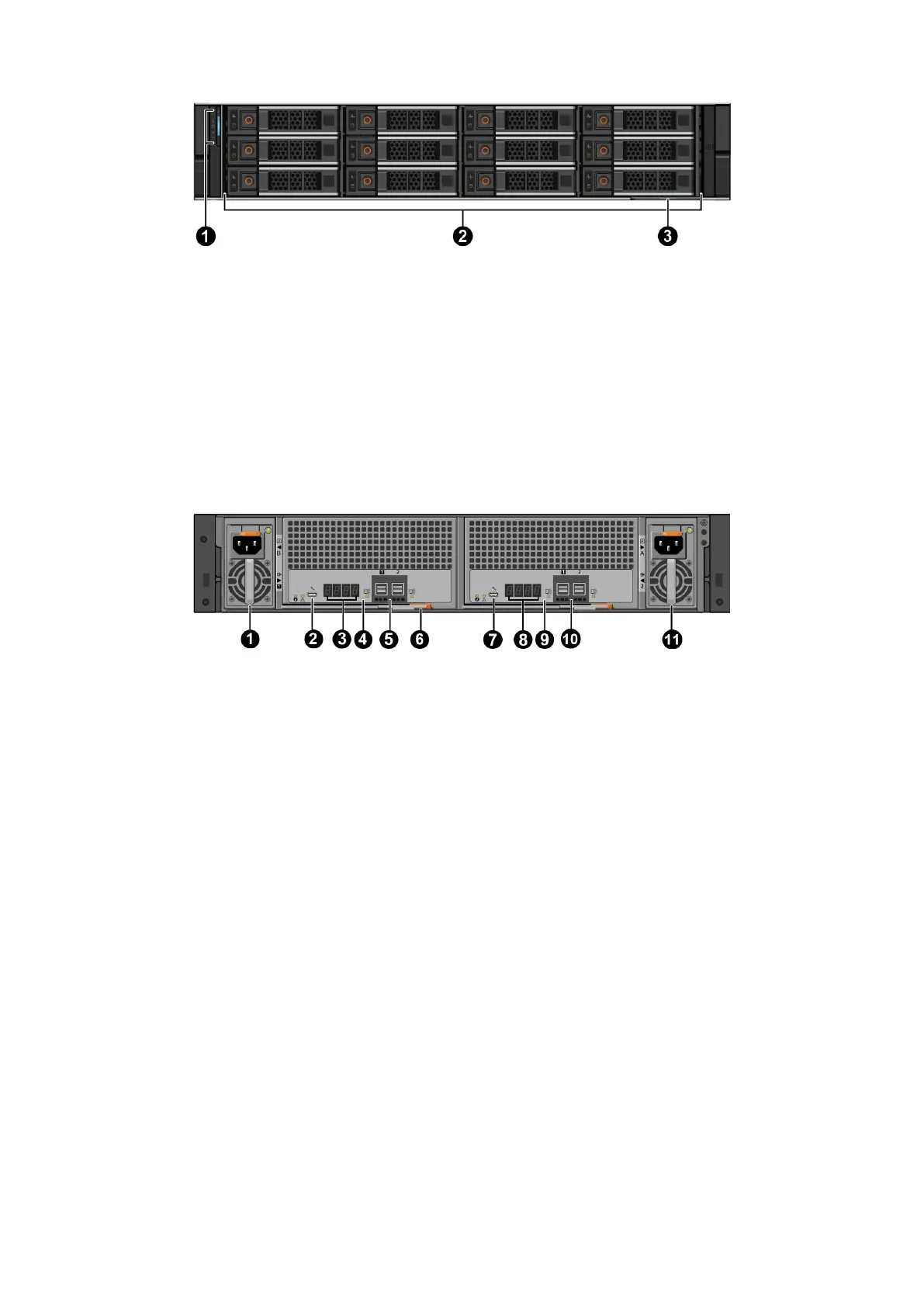
Figure 7. Expansion enclosure front view
1. LED panel
2. Drives
3. Service tag
Each expansion enclosure is identified by a unique Service Tag and Express Service Code. The Service Tag and Express Service
Code are found on the front of the system by pulling out the service tag. This information is used to route support calls to
appropriate personnel. The QRL code on the service tag contains information unique to your system. Use a smart phone or
tablet to scan the QRL for immediate access to your system information.
Expansion enclosure rear view
The expansion enclosures contain two hot-swappable enclosure management modules (EMMs) and two hot-swappable PSUs.
Figure 8. Expansion enclosure rear view
1.
AC PSU-B (800W) 2. Debug port
3. EMM LEDs used to identify enclosure number (4) 4. EMM 1 (EMM-A/Slot 1)
5. SAS ports (2)
● Port 1 dedicated host port
● Port 2 dedicated expansion enclosure port
6. Latch/handle
7. Debug port 8. EMM LEDs used to identify enclosure number (4)
9. EMM 2 (EMM-B/Slot 2) 10. SAS ports (2)
● Port 1 dedicated host port
● Port 2 dedicated expansion enclosure port
11. AC PSU-A (800W)
18 Understand the PowerProtect Data Manager Appliance









 To Next Page