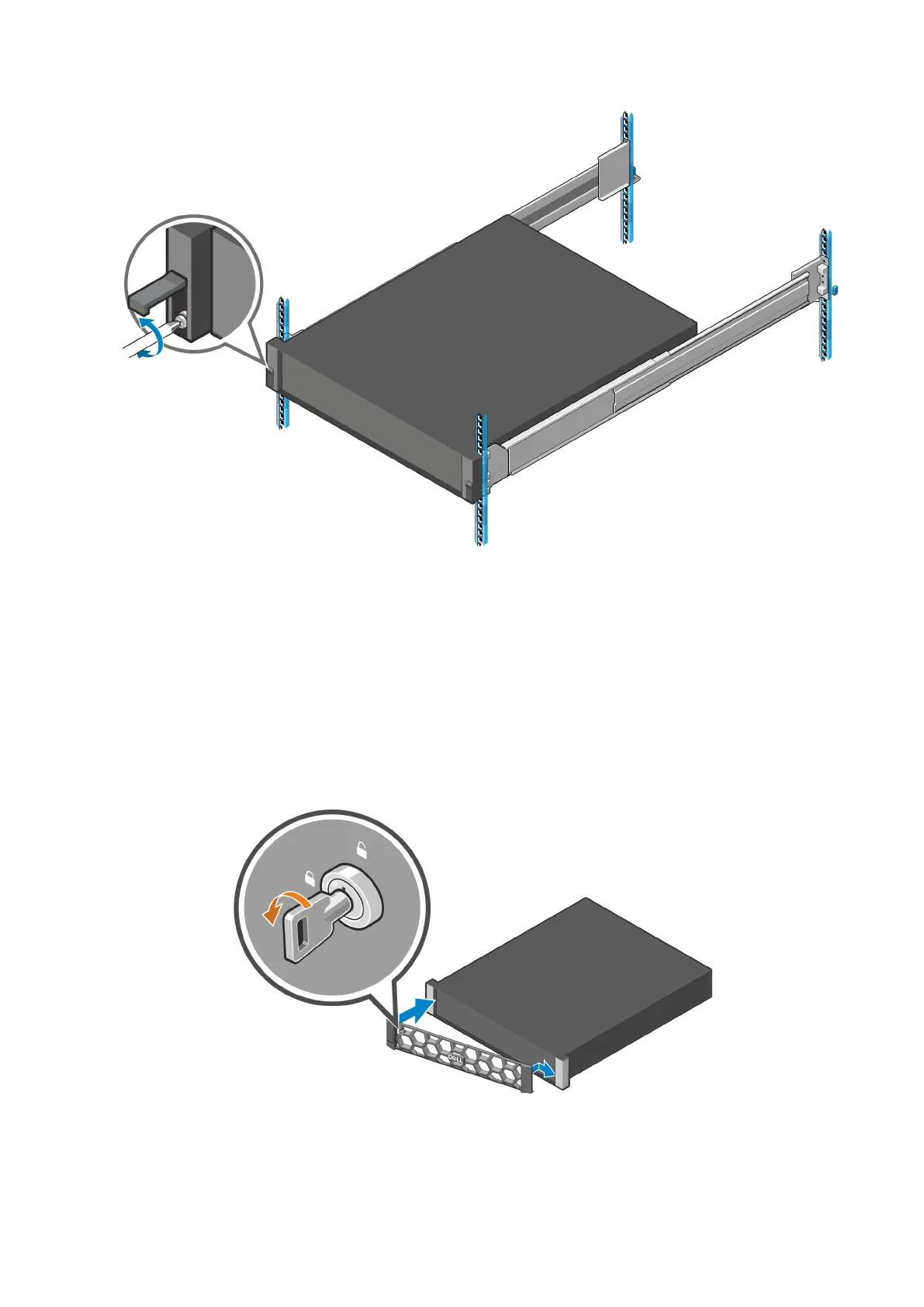
Figure 39. Securing the enclosure to the rack
Attach the bezel
Attach the bezel to the front of the enclosure.
Steps
1. Hook the right side of the bezel onto the right ear cover of the chassis.
2. Close the bezel and secure it with the keylock.
Figure 40. Installing the front bezel
48
Install the expansion enclosure in the rack









 To Next Page