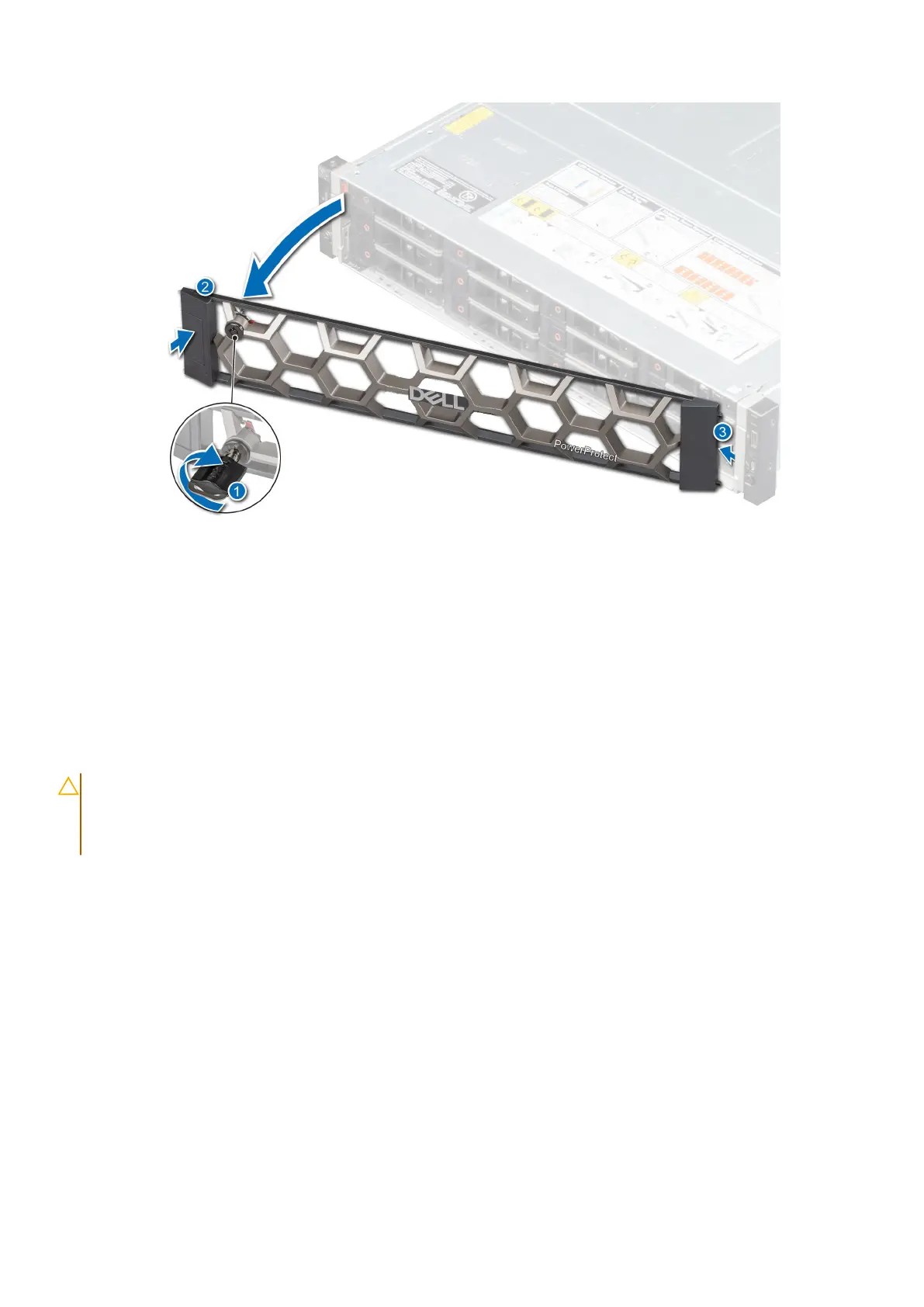
Figure 24. Removing the front bezel
Next steps
Remove the drives.
Opening the drive bays
Prerequisites
CAUTION:
Drive bays should not be in service position for more than 5 minutes because of thermal concerns.
When the drive bay is open for more than five minutes, the cooling fans spin at a higher speed to provide extra
cooling to the system. Thus system health status changes from the normal to critical state, and system event
The BP1 drive bay is kept open for an extended period of time is logged.
1. Remove the front bezel.
Steps
1. If locked, unlock the drive bay lock located above the left release latch, by pushing it up.
2. Open the release latches of drive bay 1 and pull the drive bays out.
Install the DM5500 in the rack
33









 To Next Page