Removing and Replacing Parts on the Mini Tower Chassis 6-5
E
ject, Power, and Reset Buttons
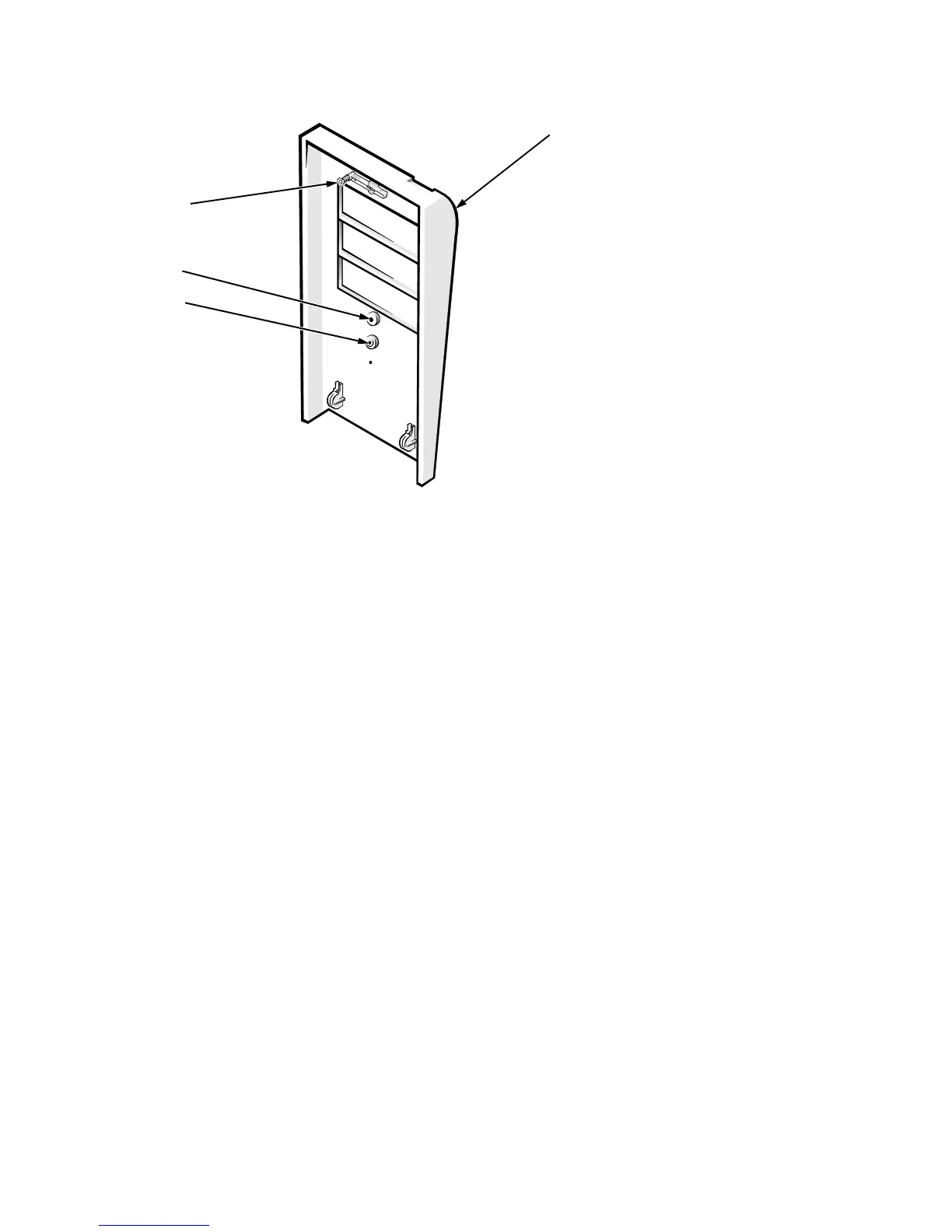
Figure 6-4. Eject, Power, and Reset Button Removal
To remove the e
ect,
ower, and reset buttons, follow these ste
s:
1. Lay the front bezel on a flat work surface, with the back of the bezel
facing up.
2. To remove the 3.5-inch diskette-drive eject button, pull gently on the
plastic part of the button until it comes free.
3. To remove the power button or the reset button, use a small screw-
driver and push in the two or three plastic clips that hold the button to
the bezel.
When these cli
s are released, the button comes free from the bezel.
power button
reset button
front bezel
eject button








 To Next Page