4-12
Dell OptiPlex Gn and Gn+ Systems Service Manual
Hard-Disk Drive Assembly
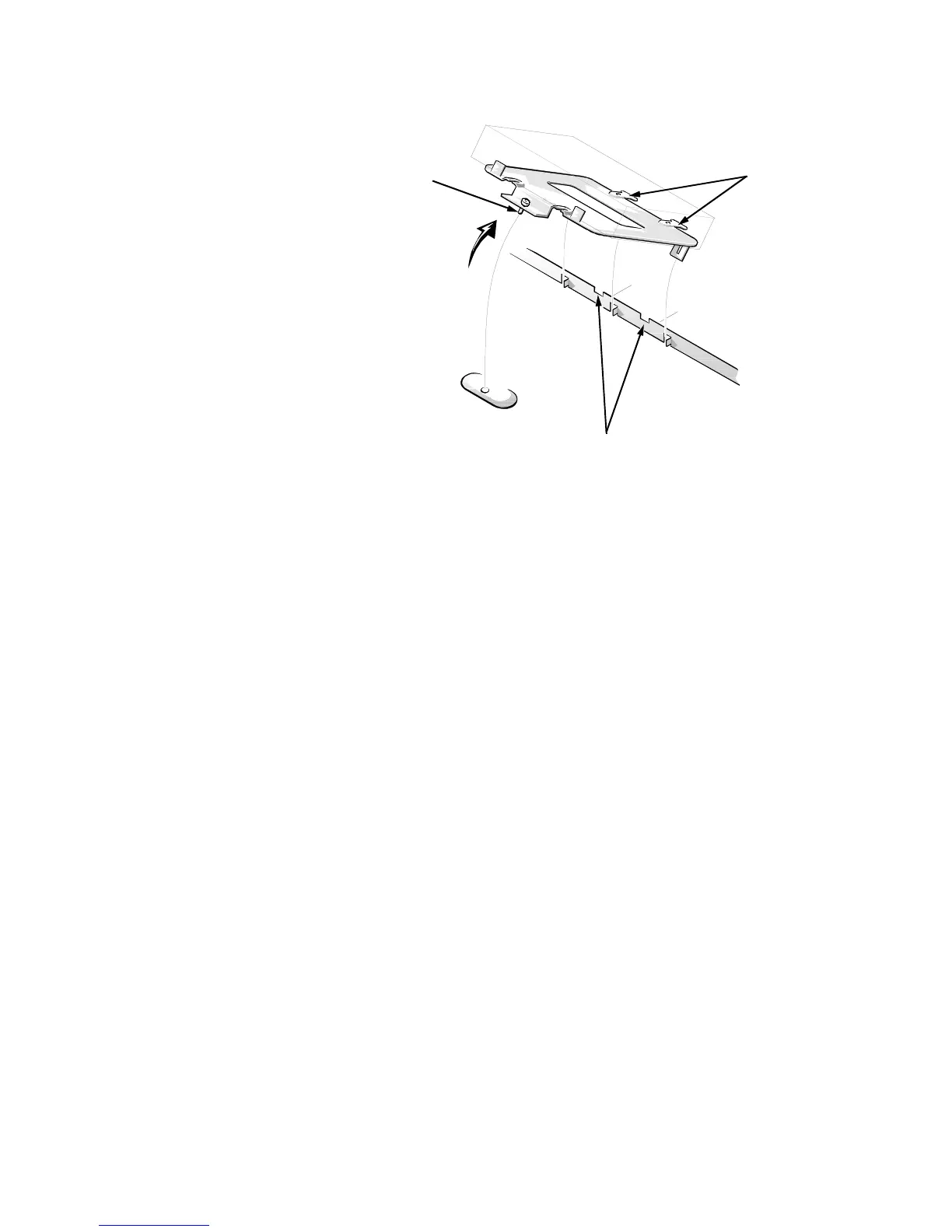
Figure 4-11. Hard-Disk Drive Assembly Removal
To remove the hard-disk drive assembly, follow these steps:
1. Disconnect the DC power cable and the interface cable from the back of
the drive.
2. Loosen the captive screw that secures the hard-disk drive bracket to the
chassis.
3. Pivot the hard-disk drive assembly up, and then lift it out of the chassis.
4. Remove the four hard-disk drive mounting screws that attach the hard-
disk drive to the hard-disk drive bracket.
When you reinstall the hard-disk drive assembly, be sure the tabs on the back of
the mounting plate fully engage the notches on the chassis before you rotate the
assembly into place.








 To Next Page