Removing and Replacing Parts on the Mini Tower Chassis 6-11
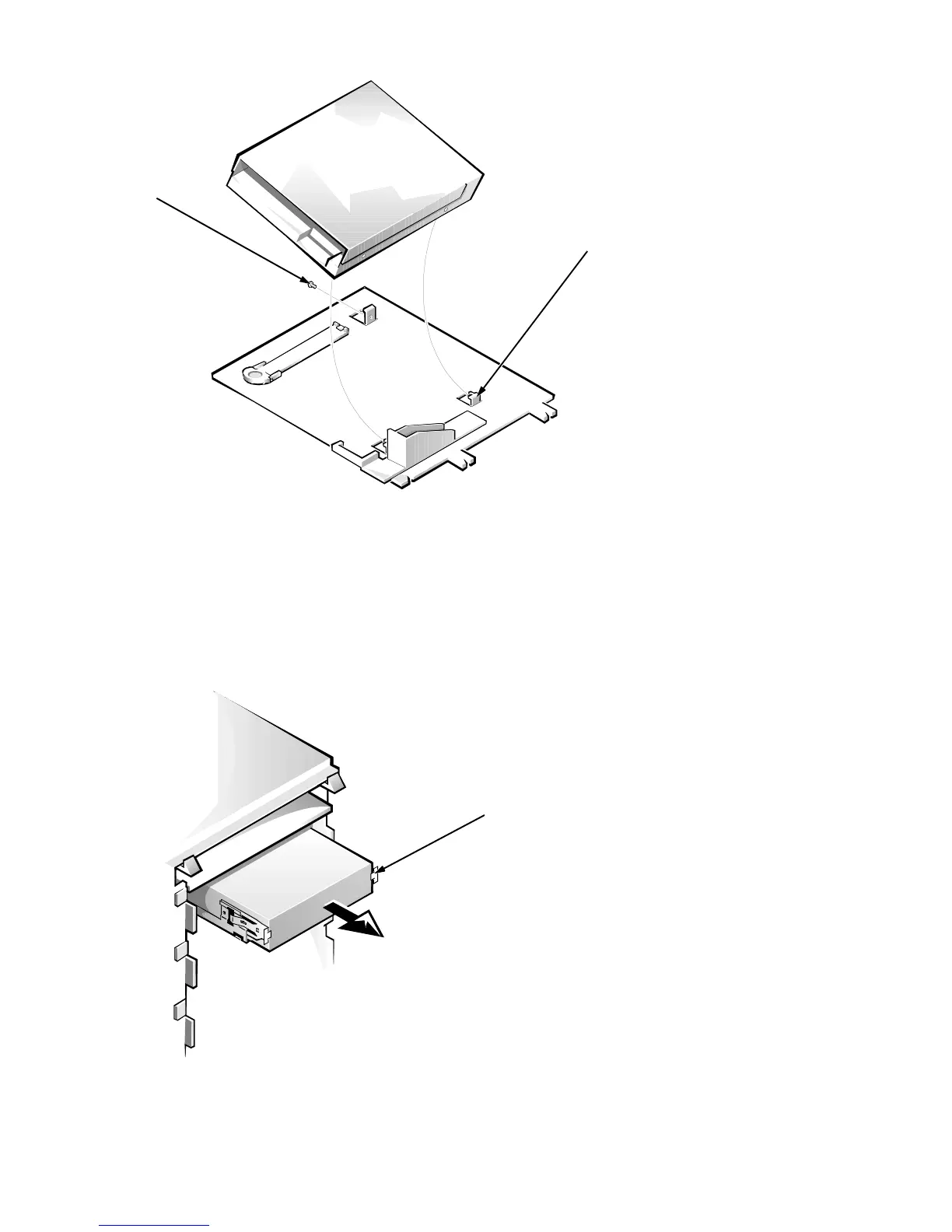
Figure 6-10. 3.5-Inch Diskette Drive Removal
When you replace the 3.5-inch diskette drive, be sure the two hooks on the right
side of the bracket engage the mounting holes in the side of the 3.5-inch diskette
drive.
5.25-Inch Drive Assembly
Figure 6-11. 5.25-Inch Drive Assembly Removal
hooks (2)
drive-mounting
screw
retaining tabs (2)








 To Next Page