6-6
Dell OptiPlex Gn and Gn+ Systems Service Manual
F
ront-Panel Inserts
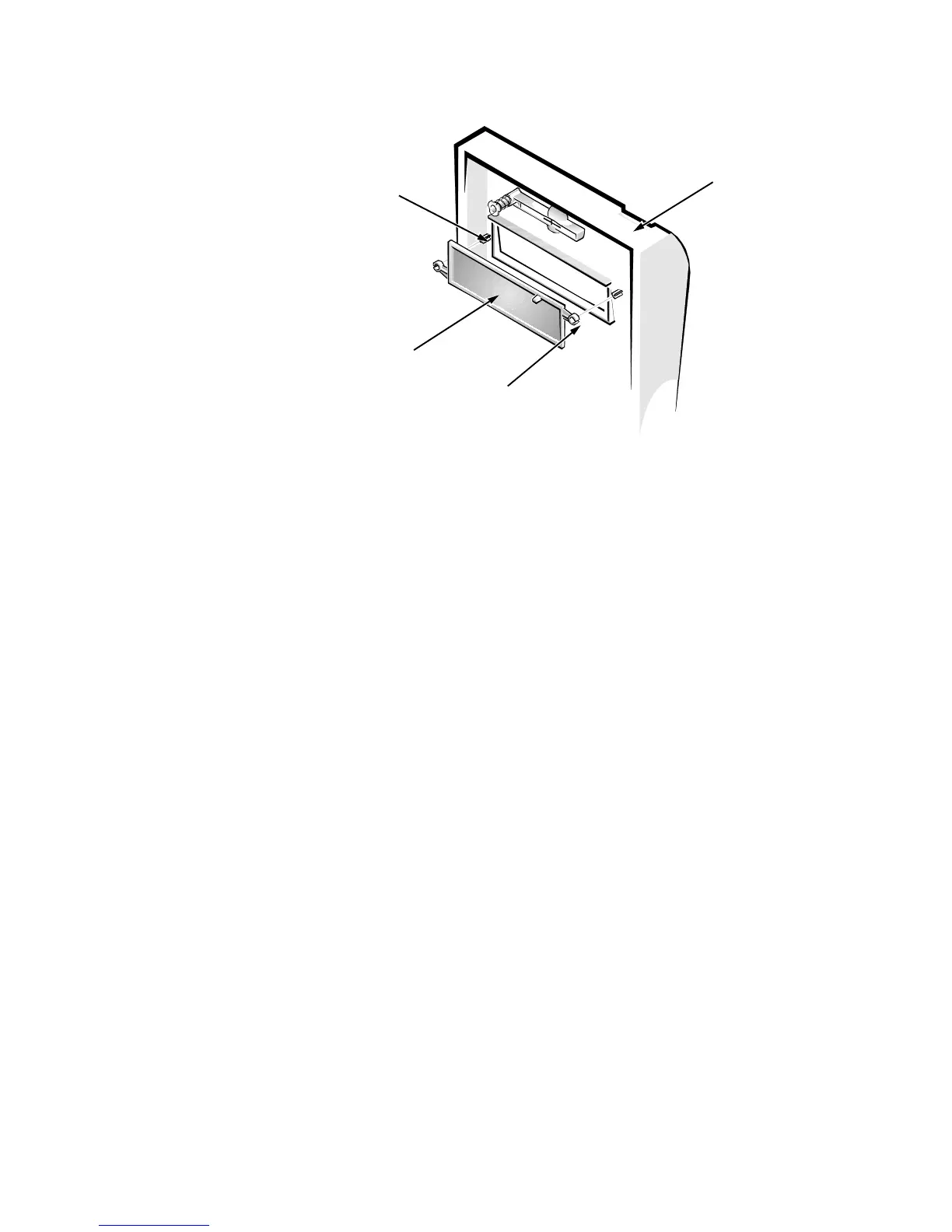
Figure 6-5. 5.25-Inch Front-Panel Insert Removal
To remove a 5.25-inch front-panel insert, follow these steps:
1. Hold the bezel with the front facing you.
2. From the front of the bezel, use your thumbs to press inward on the
insert until it slides off the two posts.
To replace a 5.25-inch front-panel insert, position the two ring-tabs over the
posts on the inside of the bay opening. Then press the ring tabs over the posts.








 To Next Page