NOTE: Follow the sequential order as shown in the table to remove the cables, to install the cables follow the reverse
sequential order.
Table 68. 16 x 2.5-inch SAS/SATA with fPERC 11
Order From To
1 SL1_CPU2_PA1 (signal connector on system board) CTRL_DST_PA1 (fPERC input
connector)
2 SIG_PWR_1 (system board power connector) BP_PWR_1 (backplane power
connector)
3 CTRL_SRC_SB1 (fPERC controller connector) BP_DST_SA1 (backplane signal
connector)
4 SIG_PWR_2 (system board power connector) BP_PWR_1 (backplane power
connector)
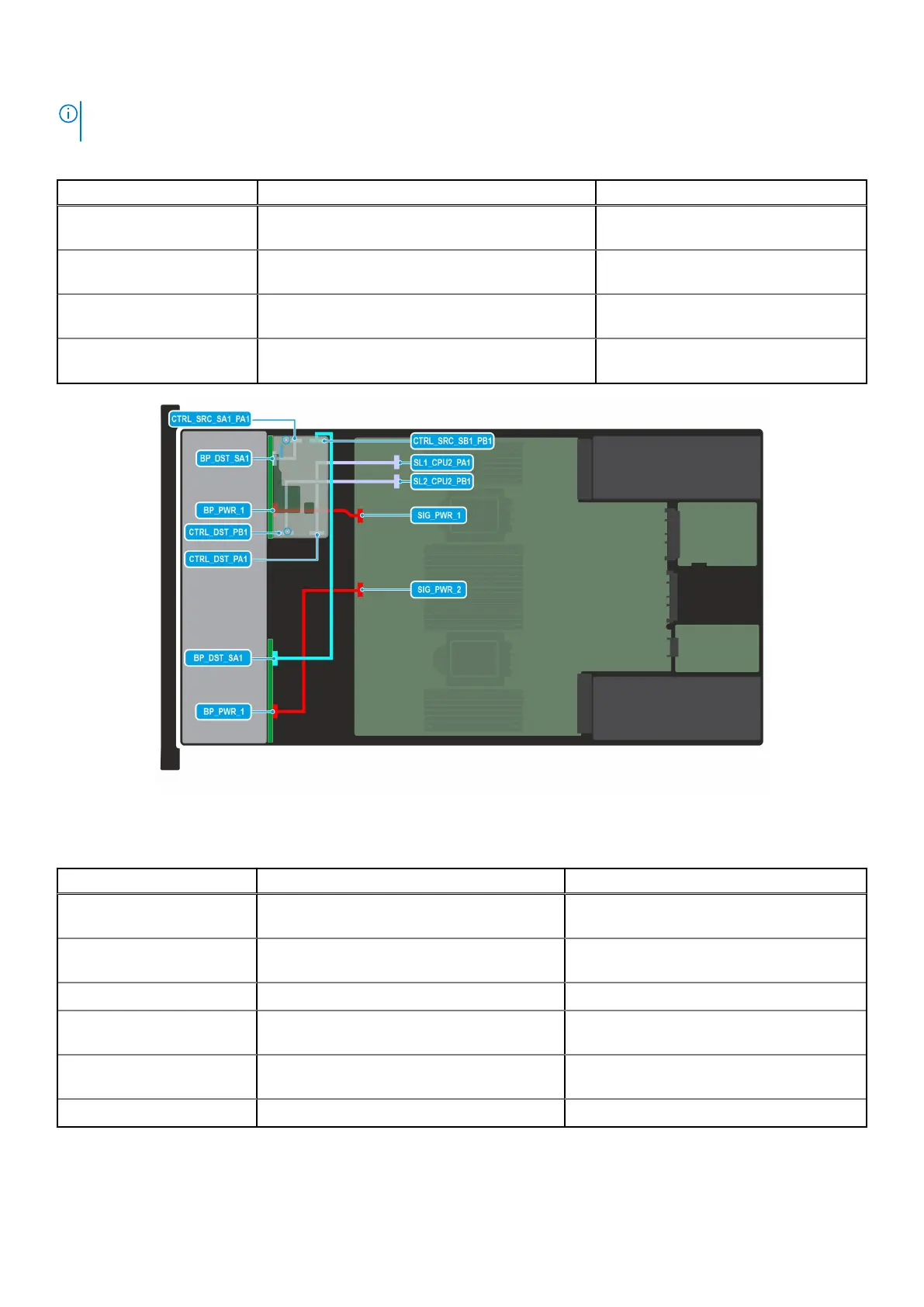
Figure 62. Configuration 3: 16 x 2.5-inch SAS/SATA with fPERC 12
Table 69. 16 x 2.5-inch SAS/SATA with fPERC 12
Order From To
1 SL1_CPU2_PA1 (signal connector on system
board)
CTRL_DST_PA1 (fPERC input connector)
2 SL2_CPU2_PB1 (signal connector on system
board)
CTRL_DST_PB1 (fPERC input connector)
3 SIG_PWR_1 (system board power connector) BP_PWR_1 (backplane power connector)
4 CTRL_SRC_SA1_PA1 (fPERC controller
connector)
BP_DST_SA1 (backplane signal connector)
5 CTRL_SRC_SB1_PB1 (fPERC controller
connector)
BP_DST_SA1 (backplane signal connector)
6 SIG_PWR_2 (system board power connector) BP_PWR_1 (backplane power connector)
Installing and removing system components 99














 To Next Page