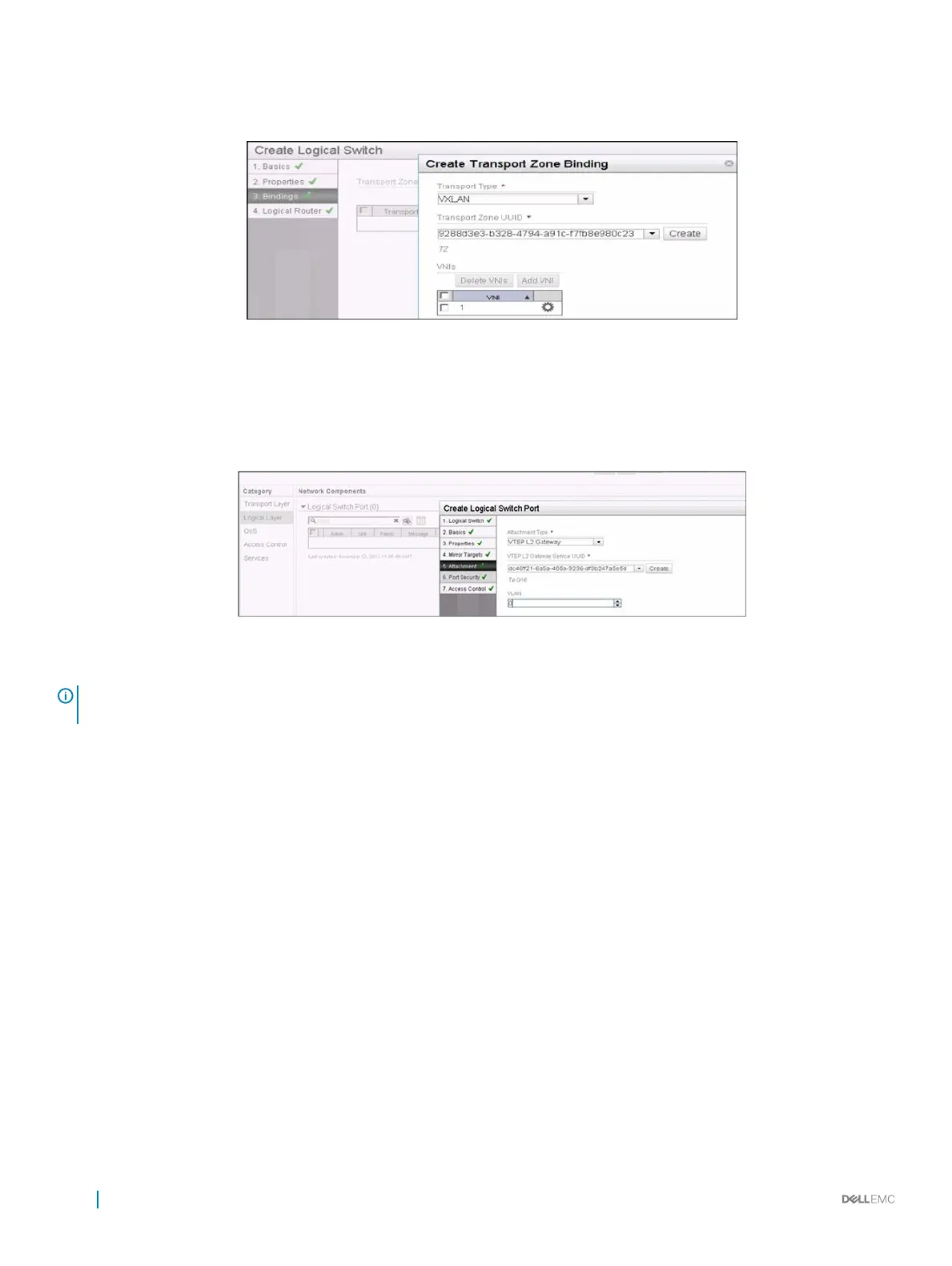
You can create a logical network by creating a logical switch. The logical network acts as the forwarding domain for workloads on the
physical as well as virtual infrastructure.
Figure 154. Create Logical Switch
5 Create Logical Switch Port
A logical switch port provides a logical connection point for a VM interface (VIF) and a L2 gateway connection to an external network.
It binds the virtual access ports in the GW to logical network (VXLAN) and VLAN.
Figure 155. Create Logical Switch Port
NOTE
: For more details about NVP controller conguration, refer to the NVP user guide from
VMWare .
Conguring VxLAN Gateway
To congure the VxLAN gateway on the switch, follow these steps:
1 Connecting to NVP controller
2 Advertising VXLAN access ports to controller
Connecting to an NVP Controller
To connect to an NVP controller, use the following commands.
1 feature vxlan
CONFIGURATION mode
feature vxlan
You must congure feature VXLAN to congure vxlan-instance.
2 vxlan-instance
CONFIGURATION mode
1058
Virtual Extensible LAN (VXLAN)



 To Next Page
 Loading...