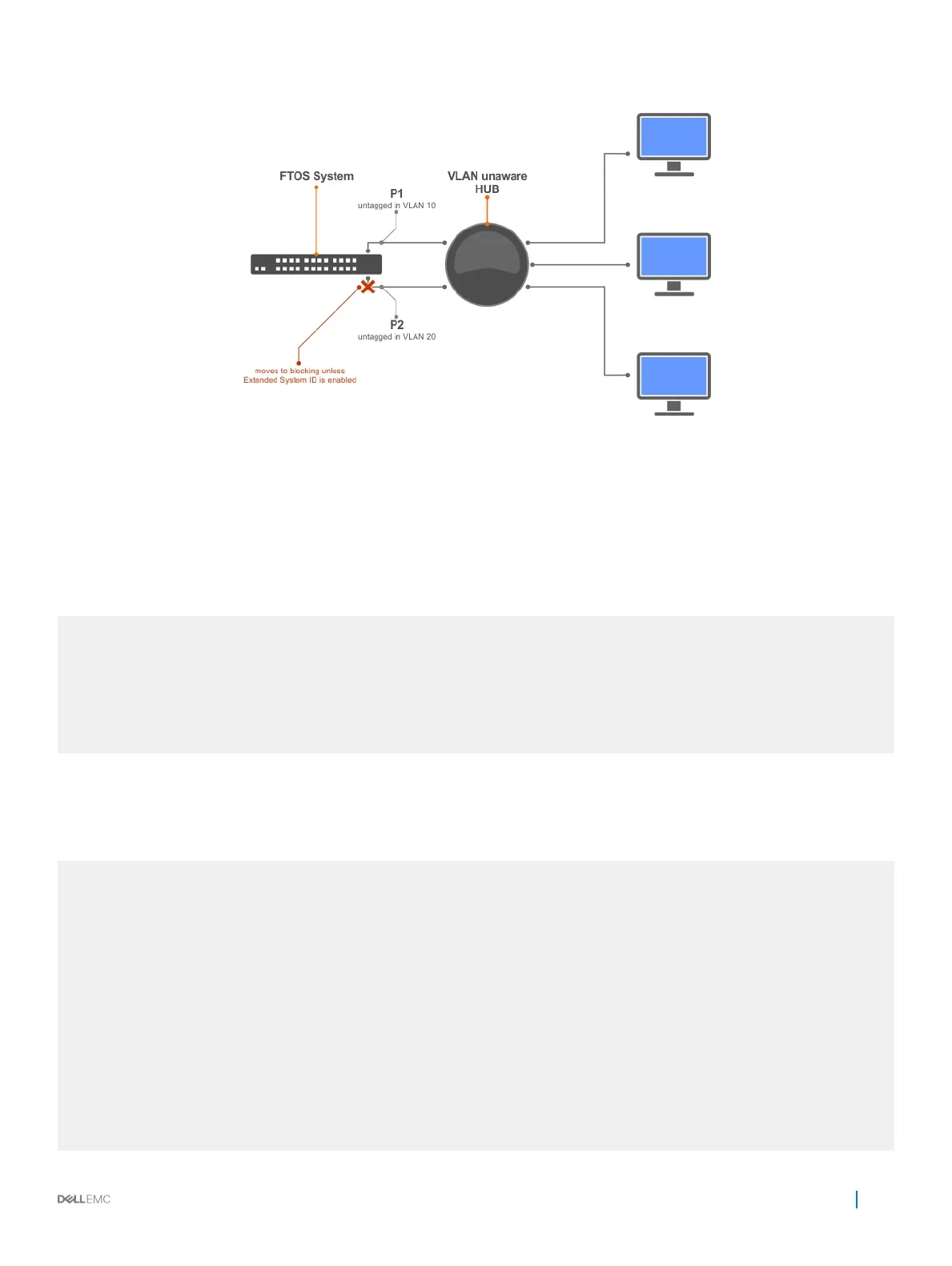
Figure 108. PVST+ with Extend System ID
• Augment the bridge ID with the VLAN ID.
PROTOCOL PVST mode
extend system-id
Example of Viewing the Extend System ID in a PVST+ Conguration
Dell(conf-pvst)#do show spanning-tree pvst vlan 5 brief
VLAN 5
Executing IEEE compatible Spanning Tree Protocol
Root ID Priority 32773, Address 0001.e832.73f7
Root Bridge hello time 2, max age 20, forward delay 15
Bridge ID Priority 32773 (priority 32768
sys-id-ext 5), Address 0001.e832.73f7
We are the root of Vlan 5
Configured hello time 2, max age 20, forward delay 15
PVST+ Sample Congurations
The following examples provide the running congurations for the topology shown in the previous illustration.
Example of PVST+ Conguration (R1)
interface TenGigabitEthernet 1/22
no ip address
switchport
no shutdown
!
interface TenGigabitEthernet 1/32
no ip address
switchport
no shutdown
!
protocol spanning-tree pvst
no disable
vlan 100 bridge-priority 4096
interface Vlan 100
no ip address
tagged TenGigabitEthernet 1/22,32
no shutdown
!
interface Vlan 200
Per-VLAN Spanning Tree Plus (PVST+)
727



 To Next Page
 Loading...