G6 Pro User Guide
41Chapter 5: Getting Started with G6 Pro
Attach Transmitter
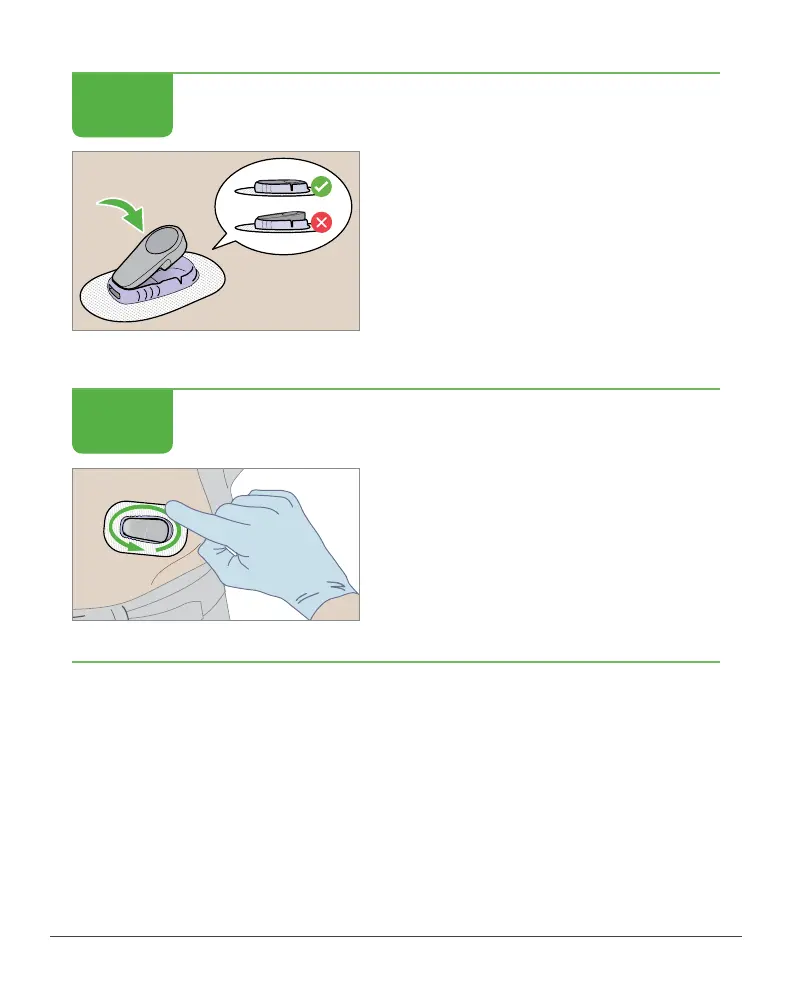
Check your transmitter:
Is it flat and snug in its holder?
Attach Transmitter
Rub adhesive patch 3 times.
Finished!
The sensor session begins after you snap the transmitter into the
transmitter holder. It doesn’t matter if your patient is using the system
in a blinded or unblinded mode, your next step is to use the reader to
check the system status. For more information about the reader, see
your Dexcom G6 Pro Reader User Guide.
STEP
5 of 6
STEP
6 of 6



 To Next Page