G6 Pro User Guide
52Chapter 6: Unblinded – Using the G6 Pro
Past Readings
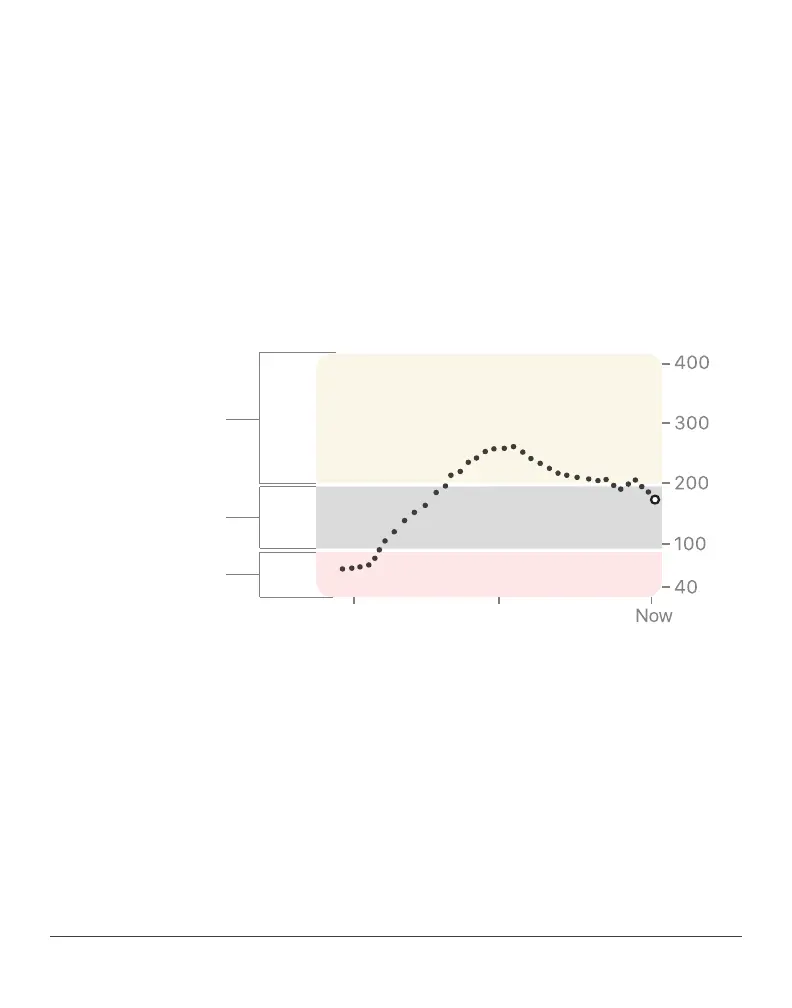
The dot on the right is the current sensor reading. The dots to the left
are sensor readings taken earlier. A smoothing algorithm is applied to
trend graph.
The graph’s background colors also show if the sensor readings are in
the target range:
• Gray: Sensor readings are in the target range
• Yellow: Sensor readings are above the High Glucose Alert setting
• Red: Sensor readings are below the Low Glucose Alert setting
Yellow = High
Target
Red = Low



 To Next Page