DS-320SA
Instruction Manual - 27 -
www.doallsaws.com
9. DESCRIPTION OF MAIN PANEL
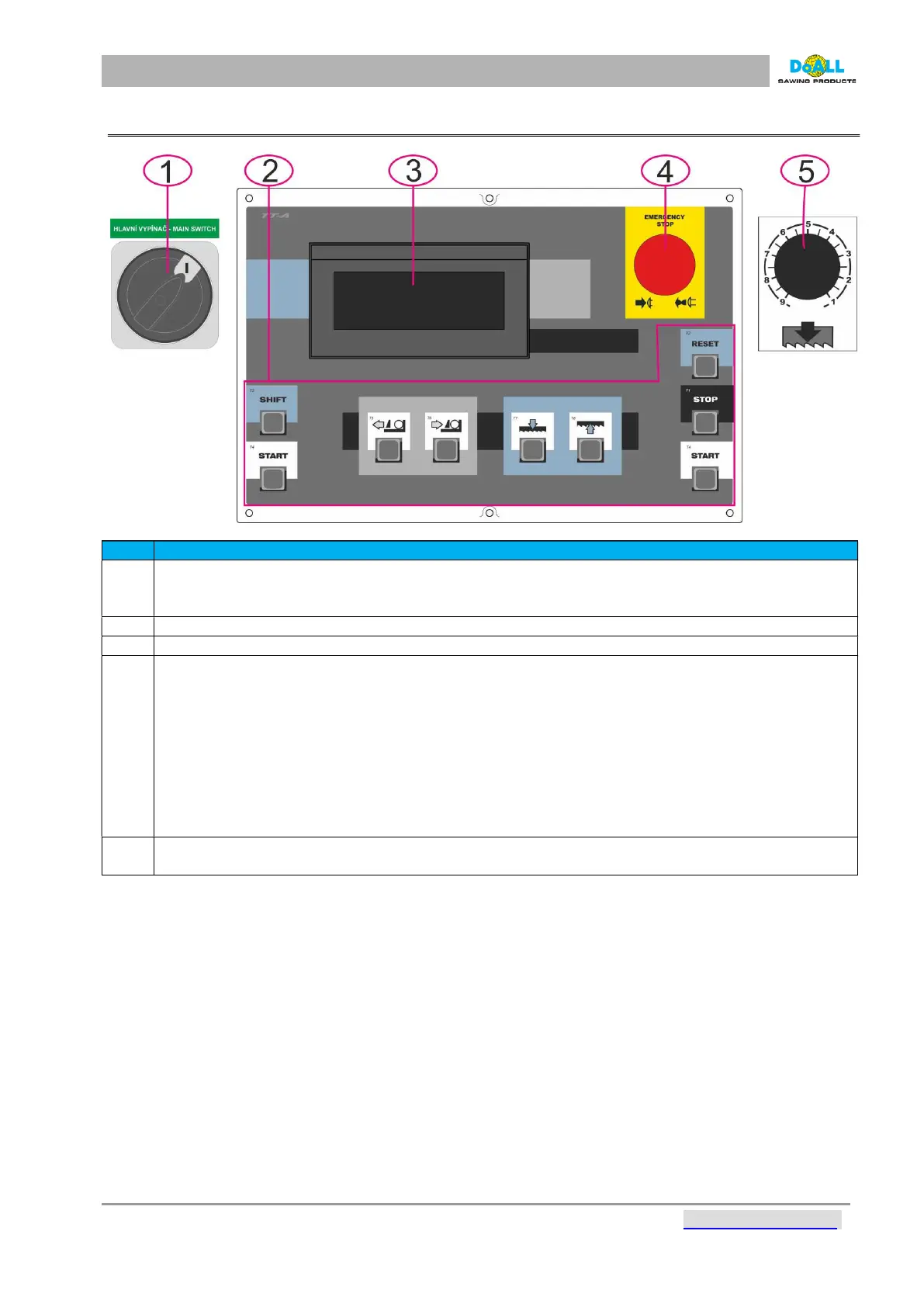
pic: 9-1
Item Description
1
MAIN SWITCH of the machine that is possible to lock. It serves also as the emergency stop. In 0
position no electric circuit is under voltage. If you want to switch on the machine, turn to 1. When
the
operator of the machine is absent, we recommend to lock the machine using the padlock.
2
3
4
EMERGENCY STOP BUTTON – it stops all controlling circuits of the machine, it means all
movements, there is still current in the machine. If the operator turns off the machine using
Emergency Stop button) while the blade is rotating, it is essential to wait (one minute) for the
frequency converter memory to reset.
Turn off main switch, wait for 1 min and after it you can turn on the machine again.
WARNING: if the machine is in a cutting cycle, after pressing of emergency stop button all drives
are blocked except from the drive of hydraulic unit and jaws of clamping the material.
This safeguard prevents the material from being loosened after pressing the emergency button and
protects the
operator from a possible injury caused by material. It is possible to switch off the vice by
pressing
the button on the front panel of the distributor.
5
THROTTLE VALVE for speed control arm saws to cut



 To Next Page