DS-320SA
Instruction Manual - 38 -
www.doallsaws.com
9.8 ADJUSTMENT OF THE WORKING POSITION
9.8.1 ADJUSTMENT OF THE UPPER WORKING POSITION
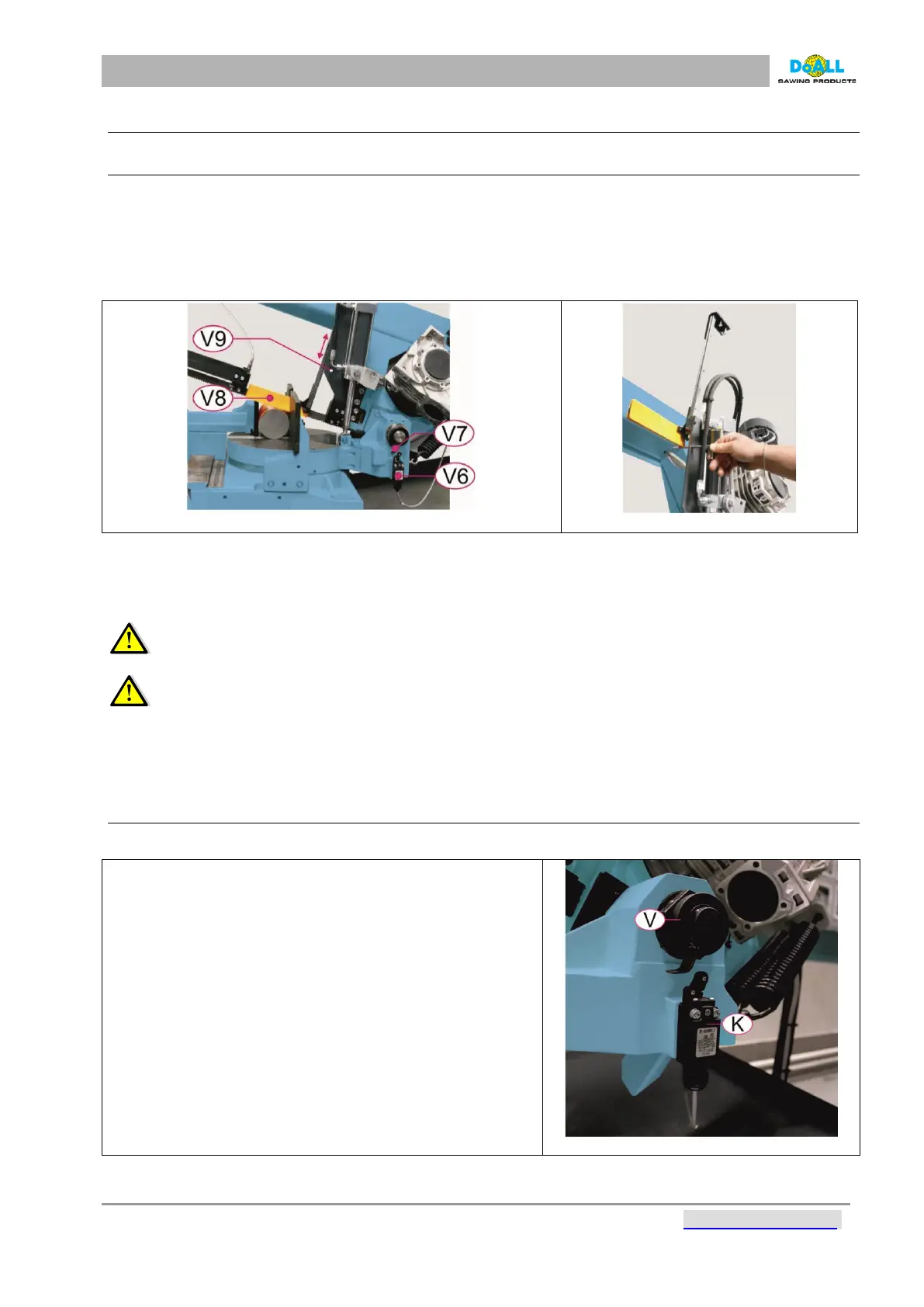
The machine is equipped by the automatic end stop of the upper position (DPP). The upper working position
is set automatically according to the diameter of the cut material.
The operator does not need to interfere when changing the diameter of the bar to be cut. In case you want
to cut without the upper working position, move the end stop of the upper working position to its upper
position and arrest the position using the screw and arresting hole (No.V9).
pic: 9-5
pic: 9-6
V6 - limit switch – down working position
V7 - end stop of the down working position
V8 - the automatic end stop of the upper position (290- DPP)
V9 - arresting hole
WARNING: The saw does not work unless the arm is not located above the upper operational
position.
WARNING: In case the frame is above the top working position or just below it (the sensor of
top position is not activated) it is highly forbidden to press the STOP button! Otherwise the band will
stop and the frame will move down for several milimeters, by that the band may be damaged. There
will be no warranty claims accepted for cases like these!
9.8.2 ADJUSTMENT OF THE DOWN WORKING POSITION
The down working position is set from the production
- When pressing START button in the handle and
opening the throttle valve we can move the arm 8-10
mm above the material, which is fastened in clamping
vice out of the band
- Loosen the arresting screw. Turn the V-cam slowly
against clockwise direction until the terminal K-switch
throws. Fixate this position. Lift the arm up to the
position about 20 mm above cut material
pic: 9-7



 To Next Page