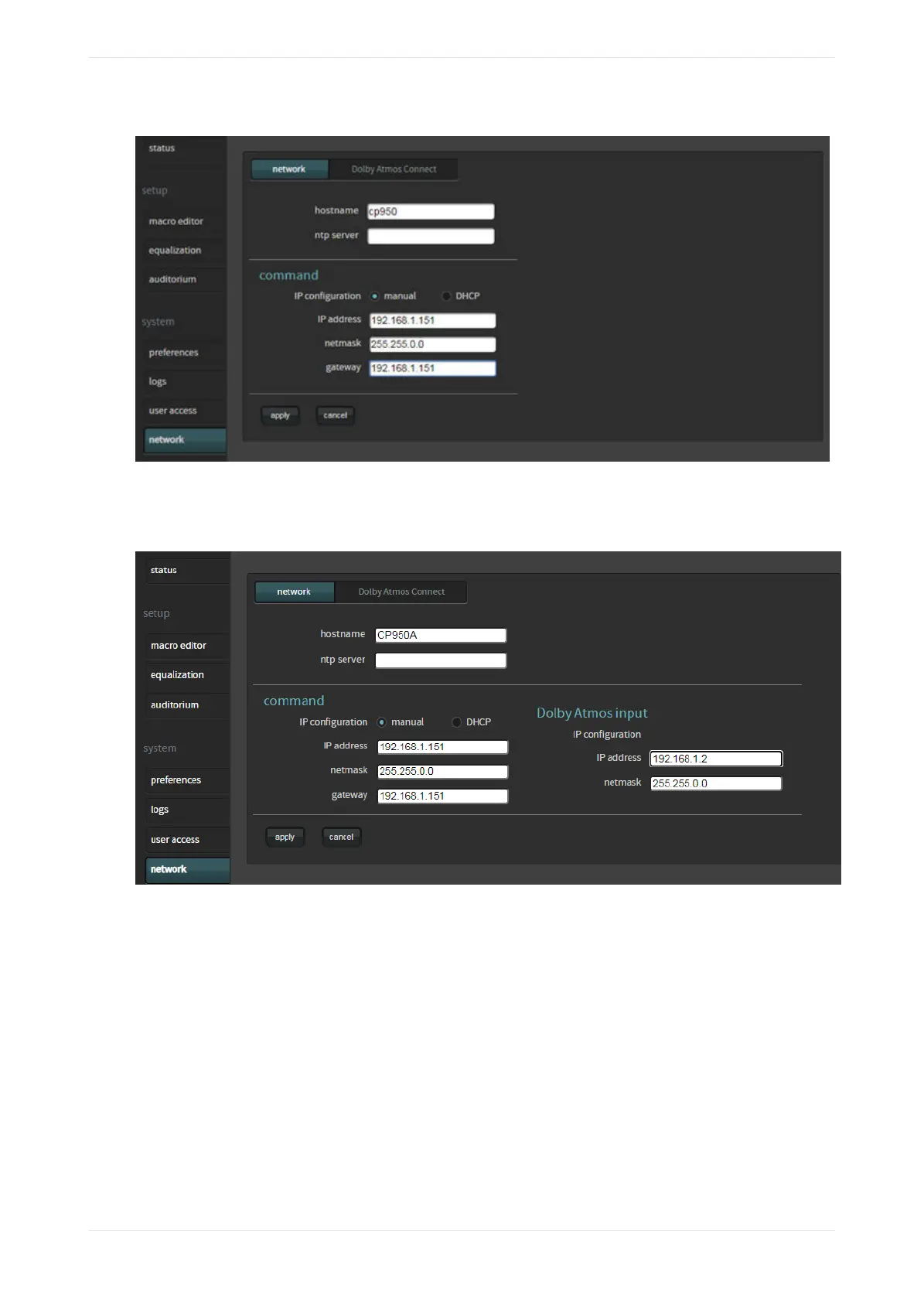
Figure 99: CP950 network settings screen
The CP950A has an additional configuration. You can enter the Dolby Atmos input port network settings, as
shown in the following figure.
Figure 100: CP950A network settings screen
If you click the Dolby Atmos Connect tab, you can change the Dolby CP950 or CP950A digital output settings.
This is the most eicient method for connecting to other digital devices, for example, a Dolby Multichannel
Amplifier or Dolby DAC3202 using AES67.
The following figure shows the default AES67 settings.
Working with the web client user interface
Dolby Cinema Processor CP950 and Dolby Atmos Cinema Processor CP950A Manual 74
Issue 9 Part Number 8800298 19 January 2022









 To Next Page