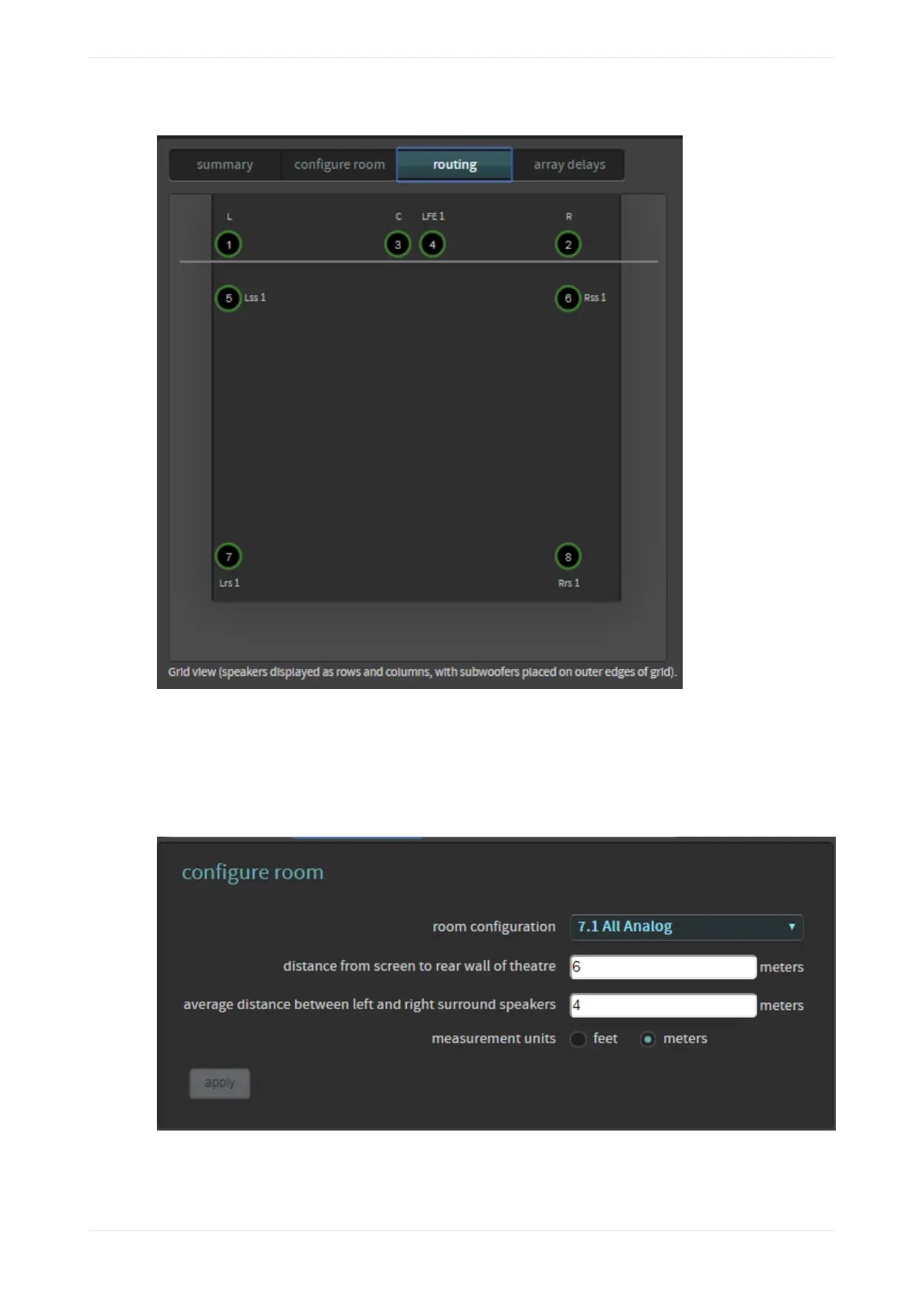
Figure 111: Default speaker positions for 7.1 room
3. Aer selecting the room configuration, enter the distance from the screen to the rear wall of the theatre
and the average distance between le and right surround speakers.
This is similar to the method used when entering a Dolby CP750 room configuration. This enables the
system to determine the correct surround-speaker delay. You can toggle this entry between feet and
meters and can enter only whole numbers (no fractions or decimals).
Figure 112: Enter distances
Digital users proceed to the next section (Section 4.1.2). Analog users can skip the next section and
proceed to Section 4.1.3.
Configuring equalization with the CP950 real-time analyzer
Dolby Cinema Processor CP950 and Dolby Atmos Cinema Processor CP950A Manual 87
Issue 9 Part Number 8800298 19 January 2022









 To Next Page