3. Using the previously described output levels control, adjust the output level for the center channel so
85 dBFS (slow) is measured on the external SPL meter.
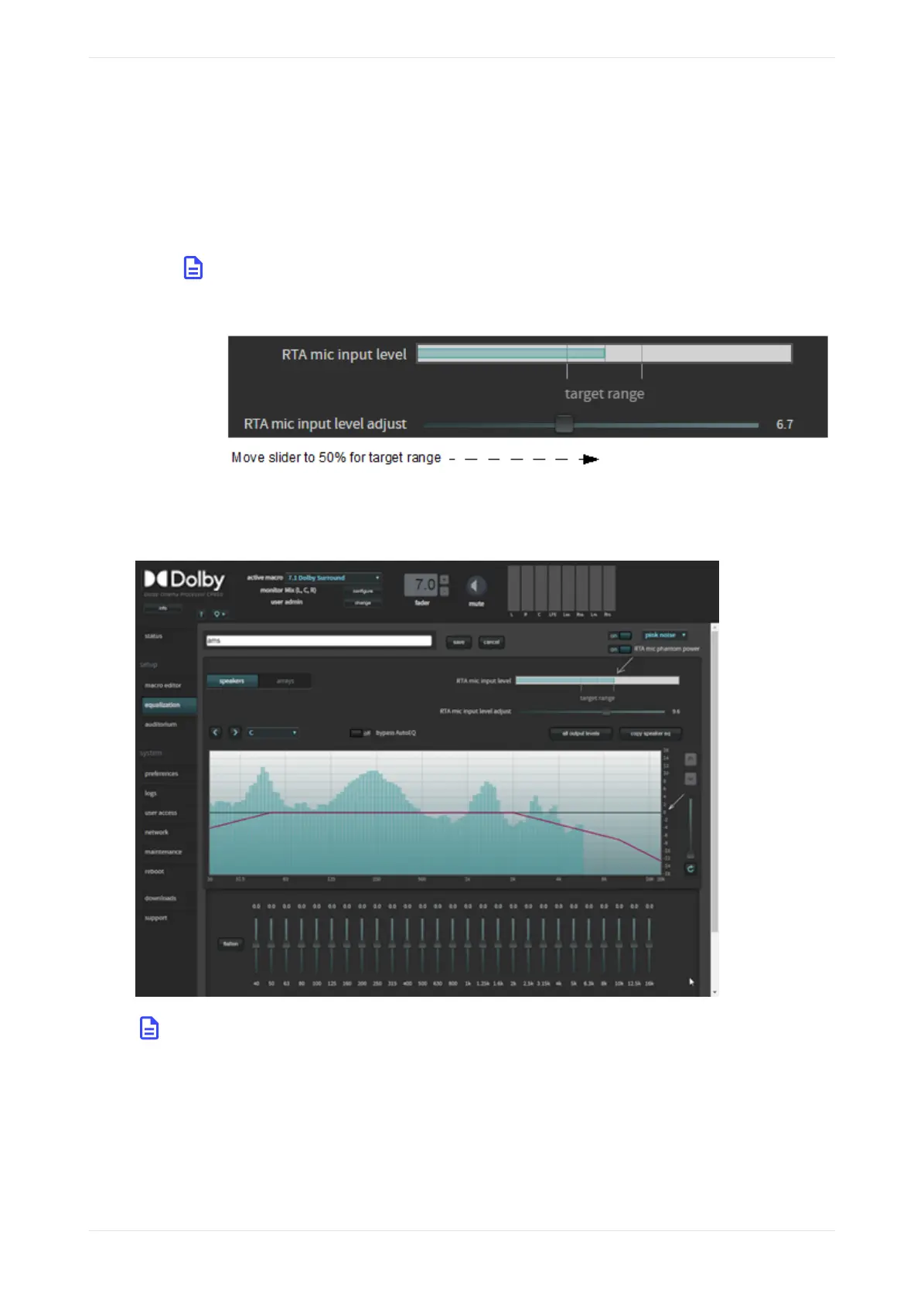
4. The RTA mic input level meter has reference marks. The target range is marked between 40 and 60%.
The 50% level is marked as the center of this range.
5. When the level is within the target range, increase or decrease the RTA mic input level adjust slider
until the reading is as close to the 50% mark as possible. This is equal to the center channel output
level at 85 dBFS (slow) and represents the overall reference level of 0 on the CP950 RTA display graph.
Note: If your microphone has electronics that require +48 V, to see activity on the CP950 RTA,
you may need to click on for RTA mic phantom power.
Figure 123: CP950 RTA microphone level adjustment
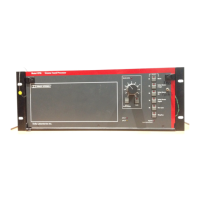
• The RTA should display results, as shown in the following figure.
Figure 124: Real-time analyzer display graph
Note: On multiway speakers, you can adjust amplifiers to match the highs, mids, or lows to the x-
curve as closely as possible.
• The RTA mic input level should show some activity. If the activity is low or does not appear, adjust the
MIC GAIN on the CP950 rear panel to a level that is within the target range. The CP950 ships with a
potentiometer trimmer, as shown in the following figure.
Configuring the equalization parameters
Dolby Cinema Processor CP950 and Dolby Atmos Cinema Processor CP950A Manual 94
Issue 9 Part Number 8800298 19 January 2022



 To Next Page