2. Take the SPL measurement at a location that is two-thirds of the way back in the room and centerline
from the image. View the SPL on your meter, and then proceed to the next step.
3. Increase the gains on all stage and surround speakers to 85 dBFS (slow) average. You should do this on
each speaker or group of speakers on a wall.
Note: For CP750 (or earlier) users, this is a small change from what you normally do, which sets
the surrounds to 82 dBFS. In the CP950/CP950A, all speakers are set to 85 dBFS (C-weighted).
During playback of 5.1 or Dolby Surround 7.1, the processor compensates the surround speakers
to 82 dB.
With multiway speakers, you should add crossover filters at this time, reference the RTA, and then adjust
the high and low frequencies to the same level for a more representative x-curve.
Note: If using a Dolby Multichannel Amplifier, first increase the outputs of the CP950, and then, if
needed, increase the amplifier gains above 0 dB.
• Change the amplifier gains for the subwoofer to 91 dB, C-weighted, slow average. Note that in some
instances, with subwoofers that include bandpass filtering, the SPL level could be dierent (89 dB).
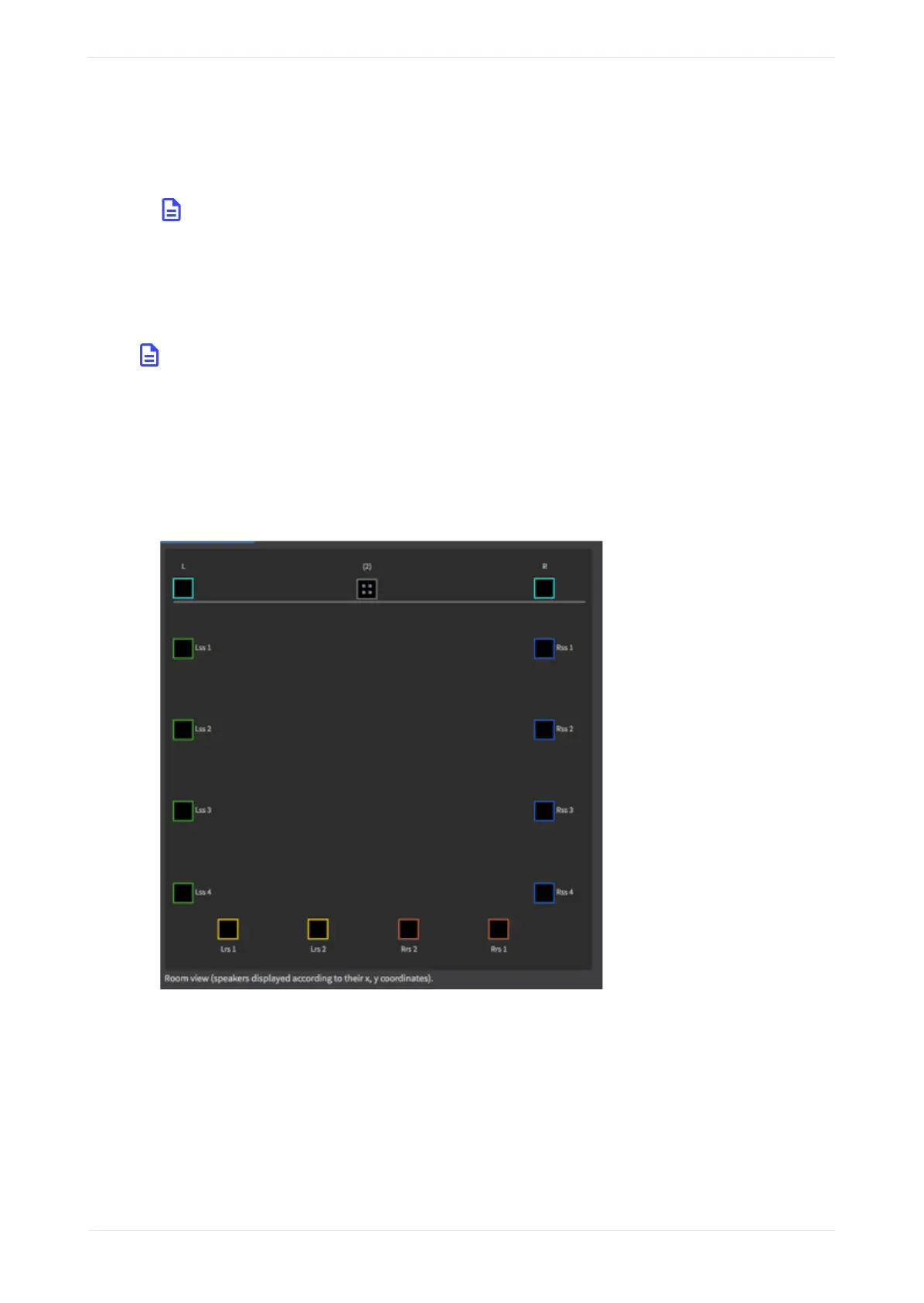
• If you have more than one speaker feed on a wall (as shown in the following figure), you can press and
hold the <Ctrl> key and select multiple speakers for pink noise output. This allows you to average the
audio across the units in an array.
Figure 122: More than one speaker feed
• You should now set basic SPL levels for each speaker or group of speakers using analog amplifier gains.
• Turn o the signal generator and close the Output levels window.
• To use the internal CP950/CP950 RTA, calibrate the RTA mic input level using your SPL meter. Take the
SPL measurement at a location that is two-thirds of the way back in the room and centerline from the
image.
To adjust the RTA Mic input level:
1. Set the fader level to 7.0.
2. Turn on pink noise in the signal generator. (Pink noise is heard in the auditorium.)
Configuring equalization with the CP950 real-time analyzer
Dolby Cinema Processor CP950 and Dolby Atmos Cinema Processor CP950A Manual 93
Issue 9 Part Number 8800298 19 January 2022



 To Next Page