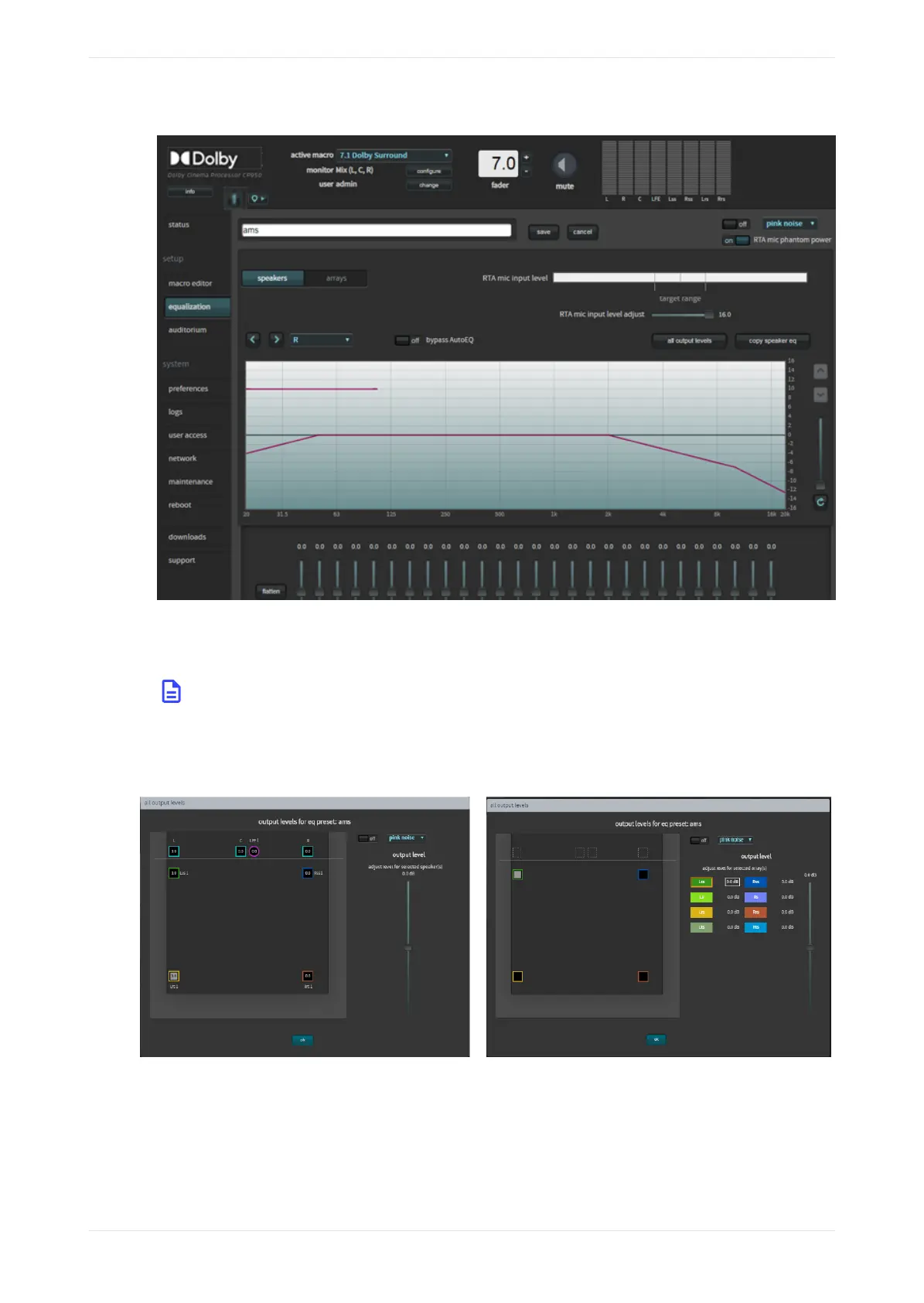
Figure 120: EQ parameters activated for editing
3. Configure the desired parameters in the equalization screen.
4. Aer configuring the desired parameters, click the save button to finalize your changes to the existing
preset.
Note: You can delete a custom preset by clicking the minus (-) button. You cannot delete the
AutoEQ preset.
5. Click the all output levels button and verify that all speakers are set to 0.0.
Figure 121: All output levels screen (speakers and arrays)
At this point, it is time to play pink noise from the speakers in the auditorium and set some basic levels. You
may want to start with the amplifier inputs turned down.
1. Select pink noise from the signal generator, and turn the signal generator on at the upper- right side of
the screen. The selected speaker will output the test signal.
Configuring the equalization parameters
Dolby Cinema Processor CP950 and Dolby Atmos Cinema Processor CP950A Manual 92
Issue 9 Part Number 8800298 19 January 2022



 To Next Page