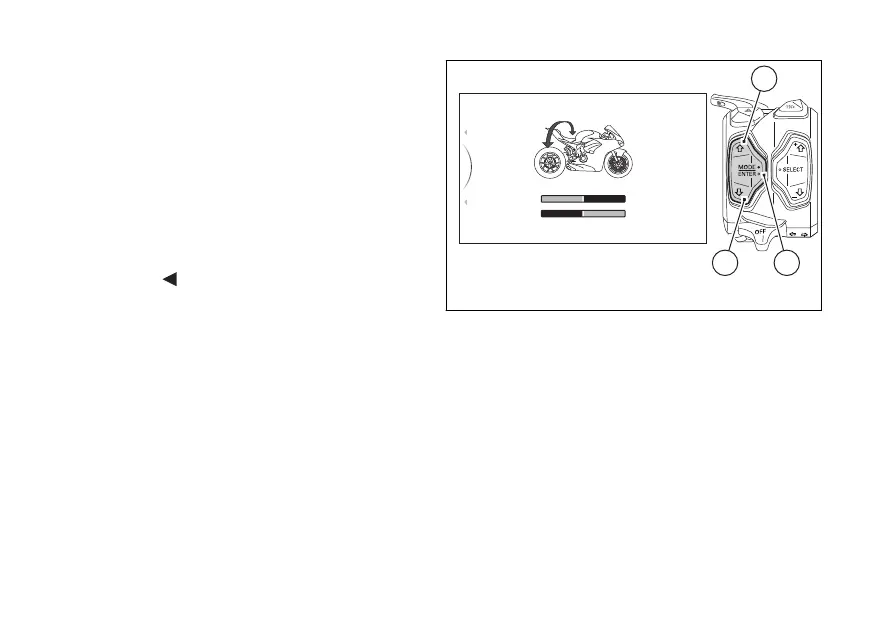
With buttons (1) and (2) select the new level of
intervention desired. For each highlighted level, the
corresponding paired value in the central table
(highlighted with a black background) will be
displayed. Moreover, the braking system intervention
level will be indicated in Light Blue: “FRONT ONLY!”
(Fig. 63) for front brake active only, “CORNERING”
(Fig. 64) for Cornering function active.
Once the desired level is highlighted, press button (4)
to memorise the new selection.
To exit the menu and go back to previous page
highlight the "
Back" indication and press button
(4).
3
Race > Anti-Lock Breaking System
TRACK ROAD
PERFORMANCE SAFE/STABLE
2
1
...
3
Back
Back
CORNERING
42
1
Fig. 64
125













 To Next Page