DxO ONE - User Guide - Copyright © DxO Labs 1999-2015 - All rights reserved 7
Getting Started
Inserting the microSD card
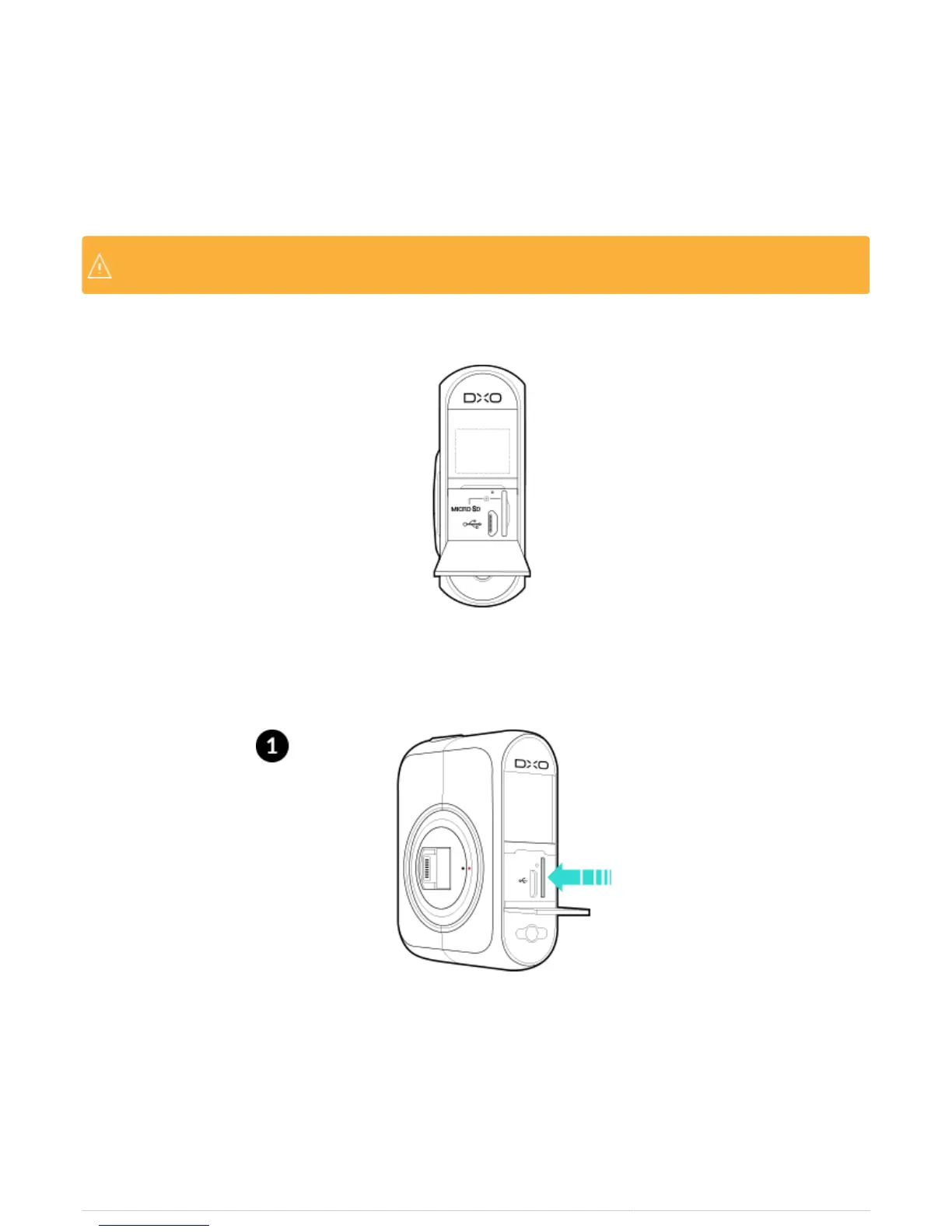
The microSD™ card slot is located behind the door on the back of the DxO ONE device. You’ll find both the
microSD™ card slot and the microUSB connector under this door.
Check and make sure that microSD™ card is inserted before using your DxO ONE, as it will notCheck and make sure that microSD™ card is inserted before using your DxO ONE, as it will not
operate without a microSD™ card.operate without a microSD™ card.
1. Open the door by lightly pulling on the latch door.
2. Insert the microSD™ card into the microSD™ card slot with the connector pads facing forward toward the
Lightning connector side of the camera, and press down on it to insert it.



 To Next Page