DxO ONE - User Guide - Copyright © DxO Labs 1999-2015 - All rights reserved 125
4. To return to previous screens, tap on Return on the top left.
DxO ONE settings menu
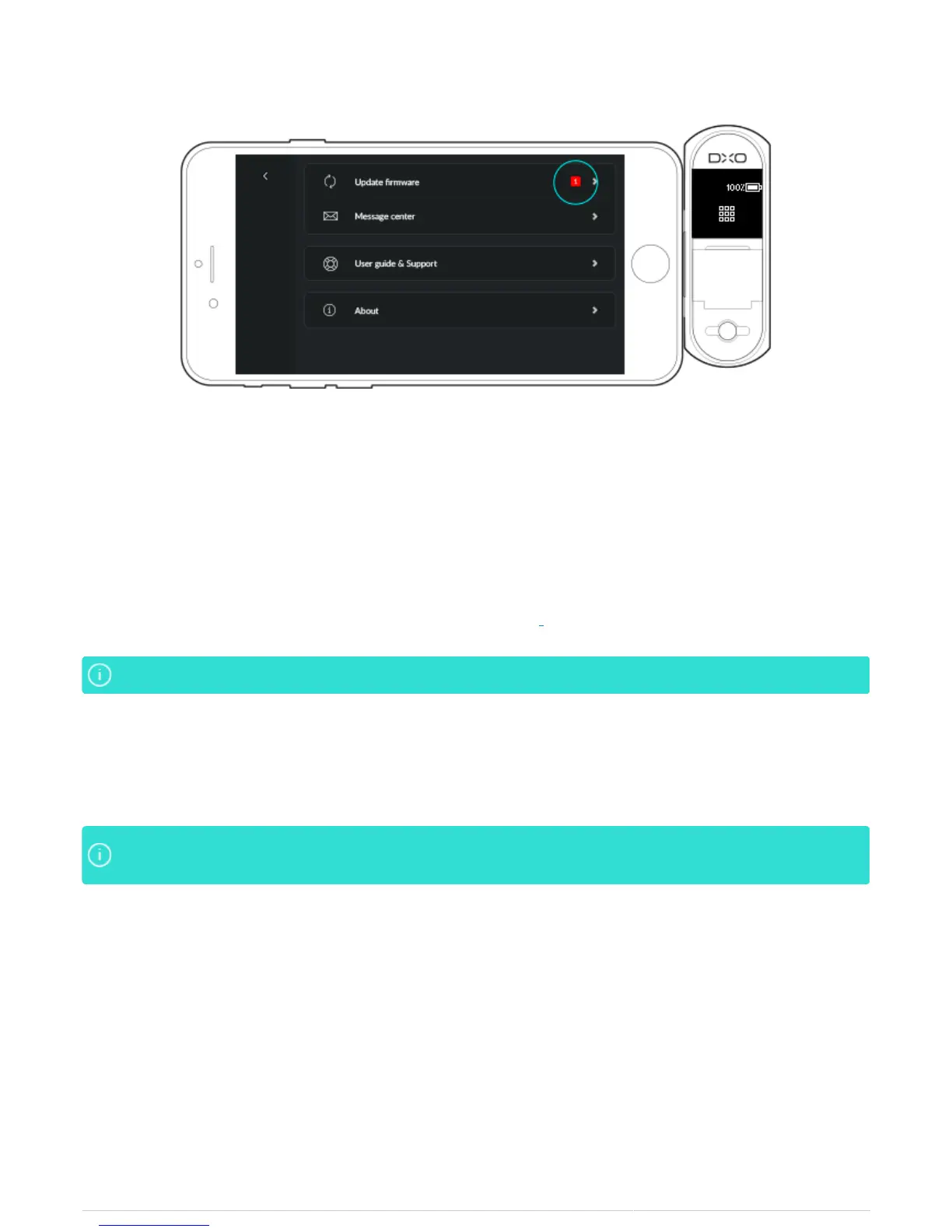
Update firmware
This section gives you access to firmware updates; the availablity of a new update is indicated by a red dot with
the number 1 embedded in it (see Advanced features > Firmware update).
This section is not included if your microprogram is up to date.This section is not included if your microprogram is up to date.
Message center
The Message Center keeps you informed about the new features of the DxO ONE and associated software. New
messages are indicated by a red dot along with a number indicating the number of unread messages.
If there are new messages or a new firmware update available, the Menu button will also display aIf there are new messages or a new firmware update available, the Menu button will also display a
red dot. red dot.
Help and User Guide
Tapping Getting Started & Support will connect you to iOS Safari and the DxO ONE support pages. You will be
able to view the FAQs, tutorial videos, and during working hours, contact customer support via Chat.
Buy DxO products
Connects to the DxO online store, where you can purchase accessories for the ONE.
About
Displays the version numbers of the application and microprogram, the series number of your DxO ONE (to view



 To Next Page