DxO ONE - User Guide - Copyright © DxO Labs 1999-2015 - All rights reserved 44
5. There are four scene modes to choose from:
Program Mode
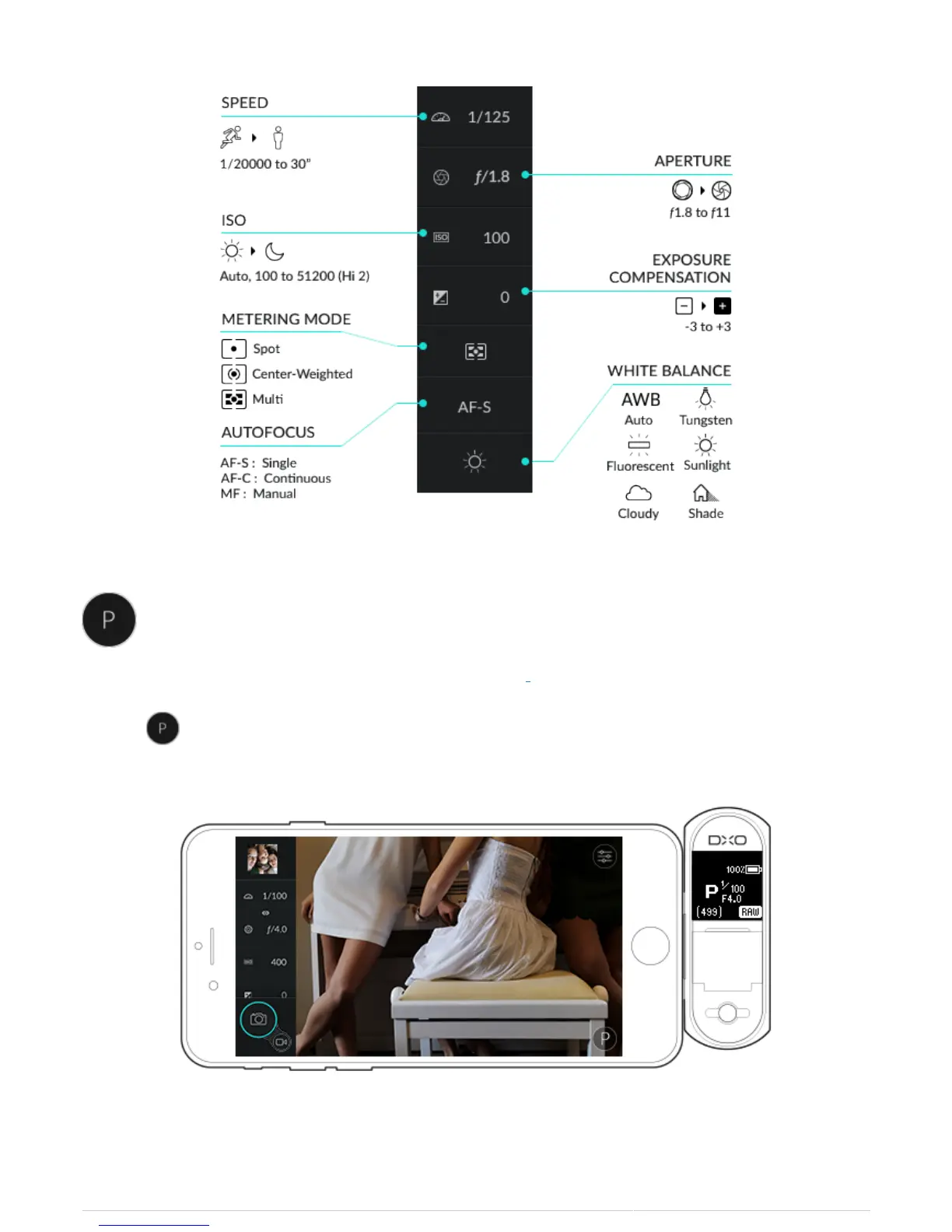
Program mode allows you to simultaneously adjust both shutter speed and aperture.
1. Select to open Program mode.
2. When using Program mode, the exposure is always preserved. The picker displays 9 steps which represent



 To Next Page