DxO ONE - User Guide - Copyright © DxO Labs 1999-2015 - All rights reserved 25
Stand-alone capture modes
Framing assistant
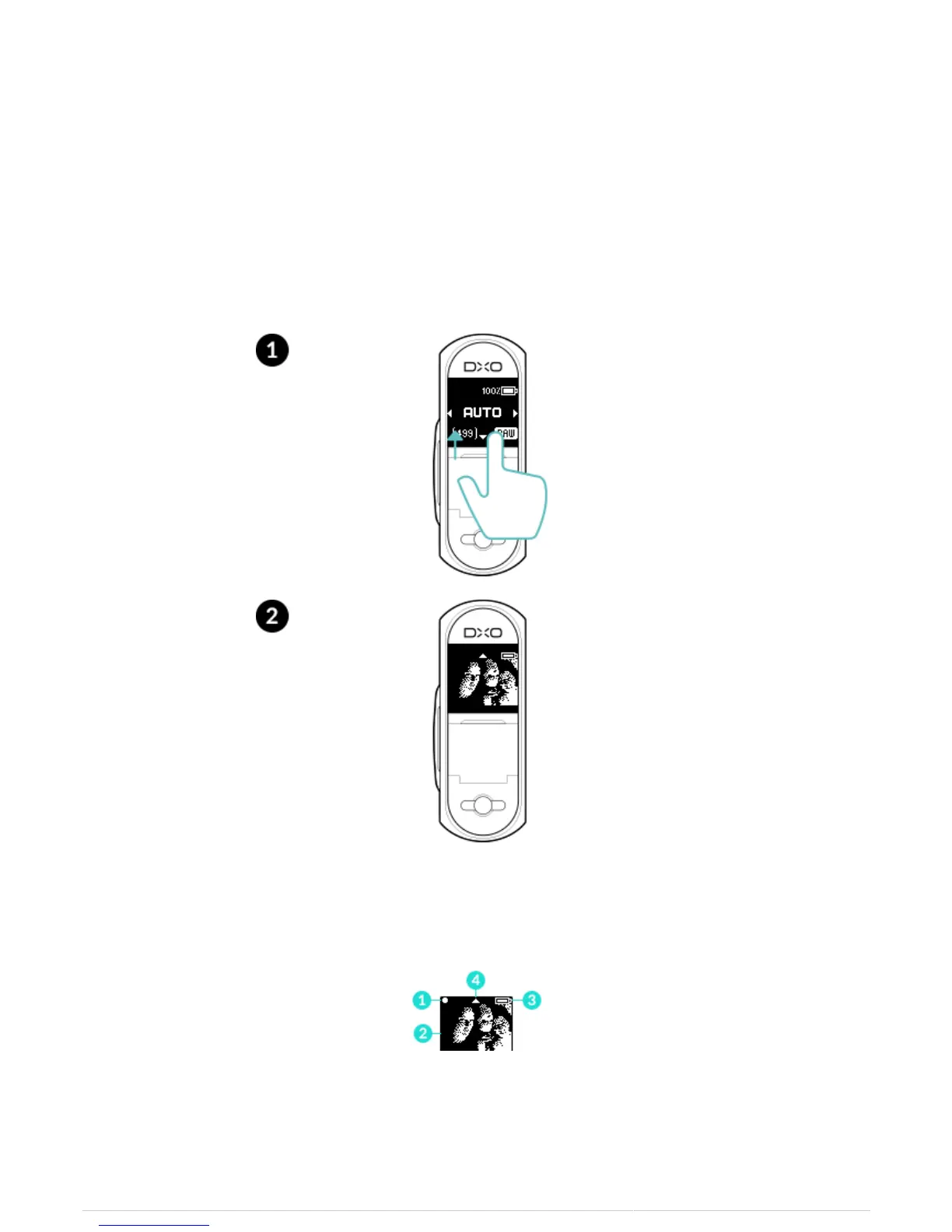
The framing assistant lets you quickly and easily compose your image when in standalone shooting mode,
whether shooting photos or video. It uses the DxO ONE’s OLED screen, which displays a monochrome image of
the scene.
1. To activate the framing assistant, sweep the OLED screen from the bottom to the top.
2. The screen displays the following information:
In Photo mode:
1. Focus indicator
2. Image of the scene being photographed



 To Next Page