DxO ONE - User Guide - Copyright © DxO Labs 1999-2015 - All rights reserved 74
Connected capture modes
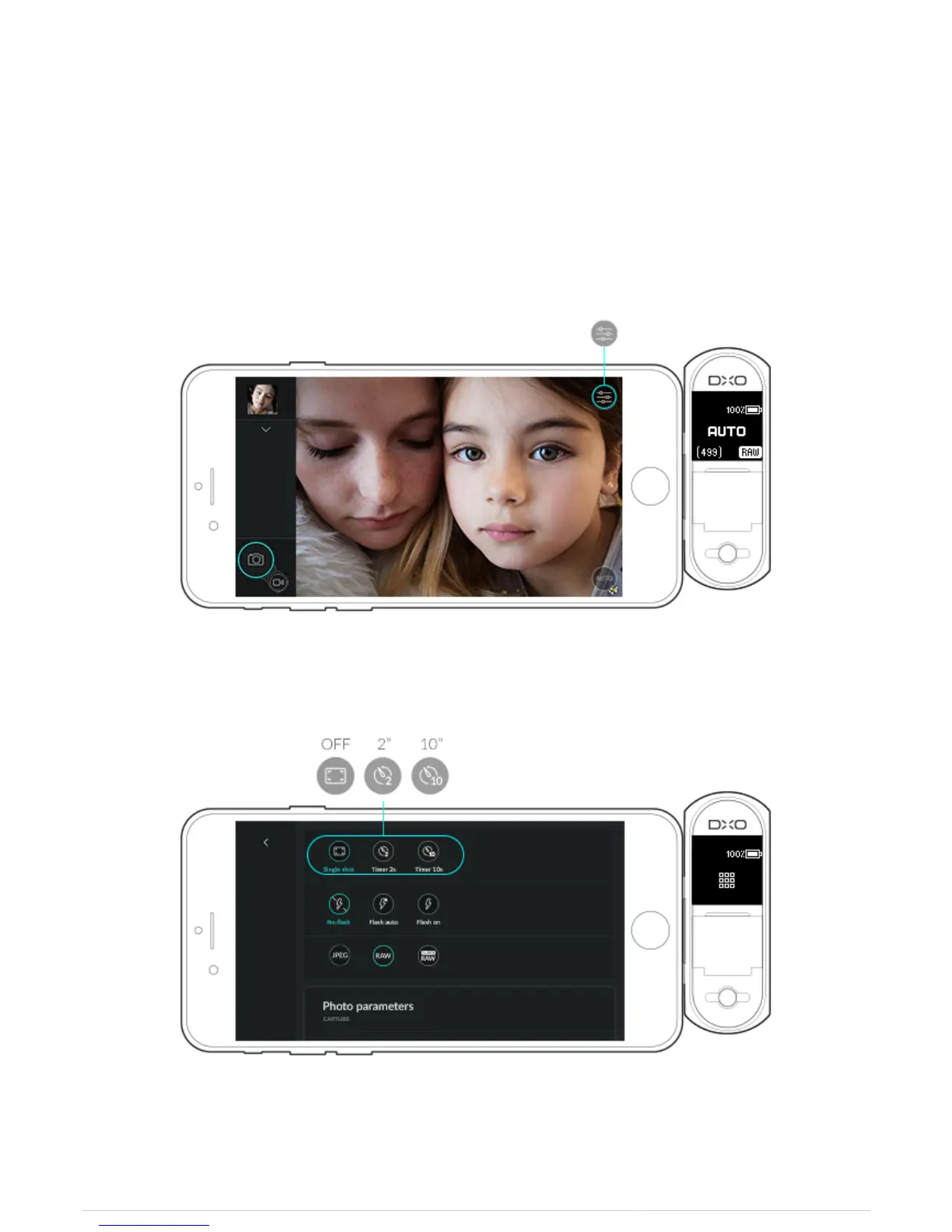
Activating timer mode
The DxO ONE timer allows you to set the camera up to take a photo either 2 or 10 seconds after pressing the
shutter. It is useful for reducing camera shake when using the camera in low light situations and for taking group
selfies.
1. Tap on the Capture settings icon.
2. On the first line in the Capture settings, click on either the 2-second or 10-second timer icon.
3. A countdown begins and is displayed on the iPhone screen.



 To Next Page