DxO ONE - User Guide - Copyright © DxO Labs 1999-2015 - All rights reserved 76
Connected capture modes
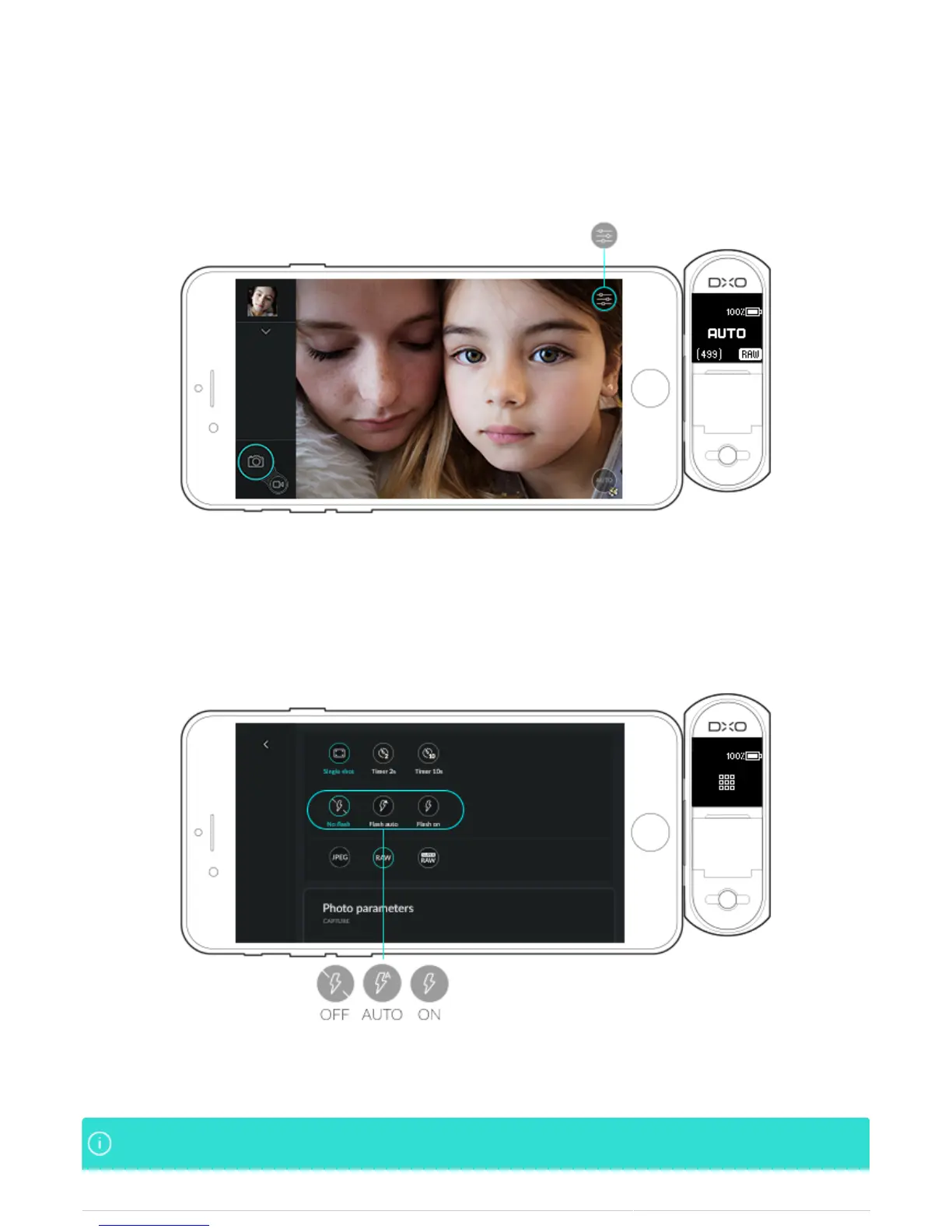
Activating flash
1. Tap the Capture settings icon on the top right of the screen.
2. In the second line of the Capture settings display, select one of the flash modes by tapping on the relevant
button:
Off: The flash is deactvated.
●
Automatic: The flash will fire automatically if lighting conditions require it.
●
On: The flash will fire for each shot.
●
The icons associated with the Auto or flash On modes are displayed on the right in the viewfinderThe icons associated with the Auto or flash On modes are displayed on the right in the viewfinder



 To Next Page