DxO ONE - User Guide - Copyright © DxO Labs 1999-2015 - All rights reserved 38
Connected capture modes
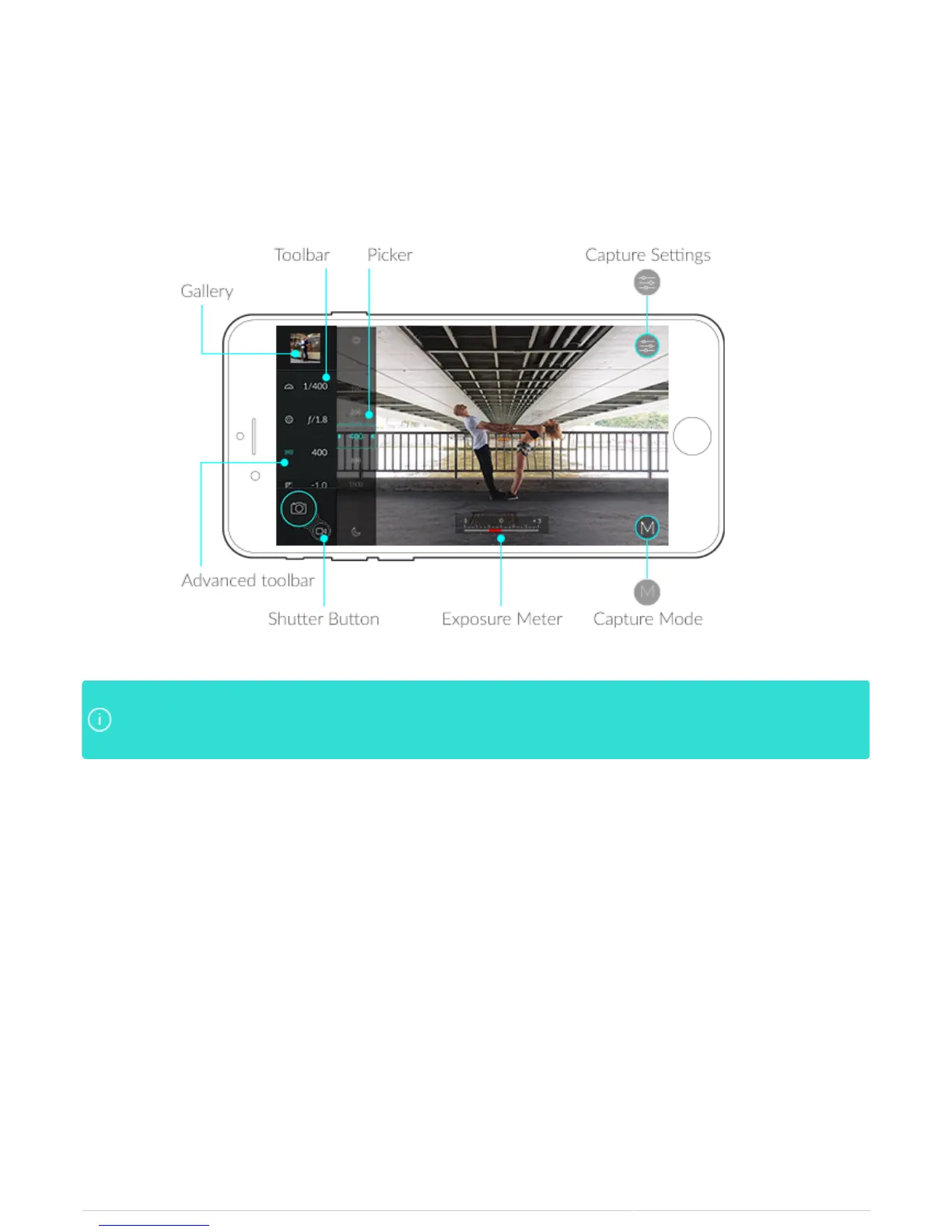
DxO ONE App at a glance
The DxO ONE App puts all of the controls at your fingertips, controlling the camera from your iPhone screen. The
user interface is simple and intuitive, but also very powerful:
The app opens in Auto Mode, and shoots in RAW +JPEG by default. The JPEGs are rendered from theThe app opens in Auto Mode, and shoots in RAW +JPEG by default. The JPEGs are rendered from the
RAWs and are instantly available to share. The RAWs can be further processed by DxO’s desktopRAWs and are instantly available to share. The RAWs can be further processed by DxO’s desktop
software to render an even higher quality JPEG.software to render an even higher quality JPEG.



 To Next Page