DxO ONE - User Guide - Copyright © DxO Labs 1999-2015 - All rights reserved 13
Closing the connector
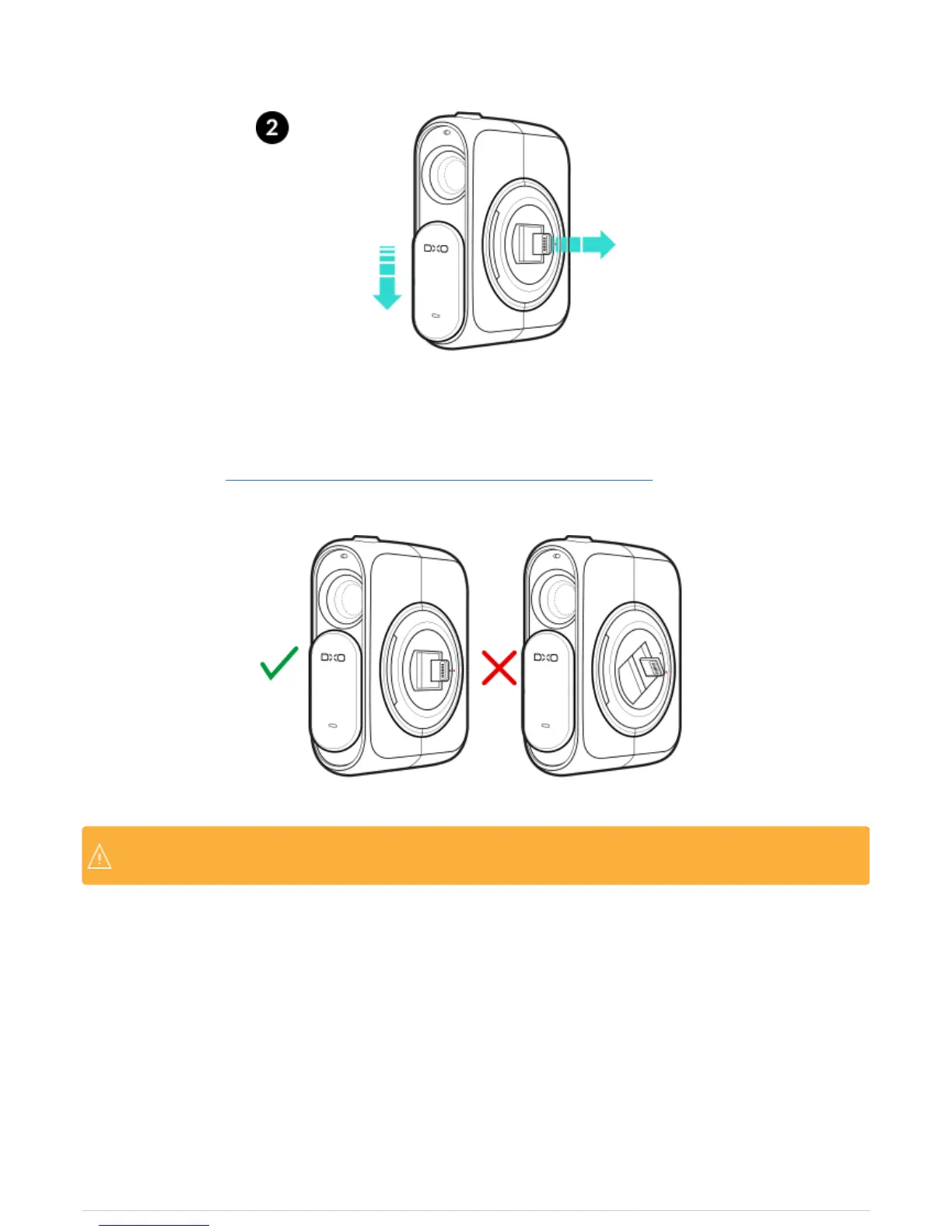
1. Ensure that the red and black points on the DxO ONE’s circular ring are properly aligned. If they are not, refer
to the section about Connecting and disconnecting the camera to/from the iPhone.
You should not have to force the connector down. If it won’t recess, check again to make sure you’veYou should not have to force the connector down. If it won’t recess, check again to make sure you’ve
aligned the dots on the circular hub, and try again.aligned the dots on the circular hub, and try again.
2. Slide and hold the lens cover all the way down while gently pushing the connector flat (recessed in the circular
hub).



 To Next Page