EBS
Ink-Jet Systems
®
EBS-6100 Printer User's Manual
Paragraph 6 - SERVICE and maintenance
20070529#20.5
109
PROBLEM REMEDY
!
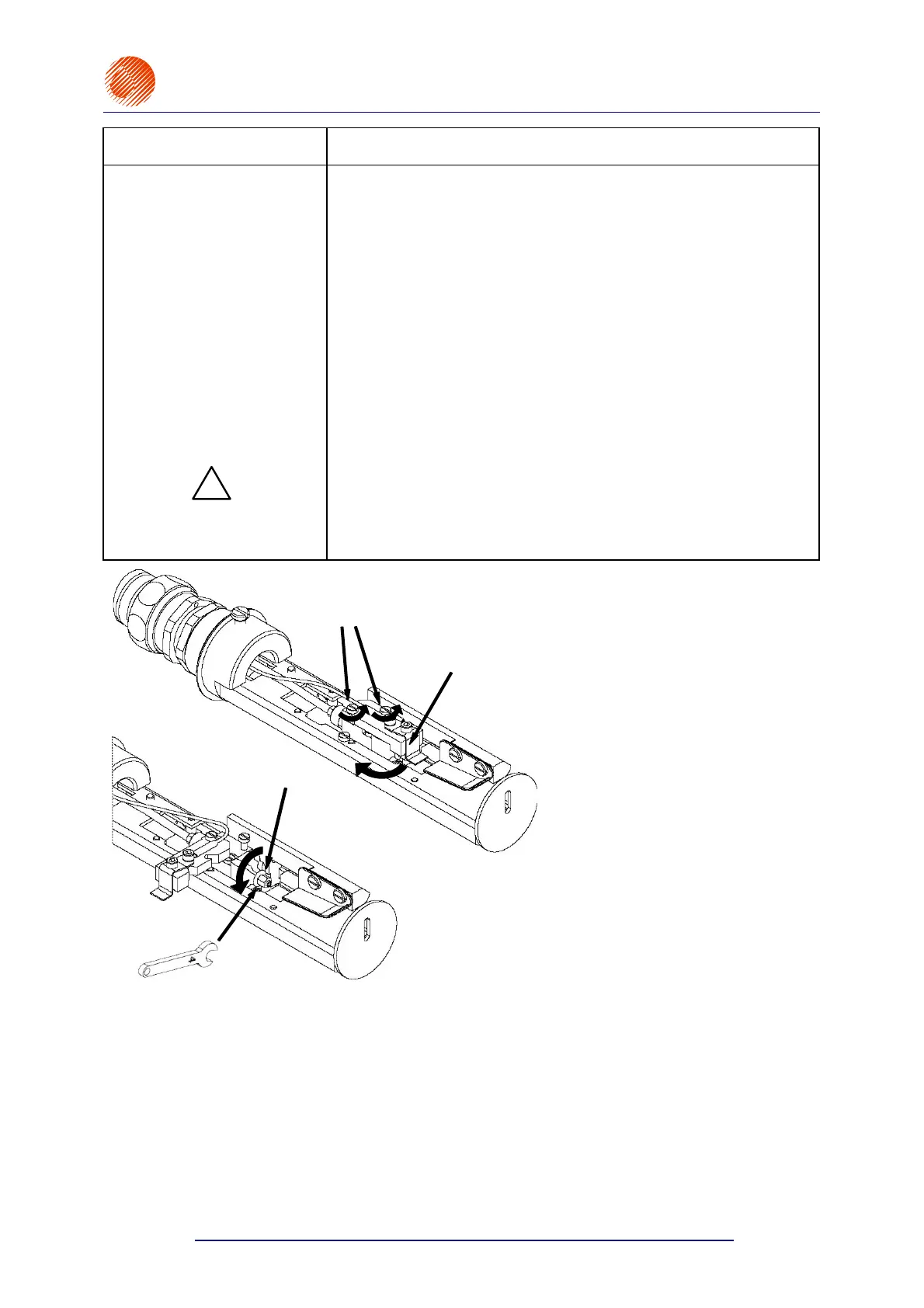
• unscrew the nozzle
carefully,
• wash the nozzle with solvent thoroughly,
• blow the nozzle carefully with compressed uncontaminated air in
the opposite direction to the ink flow,
• with the nozzle unscrewed, select the V0 ON command (or press
the INK ON/OFF key on the external panel) in order to let the ink
flow to the head (the lamp V0 on the internal panel comes on).
Ink along with impurities starts flowing out of the gun. Let a few
millilitres of ink flow out and select the V0 OFF command.
• screw the nozzle on the gun until the first perceptible resistance
is met, taking care that external impurities do not get into the
nozzle,
NOTE: If the nozzle is screwed too tight, the nozzle or
the gun may get damaged, especially the ruby tip
of the nozzle may break.
• fasten the insulator of the charging electrode with screws,
• select the V0 ON command to make ink flow to the head.
Now the ink jet is aligned and the printer will be phased properly in
about 30 seconds.
CHARGING ELECTRODE
Open end spanner #4
Nozzle
Charging electrode
Bolts to hold down the
charging electrode
Fig. 6.3.3.1.



 To Next Page