EBS
Ink-Jet Systems
®
EBS-6100 Printer User's Manual
Paragraph 4 - Operating the Printe
20070529#20.5
53
The display shows the parameter block library from which you should select the name
of a block to be deleted, and then confirm the selection (see also section 4.4.2 Using
Print-Parameter Blocks).
NOTE: Once deleted the block cannot be restored.
4.4.2.5. Deleting the Parameter-Block Library
If you delete the block library, it means that all parameter blocks contained in the
printer’s memory are deleted.
In the main MENU select the PARAMETERS SERVICE item and then the
CLEAR PARAM.LIBRARY item.
When confirmed, the parameter blocks are deleted irretrievably
.
4.4.2.6. Accessing the Parameter Block Library
Viewing the parameter library means viewing all parameter blocks stored in the
printer’s memory. In the main MENU select the PARAMETERS SERVICE item and
then the READ LIBRARY item.
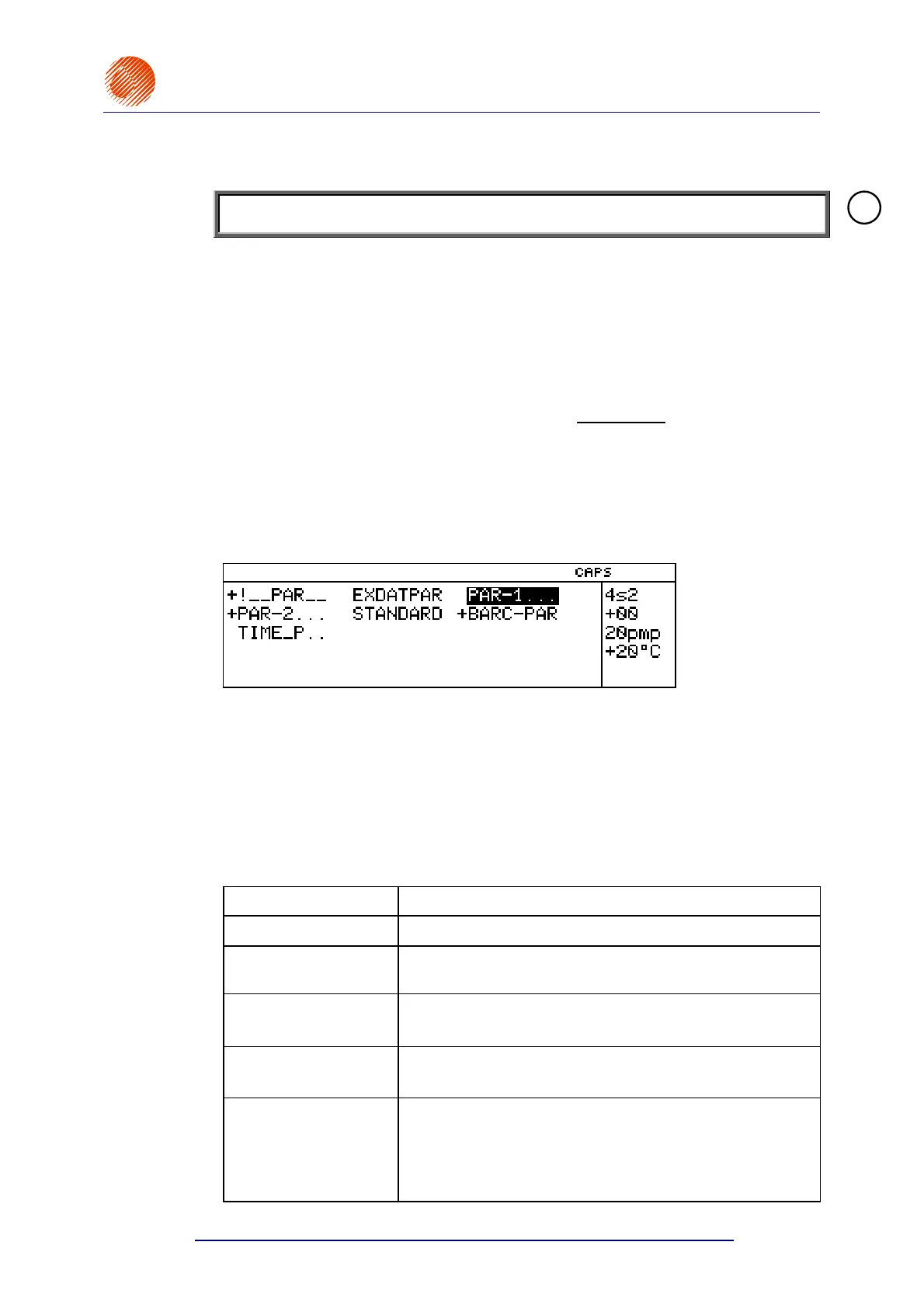
The names of parameter blocks are displayed in the terminal’s operating window in
alphabetical order. In this window you can view parameter blocks, assign the read
only attribute to the blocks to protect the blocks from being deleted or modified by
unauthorised persons and also remove the attribute. The blocks with the read only
attribute assigned to them are marked with a “+” sign that precedes the block names.
The attribute markers (“+” or “space”) are also displayed with the
EDIT PARAM. BLOCK and COPY & EDIT BLOCK commands but they cannot be
modified with these commands.
The following functions are available while the parameter block library is viewed:
Terminal key
Function
¤£¢¡
Moving the cursor along the names of parameter blocks.
An alphabetical or
numerical key
To display the parameter block names starting from the
first name that begins with a given character.
Y¢ (HOME)
lub
Y£
To place the cursor on the first name in the library.
Y¡ (END) lub
Y¤
To place the cursor on the last name in the library.
ª
To assign/remove the read only attribute to/from a
selected parameter block. The operation is available only
when the service password is enabled. If the password
level is too low, you will be asked for a password when you
make an attempt to change the attribute.
!



 To Next Page