EBS
Ink-Jet Systems
®
EBS-6100 Printer User's Manual
Paragraph 6 - SERVICE and maintenance
20070529#20.5
117
CORRECT PRINT
LOWER DROPS HIT THE
UPPER EDGE OF THE
GUTTER
LOWER DROPS BOTH
HIT THE UPPER EDGE
OF THE GUTTER AND
FALL INTO THE GUTTER
Fig. 6.3.8.2.
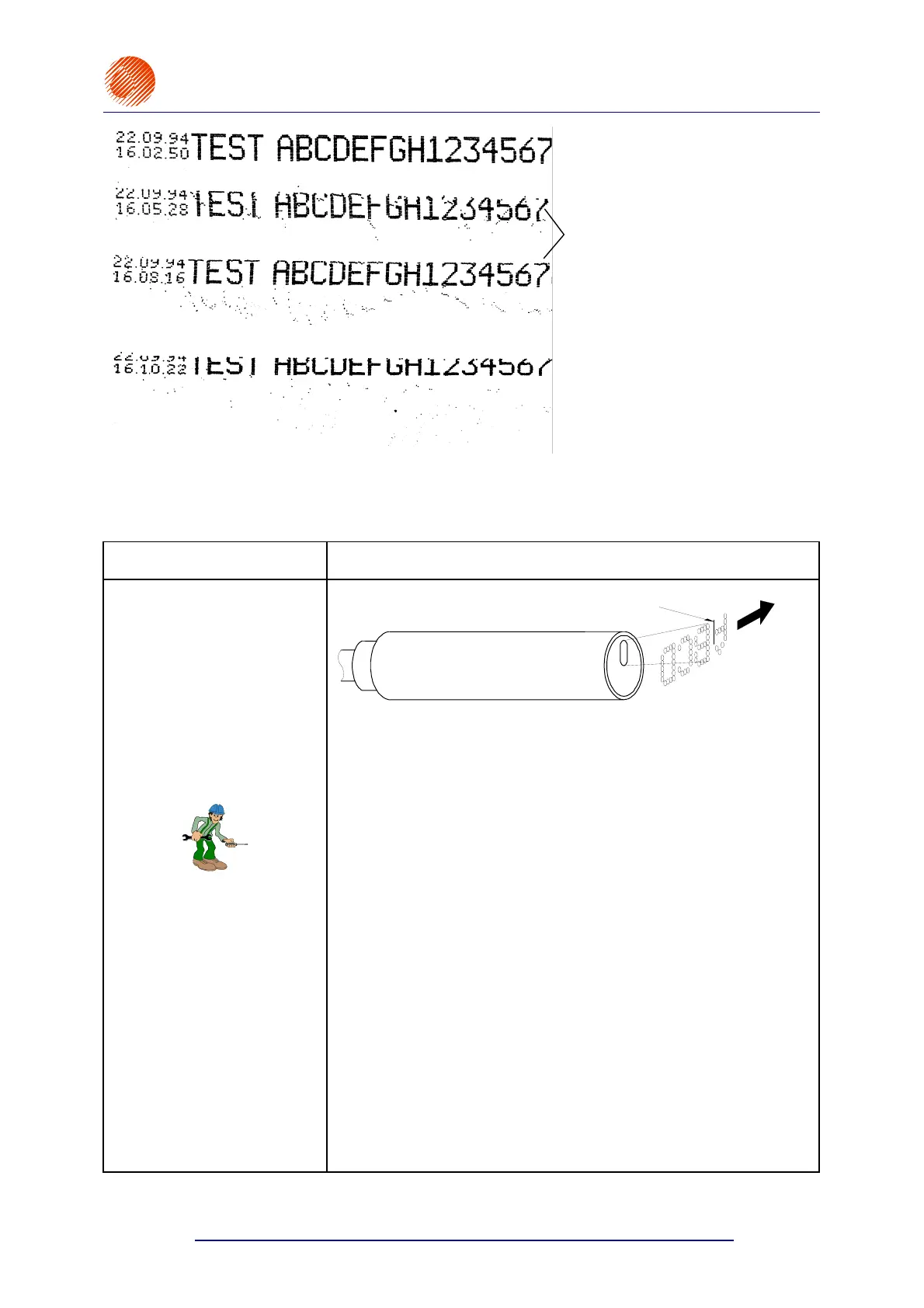
6.3.9. Some vertical rows of the print are spaced widely
PROBLEM REMEDY
Some vertical rows of the
print are spaced
widely - the problem occurs
only when an external
shaft-encoder is used for
timing.
PRINT HEAD
A ROW MISSING IN LETTER
Fig. 6.3.9.1.
The distortion occurs when the print rate is too high (or more
precisely, when the timing frequency is too high). The rectifying
procedure involves the following steps:
• if a shaft-encoder is used for timing, then reduce the setting of
the Enc const p/m or Resol. dot/cm parameter with the
PRINTING PARAMETERS command - refer also to section
4.6 Adjusting the Print Rate,
• If the above measure fails, set the Speed parameter in the
PRINTING PARAMETERS submenu to a print rate that is higher
than the current one. For example, if the Speed parameter is set
to SLOW, than change its setting to MIDDLE,
• If the Speed parameter is set to FAST and a distorted print is still
produced, you can only reduce the travel speed of the conveyor
or possibly contact the Manufacturer for more information.
NOTE:
Some complex texts with the vertical row height of more than 16 dots
cannot be printed when the Speed parameter is set to MIDDLE or
FAST.
If you try to do so, the message PRINT SPEED TOO HIGH is
displayed on the terminal, and you need to re-edit the text file in
order to reduce the maximum print height or the conveyor travel
speed - refer to section 4.6 Adjusting the Print Rate.



 To Next Page