EBS
Ink-Jet Systems
®
EBS-6100 Printer User's Manual
Paragraph 3 - Starting the Printe
20070529#20.5
17
3. Starting the Printer
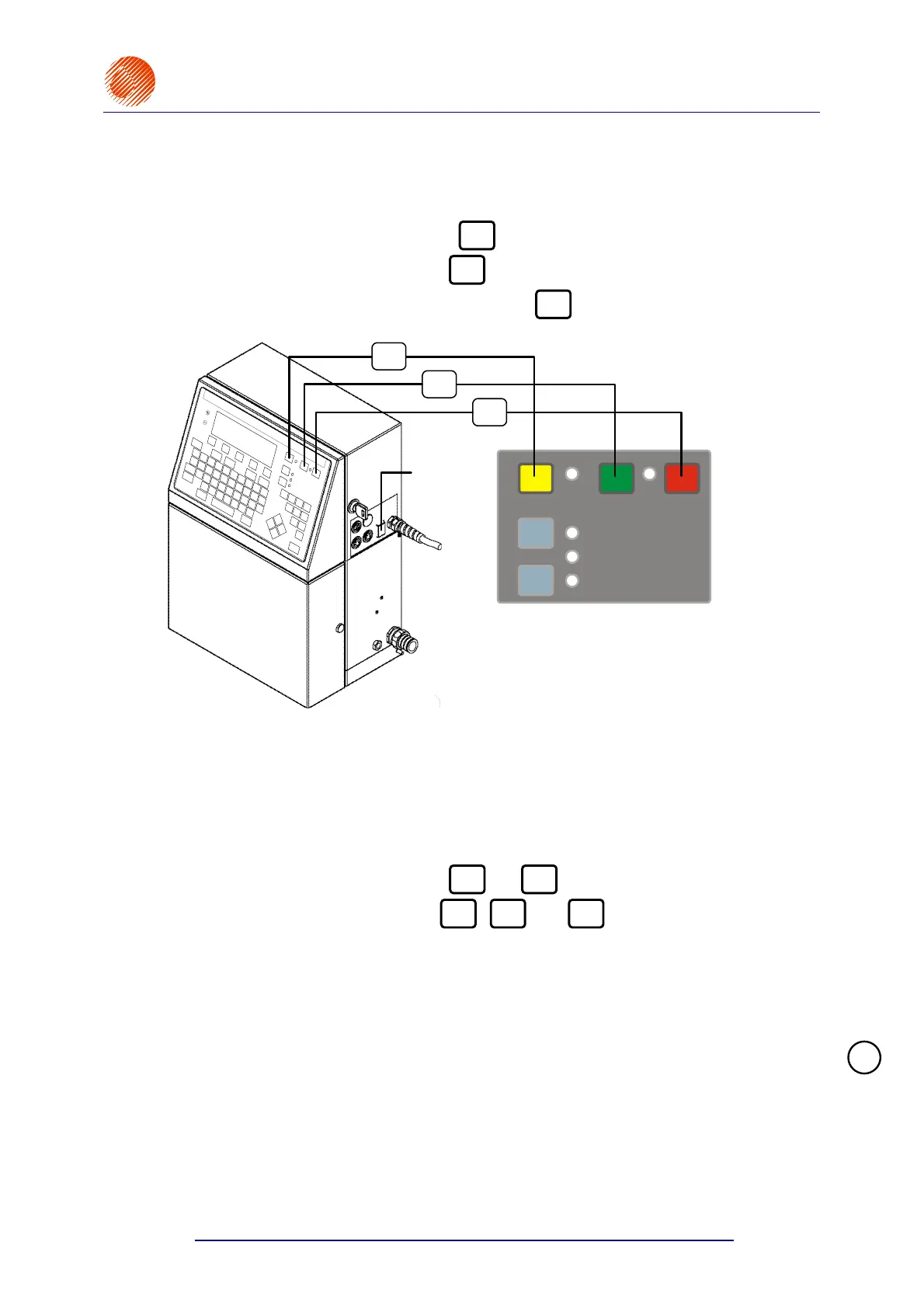
The following key descriptions are used throughout the manual:
• The green ON key is marked with
ON
,
• The red OFF key is marked with
OFF
,
• The yellow CLR. ALARM key is marked with
CLR.
ALARM
.
PRINT ON / OFF
READY
INK ON / OFF
OFF
ON
ERROR
CLR. ALARM
ON
OFF
CLR.
ALARM
Main power
switch
Fig. 3.1.
The EBS-6100 printer is equipped with a power supply with a watch circuit. There are
two power switches that differ from each other over the way mains electricity is switched on or
off:
1. The main (bi-stable) power switch, which separates electrically two power wires
from the mains; it is located on the right-hand side of the unit next to the mains
cord. After the main power switch has been turned on, the printer triggers to the watch
mode and the red lamp between the
ON
and
OFF
keys comes on.
2. The electronic power switch (the
ON
,
OFF
and
CLR.
ALARM
keys on the external panel)
designed to turn the printer on and off by changing the printer’s mode from the watch
mode (the lamp emits red light) to the operation mode (the lamp emits green light) and
vice versa. The keys should normally be used to switch the unit on and off.
If it needs to be separated electrically from the mains, the unit should be turned off,
as described in section 3.2 Switching the Printer Off, and then the main power
switch should be turned off.
NOTE: The description below relates to the printer in its watch mode, i.e. with its
main switch in the ON position.
!



 To Next Page